Preview







Description
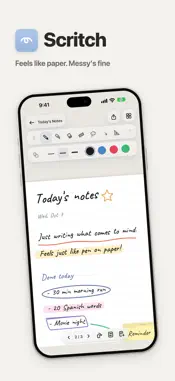
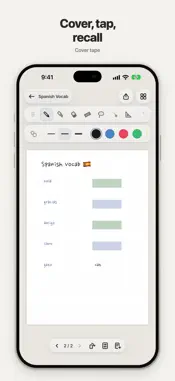
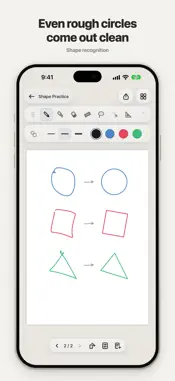
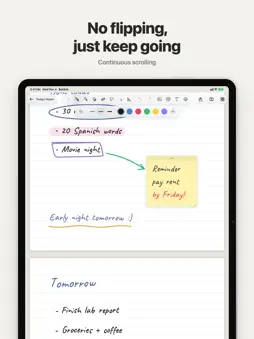
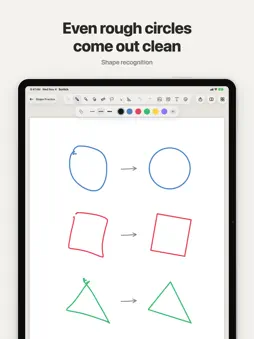
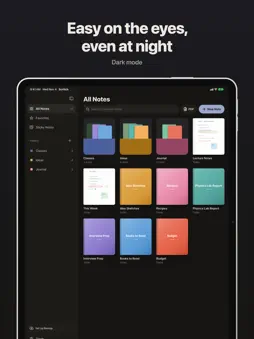
Scritch. Your notes don't have to be perfect from the start. Begin by jotting down whatever comes to mind, and take it all the way with Scritch. Even a quick jot has its details. Writing · Ink shows up the moment your pen touches down, like on paper · Lines respond to pressure and tilt, and the fountain pen pools a little where you pause · Hold your pen at the end of a stroke to get a straight line, or a clean circle, rectangle or triangle · Scribble over something with the pen you're holding to erase it. No need to switch to the eraser · Tidy straightens wobbly handwriting and evens out its size and spacing · Drag a color into a closed shape to fill it · The highlighter sits behind the text, so words stay crisp, even on PDFs · Double-tap or squeeze Apple Pencil to switch tools Studying · Write directly on PDF textbooks. Even hundreds of pages stay light, and you can bring in just the pages you need · Bring in other documents as notes and write on them too · Cover tape hides what you're memorizing. Tap it to check yourself · If you'd rather not flip pages, write in one long page that scrolls down · 23 paper types, including Cornell, vocabulary, planner, manuscript grid, music staff, four-line and kanji practice · Layers keep your writing and drawings apart, and each one has its own opacity · Connect a TV or monitor and it shows just the page, nice and big. There's a laser pointer for classes and talks, too Sticking and decorating · Put photos, stickers, text and sticky notes anywhere on the page · Lasso things to move, rotate or copy them · Run out of room? Switch to an infinite canvas · Give each notebook the cover color and texture you like Sort loosely, find fast · Folders inside folders, favorites, and long-press to drag things where you want them · Browse by cover, or by each note's first page as you wrote it · Dark mode that's easy on the eyes at night And peace of mind · No ads. Who wants ads while they're jotting? · Every feature works without an account · Notes are saved on your device. If you want, pick up where you left off on another device through your own Google Drive · If a save ever fails, you'll know right away, and snapshots let you go back to an earlier version Whenever you feel like jotting, just Scritch.
What's New
Version 1.1.10 2026-11-04
• Scritch now speaks English. • Drag a sticky note's corner to make it a rectangle. Hold still and it snaps to a square. • Rotate photos and stickers with a han... Technical Analysis
Package Overview Basic metadata
Bundle ID
com.lunibee.kkjeok Current Version 1.1.10
Minimum iOS 15.0
Package Size App Store Size
Package Metadata 0 / 0 version records
Detailed binary, privacy manifest, framework, and Info.plist results have not been indexed for this package yet. The verified App Store and archive metadata above remains available.
Developer Information
Known Version Records
0 version records with stored package metadata
Stored metadata does not guarantee a package is currently available to download.
| Details | Version / IDs | Version date | Action |
|---|