Preview






Description
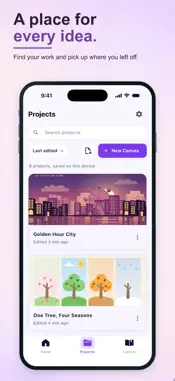
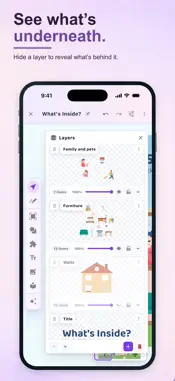
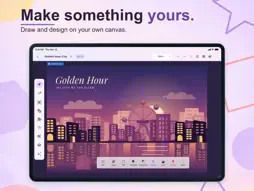
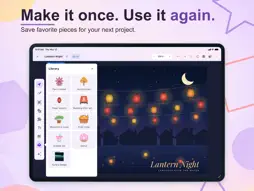
KiCreate Studio is a creative design playground. Make a poster for an imaginary plant shop, build a forest scene from overlapping shapes, or tell a story one page at a time. Start with a blank canvas or open an editable example and make it your own. As kids play, they can start to think like designers. They can see how layers create depth, how size and color guide the eye, and how spacing changes the way pieces fit together. DRAW AND BUILD Sketch with pencil, add texture with crayon, or paint with a brush. Mix your drawings with shapes, images, and text. Pick ready-to-use pieces from Elements, then move, resize, rotate, and recolor them until they fit your idea. Group related pieces to move them together, or combine simple shapes to create a new one. PLAY WITH HOW A PICTURE FITS TOGETHER Move a tree behind a house and see how overlapping creates depth. Make a poster title bigger and notice what catches your eye first. Line up a row of shapes, then change the space between them. Try different colors to make one part stand out or make several pieces feel like they belong together. Each change gives you a new way to look at the same picture. OPEN AN EXAMPLE AND MAKE IT YOURS In What’s Inside?, hide the Walls layer to reveal the rooms. In Paper-Cut Forest, try a different color for the river and see how it changes the scene. Open Fridge Art to add a crayon detail of your own. The examples are editable projects, so you can look at how each picture was put together and try your own ideas. TELL A STORY ONE PAGE AT A TIME Use multiple artboards for a picture book, a comic, or different layouts for the same poster. Add and rearrange pages, then jump to the one you want to edit. Open The Little Seed to see how six illustrated pages tell the story of a growing sunflower. KEEP CREATING Return to your designs in Projects whenever you have another idea. KiCreate Pro unlocks unlimited projects, premium Elements, saving reusable pieces to the Library, and PNG and JPEG export. Privacy Policy: https://kidzzlet.com/privacy-policy Terms of Use: https://kidzzlet.com/terms
What's New
Version 2.0.0 2026-11-13
• Play with new editable examples. Hide the walls to peek inside a house in What’s Inside?, try the crayon in Fridge Art, or follow a seed through six illustrat...• Play with new editable examples. Hide the walls to peek inside a house in What’s Inside?, try the crayon in Fridge Art, or follow a seed through six illustrated pages in The Little Seed. • Make picture books, comics, and matching designs with multiple artboards. Use the updated navigator to find and rearrange your pages. • Find projects and inspiration in the redesigned Home and Projects screens. • Projects open and save faster, with improvements to thumbnails and discarding edits. Technical Analysis
Package Overview Basic metadata
Bundle ID
com.kidzzlet.kicreate Current Version 2.0.0
Minimum iOS 15.0
Package Size App Store Size
Package Metadata 0 / 0 version records
Detailed binary, privacy manifest, framework, and Info.plist results have not been indexed for this package yet. The verified App Store and archive metadata above remains available.
Developer Information
Known Version Records
0 version records with stored package metadata
Stored metadata does not guarantee a package is currently available to download.
| Details | Version / IDs | Version date | Action |
|---|