Preview



Description
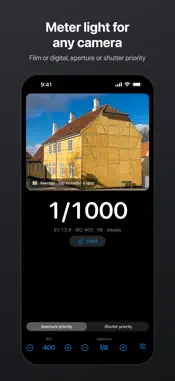
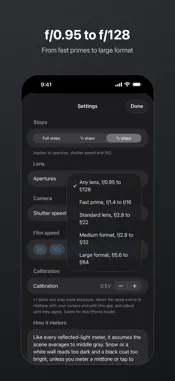
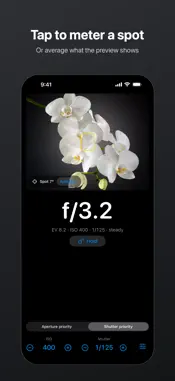
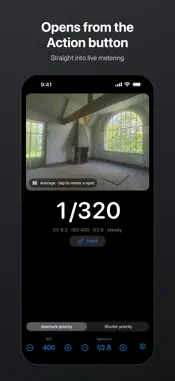
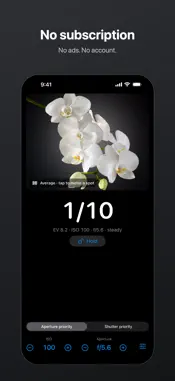
Middlegray is a light meter for film and digital cameras. Point your iPhone at the scene, and it gives you the shutter speed or aperture to set for the ISO you choose. BUILT TO STAY LIVE Readings update live while you meter. If the camera feed stops, the reading clears and a restart button appears, so a stale reading doesn't sit on screen looking current. If the camera pauses, for example because another app is using it, Middlegray tells you why. A held reading stays on screen even if the camera stops. METERING • Aperture priority or shutter priority • Tap the preview to meter a small spot, or tap Average to meter everything the preview shows • Hold a reading while you set your camera • Each reading shows whether it is still settling or steady • The screen stays awake while you meter • "Too dark" tells you when the light is below what the iPhone camera can measure YOUR STOPS, YOUR CAMERA • Full, ½ or ⅓ stops for aperture, shutter speed and ISO • Apertures from f/0.95 to f/128 • Shutter speeds from 1/8000 s to 30 s, with longer exposures shown as a B time • ISO 3 to 25600, with film speed presets from 50 to 3200 • ND filters up to 20 stops, allowed for in the reading • Lens presets from fast prime to large format, and shutter presets for mechanical and leaf shutters • When the exposure falls between marked stops, it shows the difference, such as +⅓ • When your lens or shutter can't reach the exposure, it shows how many stops over or under CALIBRATION Every iPhone camera differs slightly. Meter the same evenly lit midtone with Middlegray and with your camera's meter, or another meter you trust, then adjust the calibration offset until they agree. The offset covers ±3 EV in ⅓ stops and is saved for your iPhone model. ACTION BUTTON On iPhone models with an Action button, set it to Middlegray's Meter Light shortcut. Press and hold the button to open Middlegray straight into live metering, releasing any held reading. HOW REFLECTED METERING WORKS Like every reflected light meter, Middlegray assumes the scene averages to middle gray. Snow or a white wall reads too dark and a black coat too bright, unless you meter a midtone or tap to meter a spot. The first launch explains this and how to calibrate. WHAT IT DOESN'T DO Middlegray reads reflected light through the iPhone camera. It doesn't do incident metering or color temperature. MIDDLEGRAY PRO The meter is free. Pro is one purchase, not a subscription, and adds: • Long exposures: reciprocity correction for 16 films from Ilford, Kodak and Fujifilm data sheets, and a timer for B • Saved cameras: each camera's apertures, shutter speeds and film, one tap apart • Roll notes: every frame's settings as you shoot, shared as text You can try each first: three timed long exposures, one camera and your first roll are free. No ads and no account.
What's New
Version 1.2.1 2026-11-19
Fixes a crash on opening Middlegray on some iPhones. Technical Analysis
Package Overview Basic metadata
Bundle ID
com.kiducate.middlegray Current Version 1.2.1
Minimum iOS 26.0
Package Size App Store Size
Package Metadata 0 / 0 version records
Detailed binary, privacy manifest, framework, and Info.plist results have not been indexed for this package yet. The verified App Store and archive metadata above remains available.
Known Version Records
0 version records with stored package metadata
Stored metadata does not guarantee a package is currently available to download.
| Details | Version / IDs | Version date | Action |
|---|