
Preview







Description
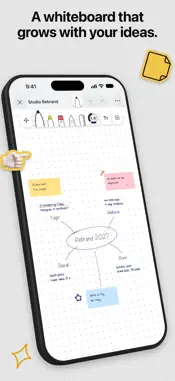
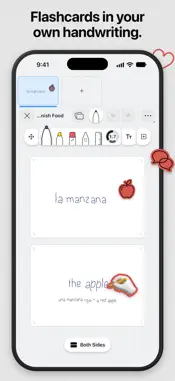
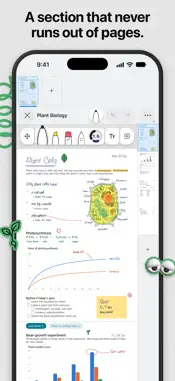
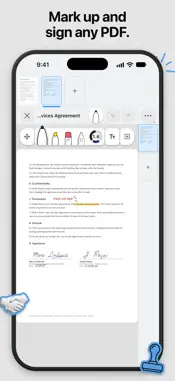
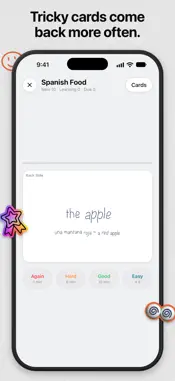
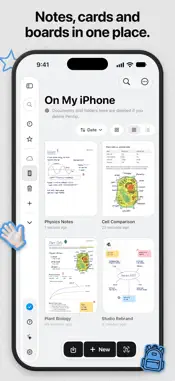
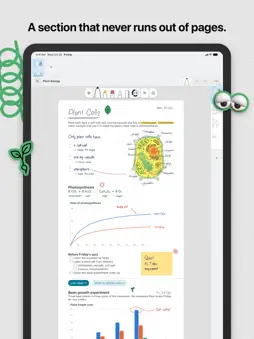
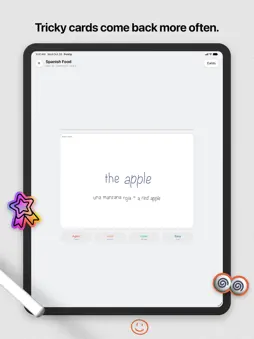
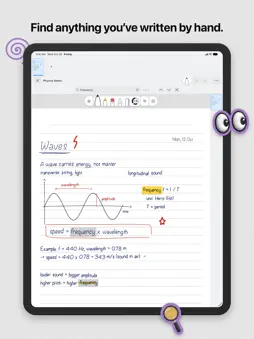
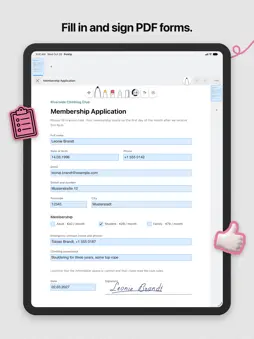
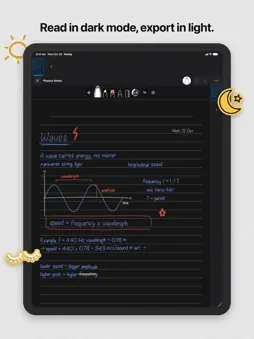
Pentip is a notebook for people who take a lot of notes, and who write some of them by hand and type the rest. FIND WHAT YOU WROTE BY HAND Search your notes and Pentip reads your handwriting, along with typed text, text frames, imported PDFs and the answers in PDF forms. Search the whole library, or jump from match to match in the document you have open. Handwriting is recognised in all ten languages Pentip speaks, Arabic and Turkish included. Searching costs nothing extra. TYPE AND HANDWRITE ON THE SAME PAGE Type straight onto the page and your text flows from one page to the next, the way it does in a word processor. Then pick up your Apple Pencil and draw on that same page. No mode to switch. The Pencil draws, the keyboard types where the cursor is, and your finger scrolls. Typed text can hold tables, charts, maths graphs and lists inside lists, and any words can link to a website, another note or a single page. YOUR DRAWINGS MOVE WITH YOUR TEXT Every pen stroke remembers the line of text it was drawn beside. Add a paragraph weeks later and the arrow you drew still points at the same sentence, even once that sentence has moved onto the next page. TOOLS THAT FEEL RIGHT Pen, brush, highlighter and a precise eraser, all with Apple Pencil pressure and tilt. Draw a shape, hold still at the end, and Shape Snap turns it into one of more than 30 clean shapes, from arrows to stars. The ruler doubles as a protractor, and squeezing an Apple Pencil Pro opens colours and sizes at the tip. STICKERS AND COVERS More than 500 stickers, 3D ones included, in any colour or a holographic foil, plus labels you write on and stickers made from your own photos. Notebooks get covers too: one of 53 designs, a photo of your own or a plain material like linen or leather. FLASHCARDS AND WHITEBOARDS Write flashcards by hand or type them, then study in order or shuffled, and the cards you find hard come back sooner. A whiteboard grows as you draw, and its mini map takes you anywhere on it. WORK ON YOUR HANDOUTS Import a lecture PDF and mark it up like paper, or scan pages straight in with the camera. Tap a form field and type into it, right to left included. When your lecturer sends a corrected version, swap it in and every note stays where it was. READ IN THE DARK WITHOUT CHANGING YOUR WORK Smart Dark draws a light document dark while you read and write it. Your exports stay exactly as you made them. BIG DOCUMENTS, TEN LANGUAGES Notebooks of any length, paper templates, five layers and sections that keep several canvases in one file. Pentip speaks Arabic, Dutch, English, French, German, Italian, Polish, Russian, Spanish and Turkish, and sets text direction for each paragraph, so an Arabic note sits correctly next to an English source. Export to PDF or as an image, and sync across your devices with iCloud. Pentip runs on iPhone and Mac too. Pentip Pro adds unlimited documents, iCloud sync, export, Shape Snap, stickers and the designed and photo covers. Terms of Service: https://www.apple.com/legal/internet-services/itunes/dev/stdeula/ Privacy Policy: https://pentip.app/privacy/
What's New
Version 6.0 2026-11-09
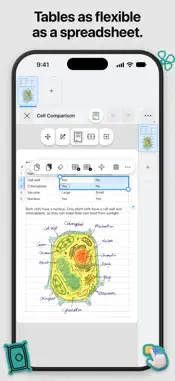
Pentip 6 adds stickers and notebook covers, lets you put charts and links in your typed text, and rebuilds Shape Snap from the ground up. STICKERS • More than ...Pentip 6 adds stickers and notebook covers, lets you put charts and links in your typed text, and rebuilds Shape Snap from the ground up. STICKERS • More than 500 stickers, 3D ones included, on one page you can search • Give a sticker any colour or one of eight holographic foils, write your own words on a label, or turn a photo into a sticker COVERS AND NEW DOCUMENTS • Dress a notebook in one of 53 designed covers or a photo of your own, and it shows that way in your library • A new start page puts paper, look and cover side by side. Begin from a preset such as Math or Night, or save your own CHARTS, GRAPHS AND LINKS • Put one of eight kinds of chart, from column and line to pie and bubble, in your typed text or in a text frame. Double-tap it to type your numbers • Type a formula such as x^2 or sin(x) and the graph appears. Drag to move around and pinch to zoom • Link words to a website, to a section or page of the same note, or to another note. A link can also look like a button SHAPE SNAP • Draw a shape and hold still at the end. It turns into one of more than 30 clean shapes, from arrows to stars and hearts • Keep moving before you lift off to resize or turn it, and switch Shape Snap on or off for each document under More WRITING AND TABLES • Lists can hold lists. Press Tab or tap Increase Indent to tuck an item under the one above, and bullets and numbers now sit closer to their words • In tables, Tab and the arrow keys jump from cell to cell and Return starts a new line inside a cell. You can also put a table inside a cell or style several cells at once • Paste a picture, or drag one in from another app, onto the page, into your typed text or into a text frame • Touch and hold an empty spot below your text and choose Type Here to start on that line • A new text frame starts small, right where you tap, and grows as you type • Selecting text is quicker in long notes, and the floating bar opens right under what you selected ALSO NEW • How to Use Pentip is a step-by-step guide with short videos. Find it in the library's sidebar and in the More menu • Sections can now have names of their own. Touch and hold a section's tab and choose Rename. The name appears in links, on the export page and when Pentip asks before deleting the section. A new note's first section takes the name you give the note • Exports let you pick the quality and leave out the cover, and Export now sits in each document's menu in the library • A note opens sharp straight away, and one in Smart Dark opens dark Stickers, the designed and photo covers and Shape Snap are part of Pentip Pro. Plain materials such as linen and leather come with every notebook. FIXES • Exported pages no longer come out blank or go missing, and editable form exports keep your handwriting, every section and ticked boxes • Answers typed into a PDF form stay after you reopen Pentip, and fields that share an answer show it everywhere • Typed text no longer repeats a line where one page ends and the next begins, and the cursor and selection have the right size • The page no longer jumps while you type in landscape • Selecting cells in a table no longer freezes Pentip • A duplicated document no longer gets mixed up with its original • A note that became read-only after syncing can be edited and saved again • If Pentip closes suddenly, new work on a page that was empty is kept and things you erased stay erased Plus fixes for Upload to iCloud, for the arrow keys in long list items and for list markers that went missing. Technical Analysis
Package Overview Basic metadata
Bundle ID
dev.kh1.Pentip Current Version 6.0
Minimum iOS 18.2
Package Size App Store Size
Package Metadata 0 / 3 version records
Detailed binary, privacy manifest, framework, and Info.plist results have not been indexed for this package yet. The verified App Store and archive metadata above remains available.
Developer Information
Known Version Records
0 version records with stored package metadata • 3 known version records
Stored metadata does not guarantee a package is currently available to download.
| Details | Version / IDs | Version date | Action |
|---|---|---|---|
| Not archived | App Store ID: 886393450 | Unknown | Request Version |
| Not archived | App Store ID: 882661177 | Unknown | Request Version |
| Not archived | App Store ID: 882221170 | Unknown | Request Version |