
Preview

Description
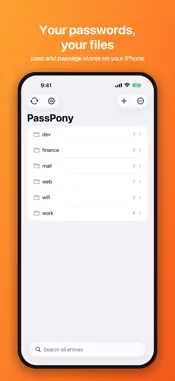
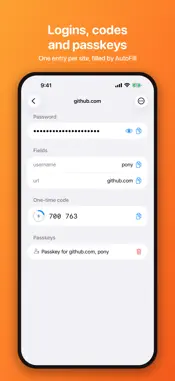
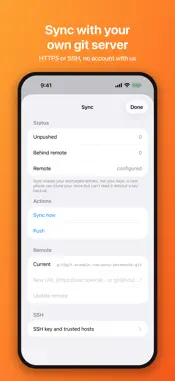
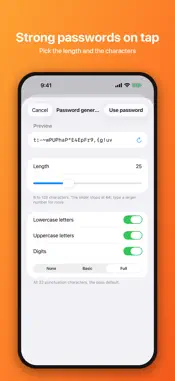
PassPony is a password manager for people who want to own their passwords. Every entry is one encrypted file in a store you control, in the same format as the pass and passage command line tools. Your Mac, your server, and your phone can all work on the same store. WHY A FILE-BASED STORE One entry, one file: the password on the first line, anything else after it. Encrypted with your keys: age identities for passage stores, OpenPGP keys for pass stores. Synced with git over HTTPS or SSH: clone your existing store, publish a new one, and resolve conflicts per entry, never with a silent merge. Interoperable: commits match the pass CLI format, so the store stays fully usable from the desktop tools. EVERYDAY USE AutoFill: your passwords appear above the keyboard when you sign in. Only entry names are indexed; nothing decrypts until you fill. Passkeys: save a passkey for a site and sign in with it. It lives in that site's entry, encrypted with your keys, and syncs like everything else. One-time codes: TOTP with a countdown ring, HOTP counters, and import from an authenticator app's export QR codes. Face ID or Touch ID unlock, with a five-minute grace window shared with AutoFill. Ephemeral clipboard: copies are local only and clear after 45 seconds. Field-level editing that preserves the exact bytes of lines it does not touch. YOUR KEYS STAY YOURS Back up every key on your phone to one file locked with a recovery code, and restore it on a new phone. SSH sync uses a key made on your phone or imported; hosts are trusted on first use and a changed host key is refused. Phones that share a store each add their own public key to it when they sync, and you approve every new key before your entries are re-encrypted for it. Secret keys never leave a device. PRIVATE BY ARCHITECTURE No account, no signup, no PassPony server. The only network connection is the git remote you configure. No analytics, no ads, no tracking. Open source, Apache-2.0. The full app and its Rust core are published in a public git repository for anyone to audit. FORMATS passage stores encrypt with modern age identities. pass stores encrypt with OpenPGP keys (Cv25519 and X25519/Ed25519 in software). RSA-keyed stores need a smartcard, which is not supported yet. Each format keeps its own store; switching never touches the other. Localized in English, Spanish, French, German, Simplified Chinese, Brazilian Portuguese, and Russian. If you already run pass or passage, PassPony is the missing phone half of your setup. If you have never used them, the first-run tour will have you adding your first pass in about a minute.
What's New
Version 2.1.0 2026-10-27
PassPony 2.1 RSA keys: pass stores encrypted to RSA keys now open on iPhone, and new entries are saved to them too. Passphrase-protected keys, keys exported wi...PassPony 2.1 RSA keys: pass stores encrypted to RSA keys now open on iPhone, and new entries are saved to them too. Passphrase-protected keys, keys exported with only their subkeys, and entries written by recent GnuPG versions also work. Design: a plainer look in PassPony orange, menus in place of cramped segmented controls, and clear messages when a store can't be opened or something can't be saved. Fixes: choosing the pass (OpenPGP) format before importing a key no longer crashes the app. Initialize store now lists RSA keys instead of saying no key has been imported. Adding or editing an entry no longer closes the screen when the save fails. It stays open and says why. Technical Analysis
Package Overview Basic metadata
Bundle ID
dev.norsehorse.passpony Current Version 2.1.0
Minimum iOS 18.0
Package Size App Store Size
Package Metadata 0 / 0 version records
Detailed binary, privacy manifest, framework, and Info.plist results have not been indexed for this package yet. The verified App Store and archive metadata above remains available.
Developer Information
Known Version Records
0 version records with stored package metadata
Stored metadata does not guarantee a package is currently available to download.
| Details | Version / IDs | Version date | Action |
|---|