
Preview



Description
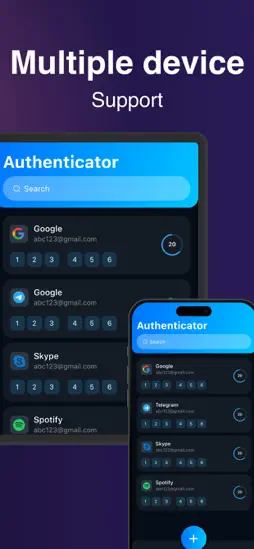
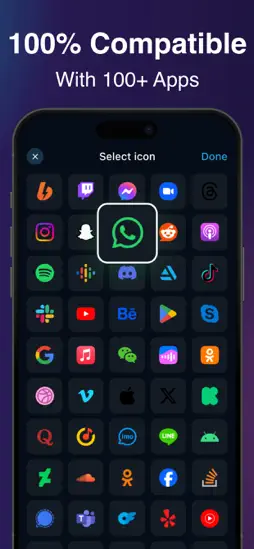
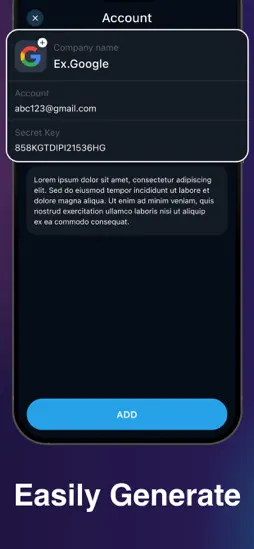
Two factor authentication (2FA) provides a second layer of security. When enabled, during login after entering your password, you’ll be asked for an additional way to prove it’s really you. Either approve the notification sent to the Authenticator, or enter the one-time password (OTP) generated by the app. The OTP codes have a 30 second timer counting down. This timer is so you never have to use the same time-based one-time password (TOTP) twice and you don’t have to remember the number. The OTP doesn’t require you to be connected to a network, and it won’t drain your battery. You can add multiple accounts [ Multple Social media platforms ] and more. The verification code can be generated by the 2FA Authenticator app on your phone, even if you don't have a network or cellular connection. - Secure & Private Encryption :- Your data is always encrypted, even in iCloud. Only you have access to your two-factor authentication data. - Encrypted Backup :- Create an encrypted backup of your codes to ensure seamless recovery in case you lose or upgrade your device. - Automatic Synchronization Across Apple Devices :- Enjoy real-time synchronization of your accounts across all your Apple devices, including iPhone, iPad, Mac and Apple Watch. - Quick Access with Widget :- Access your 2FA codes instantly from the Home Screen with the Authenticator Widget, providing faster authentication. - Offline Two-Factor Authentication :- Generate secure codes even when your device is offline or in airplane mode. Your accounts remain protected no matter your connection status. - Multi Import :- Easily import accounts and 2FA codes from other authenticators like Google Authenticator, password managers, and files. - Native Apple Experience :- Enjoy a seamless experience on all Apple devices, with features like dark mode, intuitive gestures, and automatic data sync. - All Popular Accounts :- Authenticator App supports major platforms. Privacy policy : https://authprivacy.blogspot.com Terms of use : https://sites.google.com/view/kr-terms-of-use/home
What's New
Version 1.0 2025-02-11
Technical Analysis
Package Overview Basic metadata
Bundle ID
com.kr.auth Current Version 1.0
Minimum iOS 13.0
Package Size App Store Size
Package Metadata 0 / 1 version records
Detailed binary, privacy manifest, framework, and Info.plist results have not been indexed for this package yet. The verified App Store and archive metadata above remains available.
Related Apps


More by Kevin Rupareliya


Developer Information
Known Version Records
0 version records with stored package metadata • 1 known version records
Stored metadata does not guarantee a package is currently available to download.
| Details | Version / IDs | Version date | Action |
|---|---|---|---|
| Not archived | v1.0 App Store ID: 872278205Build: 1.0 | 2025-02-11 05:44:47 | Request Version |