
Preview





Description
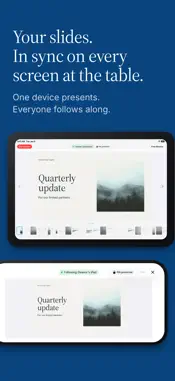
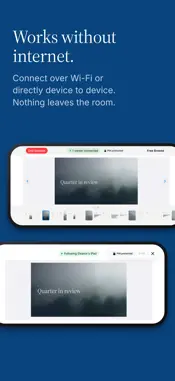
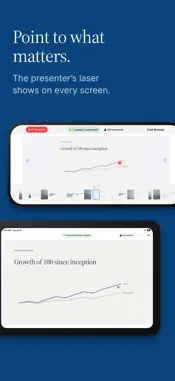
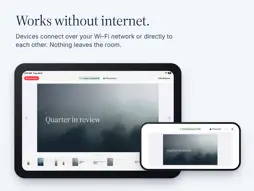
Present a PDF deck to every iPad in the room. No cloud, no accounts, no internet required. DeckSync turns a stack of iPads into one synchronized presentation. One device drives the deck; viewers follow every page turn and laser pointer in real time over a direct peer-to-peer link. Nothing touches a server. Nothing leaves the room. And only the presenter needs a subscription — viewers join free. BUILT FOR THE ROOMS THAT STILL PRINT Investor meetings and LP updates Board and committee meetings Fund marketing and roadshows Sales presentations in client offices Any conference room with unreliable guest Wi-Fi VIEWERS JOIN FREE One subscription runs the whole meeting. Attendees install DeckSync, tap your session from the nearby list, and follow along at no cost. No sign-up. Nothing to configure. HOW IT WORKS Import a PDF from Files, OneDrive, SharePoint, Google Drive, Dropbox, Box, AirDrop, the share sheet, or USB. Tap Start Presenting and set an optional four-digit PIN. Viewers open DeckSync, pick your session from the nearby list, and the deck loads. Swipe, tap a thumbnail, or touch and drag for the laser pointer. Every connected device follows. FEATURES Sync over your Wi-Fi network, or directly device to device. Internet not required. Synced laser pointer visible on every follower device. Free browse mode for Q&A, then one tap to pull the room back to your slide. If the presenter's connection drops, viewers reconnect automatically and keep the deck on screen. PIN-protected sessions prevent accidental joins from the floor above. Pre-load the fleet before a roadshow, or push the deck to each device as it joins. Full-screen viewing, thumbnail navigation, and dark mode. iPad and iPhone, mixed freely in the same session. PRIVACY BY ARCHITECTURE DeckSync has no backend and no accounts. No analytics, no crash reporting, no third-party SDKs. Your deck travels device to device and stays on your devices. The app makes no outbound network requests of its own — the only exceptions are your App Store subscription, handled by Apple, and a diagnostic log if you ever choose to email one to support. Apple's privacy label confirms the rest: no data collected. REQUIREMENTS iPadOS or iOS 26.3 or later. DeckSync 1.2 or later on every device. PDF only. Convert PowerPoint or Keynote decks before importing. SUBSCRIPTION A subscription unlocks presenting. One-week free trial, then $9.99 per month or $74.99 per year. Joining a session as a viewer is free, and importing and managing your PDF library is free too. Cancel anytime in App Store settings. Terms of Service: https://kojex.net/decksync/terms Privacy Policy: https://kojex.net/decksync/privacy
What's New
Version 1.2.1 2026-10-13
-Bug fixes -Presenters can now see which viewers have the deck -Cancel on the PIN screen now stops the join -Restore purchases bug resolved Technical Analysis
Package Overview Basic metadata
Bundle ID
net.kojex.DeckSync Current Version 1.2.1
Minimum iOS 26.3
Package Size App Store Size
Package Metadata 0 / 1 version records
Detailed binary, privacy manifest, framework, and Info.plist results have not been indexed for this package yet. The verified App Store and archive metadata above remains available.
Known Version Records
0 version records with stored package metadata • 1 known version records
Stored metadata does not guarantee a package is currently available to download.
| Details | Version / IDs | Version date | Action |
|---|---|---|---|
| Not archived | App Store ID: 884379845 | Unknown | Request Version |