
Preview



Description
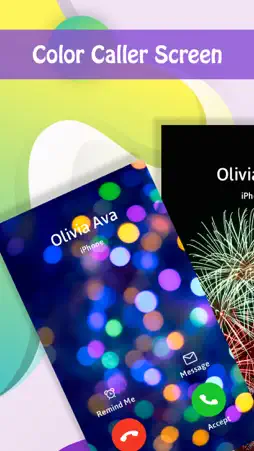
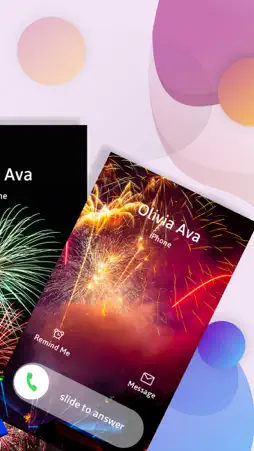
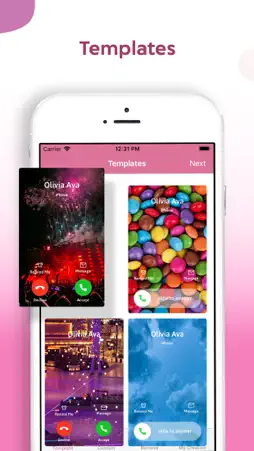
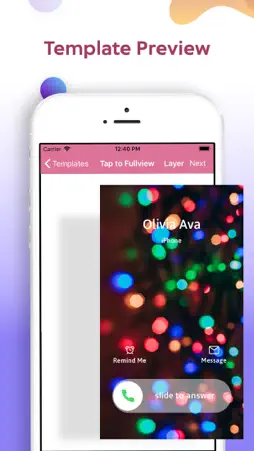
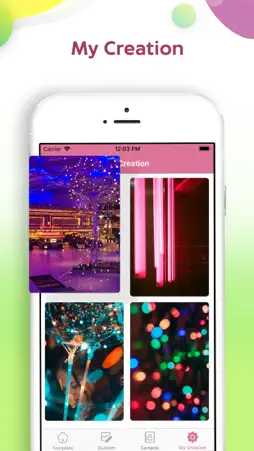
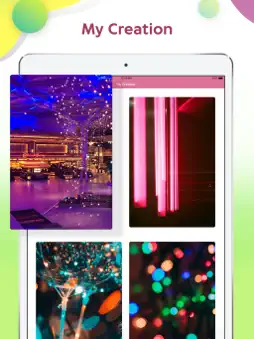
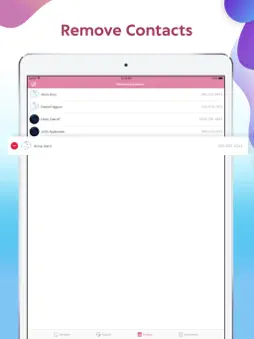
There are various editing apps to edit images, videos, wallpapers, lock screen, navigation bars, etc. Why should the caller screen be left out??? So here's presenting one of the stunning and magnificent Color Caller Screen iOS app to transform your ordinary caller screen into vibrant and colorful caller screen making it more expressive! Color Caller Screen app is intuitively implemented by the professional iOS designers and iOS developers to facilitate the iOS users with best user experience while modifying and transforming their Caller Screens. Color Caller Screen app employs several functionalities like Color Caller Screen templates, background images, background color options, stickers, pencils, text effects to create custom Caller Screen Templates. Color Caller Screen app employs professional Caller Screen Maker and Color Caller Screen editor tools to serve its purpose effectively! Steps: Step 1) Install Color Caller Screen app. Step 2) Four Sections: Templates, Custom, Remove, My Creation. Step 3) Select templates to view and use the color caller screen templates presented by the Color Caller Screen app. Step 4) Otherwise, Select Custom to create personalized Color Caller Screen for your device. Step 5) Otherwise, Select Remove to view the caller screen for contacts and remove the contacts you do not further wish to continue with the assigned Color Caller Screen. Step 6) Otherwise, Select My Creation to view all he created and saved Color Caller Screens. Step 7) Select one of the templates from the various Color Caller Screen templates presented by the Template section. Step 8) Use crop feature to modify image size. Add stickers to the Caller Screen. Sketch the Caller Screen in different colors. Add text effects in the Color Caller Screen. Step 9) Click on "Tap to Full View" to get a full screen view of the selected Color Caller Screen. Step 10) Click on "Layer" to switch from Accept Decline UI to Slide to Answer UI and vice versa. Step 11) For custom Caller Screen, Browse any image from phone gallery. Step 12) Select the contacts you wish to assign the created or selected Color Caller Screen. Step 13) User can remove the contacts if they wish to remove Color Caller Screen from them via Remove section. Color Caller Screen app is a high-utility feature-oriented Caller Screen iOS app. Color Caller Screen app is completely free to install and has quick installation process. Color Caller Screen app is a lightweight application, will not drain the device memory, battery and other resources. Color Caller Screen app has a pleasant and welcoming theme along with modern design. Color Caller Screen app provides a user-friendly and addictive GUI and offers instant click execution results. Color Caller Screen app is a readily available, fancy and in-demand iOS application. Once installed, no further internet connection is required by the Color Caller Screen app. Color Caller Screen app supports almost all screen resolutions of mobile and tablet devices. Color Caller Screen app maintains the image quality and editing feature quality throughout the making of the Color Caller Screen! Hurry!!! What are guys waiting for??? Install the Color Caller Screen app NOW!!! QUICKLY!
What's New
Version 1.6 2022-12-22
- Bug fixes. Technical Analysis
Package Overview Basic metadata
Bundle ID
com.esc.Caller-Screen Current Version 1.6
Minimum iOS 11.0
Package Size App Store Size
Package Metadata 1 / 7 version records
2.6 / 5.0 (5 ratings)
Detailed binary, privacy manifest, framework, and Info.plist results have not been indexed for this package yet. The verified App Store and archive metadata above remains available.
Developer Information
Known Version Records
1 version record with stored package metadata • 7 known version records
Stored metadata does not guarantee a package is currently available to download.
| Details | Version / IDs | Version date | Action |
|---|---|---|---|
| 58.26 MB | v1.6 App Store ID: 854043279Build: 1.6 | 2022-12-23 00:41:02 | Get Version |
| Not archived | App Store ID: 853678164 | Unknown | Request Version |
| Not archived | App Store ID: 852582430 | Unknown | Request Version |
| Not archived | App Store ID: 852245349 | Unknown | Request Version |
| Not archived | App Store ID: 848920093 | Unknown | Request Version |
| Not archived | App Store ID: 843525779 | Unknown | Request Version |
| Not archived | App Store ID: 833813937 | Unknown | Request Version |