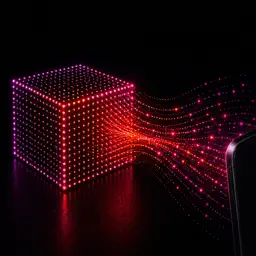
Preview


Description
DepthCapture records RGB and depth on iPhone/iPad. View RGB, depth maps and 3D point clouds live for measurement and research. ―――――――――― ■ Depth sources Sources depend on your device: ・LiDAR ・LiDAR+Spatial ・TrueDepth ・Stereo Depth ・AI Depth LiDAR uses the rear sensor, TrueDepth the front camera. Stereo requires a compatible camera. LiDAR+Spatial requires a supported LiDAR device and adds camera position/orientation in local capture space. AI Depth estimates relative depth from images; matching LiDAR or TrueDepth distance accuracy is not guaranteed. ―――――――――― ■ Record RGB + Depth Snapshot Capture saves RGB, Depth and capture info; Stream Recording saves continuous RGB-D. RGB: ・JPEG ・PNG Depth: ・BIN ・16-bit PNG ・TIFF ・EXR ―――――――――― ■ Live depth preview View RGB and Depth live with color maps: ・Grayscale ・Blue-Red ・Viridis ・Inferno Use an automatic or fixed depth range to check data and adjust subjects or settings. ―――――――――― ■ Live 3D point clouds View live 3D point clouds from depth and camera info, colored by RGB or depth. ―――――――――― ■ Object detection Detect selected categories, such as people, cars or animals. Overlay regions on RGB; highlight or show only points in those regions. Enable during capture to save results for in-app review and export as PNG masks + JSON info. Detection display does not alter saved RGB/Depth or exported point clouds. Detection may fail or skip recording frames depending on conditions and processing load. ―――――――――― ■ Export point clouds Export saved Snapshots or Stream Recording frames: ・PLY ・GLB ・glTF ・PCD ・LAS ・CSV ・E57 ・XYZ ・XYZRGB XYZ: coordinates only. XYZRGB: coordinates + saved RGB colors. E57 supports only saved LiDAR/LiDAR+Spatial data with the required depth/camera information. LiDAR+Spatial aligns only frames with valid poses in one coordinate system. Use with 3D software, point-cloud tools or Python. ―――――――――― ■ Continuous RGB-D recording Set saving intervals for Stream Recording. Save as RGB/Depth file sequences or ROS2-compatible MCAP, which can include RGB, Depth, CameraInfo, TF and IMU / Device Motion for robotics or computer vision. ―――――――――― ■ Capture metadata Settings and camera info, when available: ・Camera Intrinsics ・Extrinsic Matrix ・Lens Distortion ・Camera pose/tracking status (LiDAR+Spatial) ・RGB / Depth resolution ・Depth Source ・Depth Accuracy / Quality ・Depth Filtering ・Capture settings Snapshots and recordings include manifests and metadata for checking capture conditions on Mac/PC. ―――――――――― ■ Capture settings Settings vary by source/device: ・Depth Filtering ・Depth FPS ・Depth Resolution ・RGB Resolution ・RGB / Depth Synchronization ・Depth Range ・Save Depth Preview Balance quality, processing load and file size. Use built-in presets or save, reuse and share your own. Saving or importing custom presets requires a feature unlock purchase. ―――――――――― ■ Sync multiple devices Bluetooth syncs Snapshot capture and Stream Recording start/stop operations. Only operation timing is synced: set capture settings per device; image acquisition times may differ. ―――――――――― ■ Review saved data Saved Data shows Snapshot RGB, Depth and 3D Point Cloud, and lets you scrub/play Stream Recording frames. Share sessions or access them in Files. ―――――――――― ■ Uses ・LiDAR/depth-sensor checks ・3D point-cloud capture/viewing ・RGB-D collection ・Computer vision ・Machine-learning datasets ・Robotics/ROS2 ・AR/3D sensing: capture/validation ・Research/experiments/prototyping ・Depth-source comparison/testing Sources, resolutions and frame rates vary by device/camera. Without LiDAR, supported TrueDepth, Stereo Depth or AI Depth may be available. Advanced features can be unlocked by a one-time purchase or an auto-renewing monthly plan. The monthly plan includes ad removal. Watch rewarded ads for temporary feature access. ―――――――――― Terms of Use (Apple Standard EULA): https://www.apple.com/legal/internet-services/itunes/dev/stdeula/
What's New
Version 2.0.0 2026-10-12
- Added LiDAR+Spatial as a Depth source to capture camera position and orientation alongside depth data. - Added object detection for captured images. Save resu... Technical Analysis
Package Overview Basic metadata
Bundle ID
hirahara.DepthCaptureApp Current Version 2.0.0
Minimum iOS 17.0
Package Size App Store Size
Package Metadata 2 / 15 version records
Detailed binary, privacy manifest, framework, and Info.plist results have not been indexed for this package yet. The verified App Store and archive metadata above remains available.
Developer Information
Known Version Records
2 version records with stored package metadata • 15 known version records
Stored metadata does not guarantee a package is currently available to download.
| Details | Version / IDs | Version date | Action |
|---|---|---|---|
| 55.96 MB | v1.3.7 App Store ID: 890476372Build: 1.3.7 | 2026-08-29 01:35:31 | Get Version |
| Not archived | v1.3.6 App Store ID: 889887577Build: 1.3.6 | 2026-08-21 08:14:29 | Request Version |
| 55.96 MB | v1.3.7 App Store ID: 886677621Build: 1.3.7 | 2026-08-29 01:35:31 | Get Version |
| Not archived | v1.3.4 App Store ID: 886474263Build: 1.3.4 | 2026-06-03 20:59:15 | Request Version |
| Not archived | v1.3.3 App Store ID: 886036218Build: 1.3.3 | 2026-05-26 23:31:56 | Request Version |
| Not archived | v1.3.2 App Store ID: 885913317Build: 1.3.2 | 2026-05-22 00:41:27 | Request Version |
| Not archived | v1.3.1 App Store ID: 885875531Build: 1.3.1 | 2026-05-20 00:22:11 | Request Version |
| Not archived | v1.3.0 App Store ID: 885674423Build: 1.3.0 | 2026-05-19 18:43:06 | Request Version |
| Not archived | v1.2.2 App Store ID: 885620709Build: 1.2.2 | 2026-05-14 04:22:23 | Request Version |
| Not archived | v1.2.1 App Store ID: 885593768Build: 1.2.1 | 2026-05-13 05:21:35 | Request Version |
| Not archived | v1.2.0 App Store ID: 885530931Build: 1.2.0 | 2026-05-12 23:59:19 | Request Version |
| Not archived | v1.1.2 App Store ID: 885415966Build: 1.1.2 | 2026-05-09 20:06:52 | Request Version |
| Not archived | v1.1.1 App Store ID: 885384350Build: 1.1.1 | 2026-05-08 00:59:22 | Request Version |
| Not archived | v1.1 App Store ID: 885306852Build: 1.1 | 2026-05-06 18:29:07 | Request Version |
| Not archived | v1.0 App Store ID: 884903620Build: 1.0 | 2026-05-06 03:46:15 | Request Version |