Preview



Description
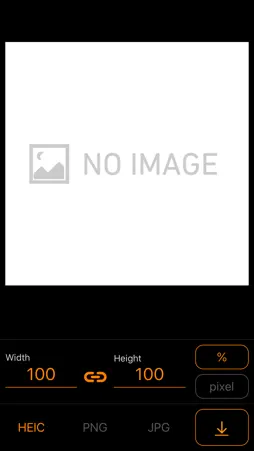
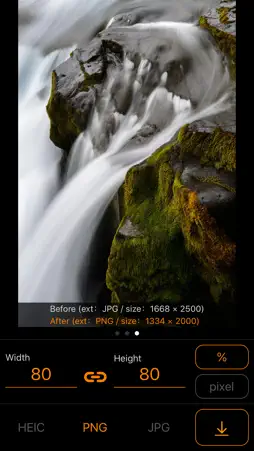
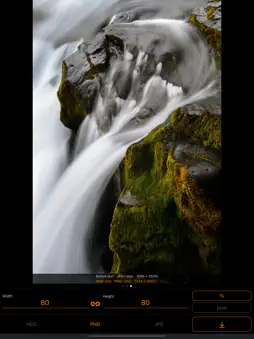
You can convert the image size and storage format with a simple operation! Of course, multiple simultaneous conversions are also supported! ・ The size can be specified by% and pixel, and the retention / non-retention of aspect ratio can be changed. ・ Supported saving formats are HEIC, PNG, and JPG. ・ Up to 15 images can be converted simultaneously. ■ Usage You can convert images in 4 simple steps ● Step 1 Tap the part where "NO IMAGE" is displayed and select the image you want to convert ● Step 2 Adjust the Width and Height values and select "%" or "pixel" to determine the size ● Step 3 Choose HEIC, PNG or JPG and decide the save format ● Step 4 Tap the save button at the bottom right of the screen to save
What's New
Version 1.1 2019-12-17
- Some fixes Technical Analysis
Package Overview Basic metadata
Bundle ID
jp.co.kentat01.ImageConverter Current Version 1.1
Minimum iOS 11.0
Package Size App Store Size
Package Metadata 1 / 1 version records
Detailed binary, privacy manifest, framework, and Info.plist results have not been indexed for this package yet. The verified App Store and archive metadata above remains available.
Known Version Records
1 version record with stored package metadata
Stored metadata does not guarantee a package is currently available to download.
| Details | Version / IDs | Version date | Action |
|---|---|---|---|
 5.97 MB | v1.1 App Store ID: 833985556Build: 3 | 2019-12-15 17:53:50 | Get Version |