
Preview





Description
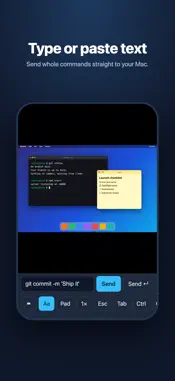
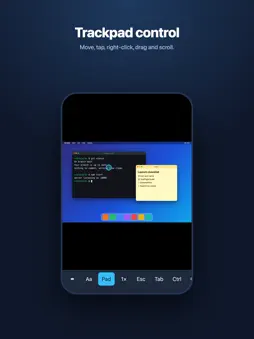
Remote control for your Mac or PC that keeps you signed in. Tired of logging in again every time you switch apps? Control Your PC reconnects on its own: switch to another app, lock your phone, come back an hour later, and you are right where you left off—no password prompt, no starting over. You stay signed in until you choose to close the session. WHAT YOU CAN DO • Remote control of your Mac or PC from anywhere: see the screen, move the pointer, click and type • Pinch to zoom and pan with two fingers • Trackpad mode: move the pointer, tap to click, tap with two fingers to right-click, press and drag, and scroll with two fingers • A text box: type or paste a whole command or paragraph and send it to your Mac in one go • Esc, Tab, Control, Option, Command and arrow keys on a toolbar PRIVATE BY DESIGN Your phone connects straight to your Mac over your own private Tailscale network—no cloud service in the middle, no account with us, no ads, and no tracking. We never see your screen or your keystrokes. BEFORE YOU START Control Your PC needs a free program on your Mac or PC and a free Tailscale account on your Mac or PC and your phone. Setup takes about five minutes: download the Mac program from the website linked on this page, run the installer, and open the address it shows. Windows support is planned. A NOTE ON "ALWAYS CONNECTED" iOS pauses background apps, so no app can keep a live screen while it is hidden. Control Your PC reconnects the moment you return, usually within a second or two, and your Mac session (your open apps and windows) is never touched. SUBSCRIPTION Control Your PC is free to download. Start with a 3-day free trial, then $9.99 per year. Payment is charged to your Apple ID at purchase confirmation and renews automatically unless you cancel at least 24 hours before the period ends. Manage or cancel in your Apple ID settings. Terms of Use: https://phonetopcremote.com/terms/ Privacy Policy: https://phonetopcremote.com/privacy/
Technical Analysis
Package Overview Basic metadata
Bundle ID
com.kmages.macremote Current Version 1.0
Minimum iOS 16.4
Package Size App Store Size
Package Metadata 0 / 0 version records
Detailed binary, privacy manifest, framework, and Info.plist results have not been indexed for this package yet. The verified App Store and archive metadata above remains available.
Developer Information
Known Version Records
0 version records with stored package metadata
Stored metadata does not guarantee a package is currently available to download.
| Details | Version / IDs | Version date | Action |
|---|