Preview



Description
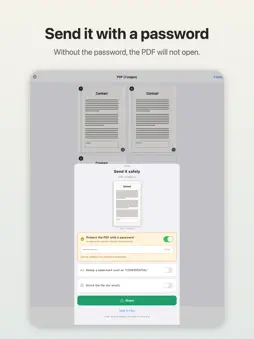
Photograph a document, straighten it, lock it with a password. That is all this app does. Contracts, payslips, medical notes, copies of an ID. It is a tool for the documents you need to send but would rather not send unprotected. ■ A photo becomes a PDF Photograph the document, or pick one from Photos. That is the whole step. Shot at an angle? The four corners of the paper are found automatically and the page is straightened into a rectangle. If the corners are not found, or they are slightly off, drag them into place with your finger. ■ Any number of pages, one PDF Two pages, three, more. Every photo you take goes into the same PDF. ■ Lock it with a password (free) You can put a password on the PDF. Whoever receives it cannot open the contents without typing that password. Tell them the password some other way than the PDF itself. Writing it in the same email defeats the point. ■ Make it easier to read (paid) "Adjust" gives you sliders for brightness, contrast and colour, and the preview changes as you drag. "Black & white" gives you the clean white page of a desktop scanner and sharpens the text. It helps with faint pencil, receipts and thin print. ■ Reorder pages (paid) Photographed them out of order? Move them afterwards. (Adding and deleting pages needs no purchase.) ■ Add a watermark (paid) Words such as CONFIDENTIAL are laid diagonally across the whole page, so cropping a corner will not remove them. ■ Shrink it for email (paid) Pick one of five sizes. Each choice shows the measured size per page, and the preview is drawn at that resolution, so you can check it is still readable before you send it. ■ Your documents stay on your device The documents you photograph and the PDFs you build never leave your device. Nothing is sent to a server and nothing is stored in a cloud. (The only network use is for ads and the one-time purchase.) These are documents you would not show to a stranger, so the app is built not to have that option in the first place. ■ Your original photos are untouched Only the contents of the PDF are processed. The photos in your Photos library are never modified. ■ Works on iPhone and iPad ■ About the one-time purchase Free, no purchase needed - Turn documents into a PDF - Straighten a document photographed at an angle - Combine several pages into one PDF - Add and delete pages - Put a password on the PDF - Share (mail, messages, save to Files) Unlocked by a single payment - Make it easier to read (adjust / black & white) - Reorder pages - Add a watermark - Shrink the file for email - Remove the ads It is a one-time purchase. Nothing renews. On a new device, or after reinstalling, use "Restore purchase" in Settings to get it back. ■ Contact Questions, requests and bug reports are welcome here: https://tenmais.jp/contact/ This app is made by one person, and every message is read. Reports along the lines of "this kind of document did not straighten properly" are especially useful.
What's New
Version 1.1.0 2026-10-09
Now available in nine more languages. - French, German, Italian, Spanish (Spain and Mexico), Portuguese (Brazil), Chinese (Simplified and Traditional) and Ko... Technical Analysis
Package Overview Basic metadata
Bundle ID
jp.kenichiando.easyPdf Current Version 1.1.0
Minimum iOS 15.0
Package Size App Store Size
Package Metadata 0 / 0 version records
Detailed binary, privacy manifest, framework, and Info.plist results have not been indexed for this package yet. The verified App Store and archive metadata above remains available.
Developer Information
Known Version Records
0 version records with stored package metadata
Stored metadata does not guarantee a package is currently available to download.
| Details | Version / IDs | Version date | Action |
|---|