Preview






Description
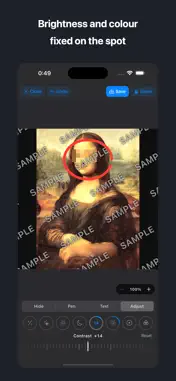
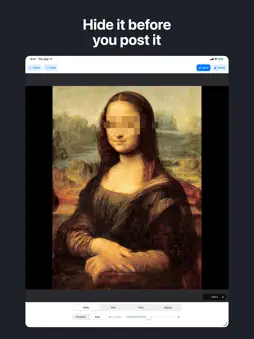
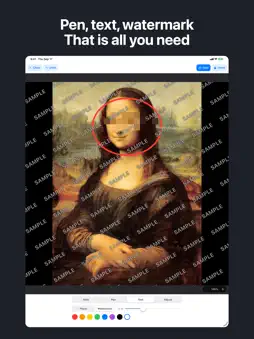
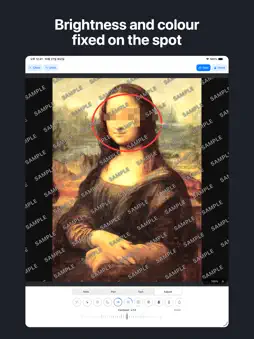
Some things should not leave your phone. A face in the background. A number plate. An address on a slip. And the part you cannot see: the exact place the photo was taken, embedded in the file. Before that photo goes to social media, a message or a listing, hide what should stay private. Easy Pixelate does one thing. You trace, it hides. Nothing to learn. HOW IT WORKS 1. Choose a photo 2. Trace what you want hidden 3. Save HIDE - Pixelate: what you trace turns to blocks. Ten sizes, from softened to unreadable. - Blur: a natural soft blur for when blocks look too harsh. Ten strengths. Each stroke remembers its own setting, so changing the slider never disturbs what you already covered. REMOVE LOCATION AND CAMERA DATA Photos taken with a phone carry the exact GPS position, the date and time and the device model inside the file. Sent as is, a photo taken at home can reveal where you live. Before saving, open "What this photo contains" to see exactly what is inside. Keep "Remove location and camera info" switched on (it is on by default) and the saved copy carries nothing. Your original is never touched. PEN, TEXT, WATERMARK - Pen: eight colours, any width. Strike through a line or circle what matters. - Text: a date or a name, placed wherever you like. - Watermark: tile a word such as SAMPLE across the whole photo to stop reposting. ADJUST, JUST LIKE THE PHOTOS APP Exposure, Brilliance, Highlights, Shadows, Contrast, Brightness, Black Point, Saturation, Vibrance, Warmth, Tint, Sharpness, Definition and Vignette. Plus Straighten, vertical and horizontal perspective, rotate and flip. Tap a round button and slide the dial. SEE IT BEFORE YOU SAVE Change the size or quality and the app shows the finished picture and the resulting file size. It warns in red if the file would end up larger than the original. Look at it at full magnification to check the blocks are coarse enough. ZOOM IN FOR THE SMALL STUFF Pinch to zoom and hit small text or numbers precisely. UNDO Every pixelate, blur, pen and text stroke can be undone, one step at a time. If you close a photo with unsaved work, the app asks first. NOTHING IS UPLOADED The photo never leaves the device. No account, no login. It works in airplane mode. GOOD FOR - Hiding faces and names before posting to social media - Removing personal details from photos of documents or screens - Stripping the location from photos taken at home - Watermarking your work before publishing - Making a photo lighter for email TEN LANGUAGES English, Japanese, German, French, Italian, Spanish, Portuguese, Simplified Chinese, Traditional Chinese and Korean. The app follows your device language. Runs on iPhone and iPad. ABOUT THE ONE-TIME PURCHASE Everything that hides, removes or adjusts is free, and so is saving to your device or iCloud. One payment, with no subscription and nothing that renews, adds: - Sharing the finished photo (AirDrop, Mail, Messages and more) - Removing the banner ad TERMS AND PRIVACY Terms of Use (Apple's standard EULA) https://www.apple.com/legal/internet-services/itunes/dev/stdeula/ Privacy Policy https://tenmais.jp/privacy.php?lang=en CONTACT Questions, requests and purchase problems: https://tenmais.jp/contact/?lang=en This is a solo project, and every message is read.
What's New
Version 1.5 2026-10-28
Version 1.5 - A rebuilt Adjust tab: Exposure, Brilliance, Highlights, Shadows, Contrast, Brightness, Black Point, Saturation, Vibrance, Warmth, Tint, Sharpness... Technical Analysis
Package Overview Basic metadata
Bundle ID
jp.kenichiando.easyMosaic Current Version 1.5
Minimum iOS 15.0
Package Size App Store Size
Package Metadata 0 / 0 version records
Detailed binary, privacy manifest, framework, and Info.plist results have not been indexed for this package yet. The verified App Store and archive metadata above remains available.
Developer Information
Known Version Records
0 version records with stored package metadata
Stored metadata does not guarantee a package is currently available to download.
| Details | Version / IDs | Version date | Action |
|---|