
Preview





Description
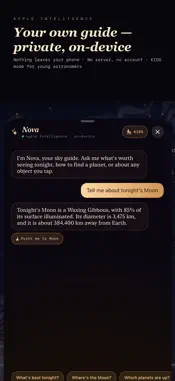
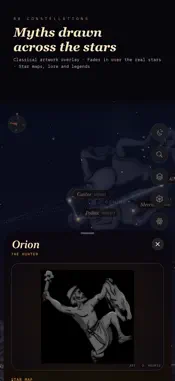
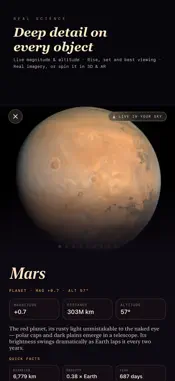
Point your phone at the sky, tap a star or planet, and explore what you are looking at. Stargazer brings a live sky map, observing tools and astronomy guides together in one app. TWIN SKY: NOW BESIDE LATER See two calculated skies for the same observing location, from 15 minutes to eight hours apart. Link direction and zoom for comparison, or explore each view independently. Weather, darkness and your horizon affect actual visibility. GUIDED OBSERVING SESSIONS Work through your saved targets with the sky visible. The guide prioritises targets becoming low sooner. Aim, skip or explicitly mark a target observed; aiming alone never logs an observation. NIGHTSTAND A large dimmable bedside clock over a quietly changing real-time sky. Landscape is the default: prop Duo with its hinge at the top, with clock and weather over the sky on the facing display. See Moon phase and available weather, switch to red night vision, and choose whether to keep the screen awake. The clock uses your device’s time zone. Weather needs an internet connection and includes its update time. AN OBSERVING DESK BESIDE YOUR SKY On iPhone Duo, iPad and other roomy windows, keep the sky visible beside your observing workspace. Browse targets, check their altitude and find them in the sky without covering the view. A compact observing desk is also available on ordinary iPhones. COMPARE TWO TARGETS Compare the altitude of two objects across the night, preview the sky at a chosen time and jump to each target’s highest point within the charted window. Charts use your device’s local time. Actual visibility also depends on weather, darkness and your horizon. PLAN YOUR NIGHT Keep a saved target checklist, mark what you have observed and write field notes about your equipment, conditions and discoveries. Plans and notes are saved locally on your device. A TABLETOP OBSERVATORY Use separate sky and control panes in tabletop mode. Native Duo fold handling follows the available window and reserved fold region, while your target and observing plan stay together as the layout changes. POINT, SEARCH AND EXPLORE Explore planets, the Moon, stars, constellations, deep-sky objects and satellites. Search by name, tap an object for details, save favourites or use guidance to locate it. Constellation artwork and adjustable sky layers help you read the sky. EXPLORE IN 3D AND AR Explore the solar system, planets and moons in 3D. Supported iPhones and iPads also offer AR views. Discover lunar features and landing sites, and see how Moon phases work. NOVA YOUR ASTRONOMY GUIDE Ask about objects and astronomy. Compatible devices use Apple’s on-device models when available; built-in local answers remain available otherwise. A kids mode uses simpler explanations. MORE FOR YOUR NEXT NIGHT OUT • Tonight’s overview, meteor showers and satellite passes • Time travel through the sky • Night photography planning • Stargazing conditions and dark-sky tools • Printable star charts and shareable cards • A sky quiz and astronomy facts • Red night-vision mode • Home-screen widgets No account is required. Location helps calculate your sky. Optional weather, maps and online imagery use their respective services; attribution and data information are available in the app.
What's New
Version 2.0 2026-11-02
Three new ways to use your sky. • Twin Sky: compare the sky at two different times, with linked direction and zoom or independent cameras. • Guided observing s... Technical Analysis
Package Overview Basic metadata
Bundle ID
slack.Stargazer Current Version 2.0
Minimum iOS 26.0
Package Size App Store Size
Package Metadata 0 / 0 version records
Detailed binary, privacy manifest, framework, and Info.plist results have not been indexed for this package yet. The verified App Store and archive metadata above remains available.
Developer Information
Known Version Records
0 version records with stored package metadata
Stored metadata does not guarantee a package is currently available to download.
| Details | Version / IDs | Version date | Action |
|---|