
Preview








Description
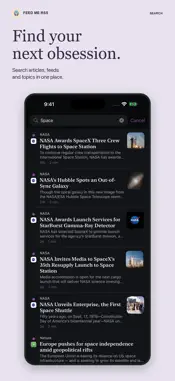
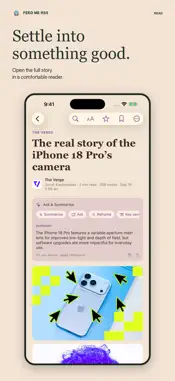
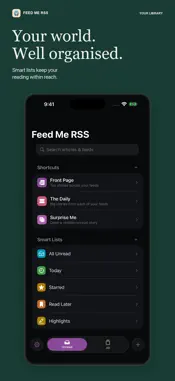
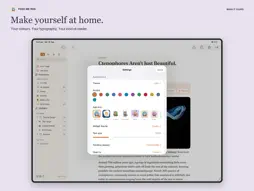
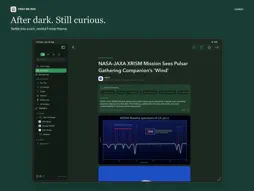
Your feeds. Along for the ride. Read, listen and catch up with Feed Me RSS. Follow the RSS and Atom feeds you choose, organise them into folders, and keep your reading state in sync across iPhone, iPad and Mac with iCloud. No AI account or paid AI subscription is required. YOUR FEEDS IN CARPLAY On iPhone, browse your own feeds and folders, choose unread or all articles, or continue your listening queue. Short on time? Hear concise AI summaries to catch up quickly, or choose full articles for a longer listen. Use native CarPlay playback controls, see the source, change speed and save the current article. Ask Siri to save it for later without interrupting your listening. Connecting to CarPlay never starts playback automatically. READ YOUR FEEDS AS ONE CONTINUOUS SESSION Start with a summary or excerpt, expand the stories you want and keep several open as you read. New arrivals wait until you choose to add them, and read stories stay in your session until you start again. Save, queue, highlight or open the original without losing your place. TURN YOUR READING PILE INTO A LISTENING QUEUE Listen to concise AI summaries or choose full articles, with no 30-story queue limit. On-device neural voices bring stories to life, while the mini player keeps play, pause and previous/next controls close as you browse. Story notes show the current article’s AI summary in your listening player and follow the queue as each story changes. Save interesting stories without interrupting your queue. Completed and skipped stories are automatically marked as read. Queueing and pausing do not mark stories read. CarPlay’s Notes tab shows the current AI summary as scrollable text. Ask Siri to “save for later in Feed Me RSS” to add the playing story to Read Later, or favourite it for Saved/Starred. An article can be in both lists. PRIVATE APPLE INTELLIGENCE Summarise an article, ask it questions, reframe the explanation, pull out key sentences, translate, or explore why it matters. Compatible devices do the AI work locally. Choose the tools you want to see and whether article-list summaries should be prepared automatically. Completed AI summaries also appear on Front Page story cards, clearly marked so you can tell them from publisher excerpts. READING THAT FITS YOUR SCREEN Front Page offers Unread, All and Read filters for your feeds and folders. On wide Duo feed layouts, choose Two Columns from the newspaper view menu; your choice is remembered per feed and adapts to narrower panes. Use native split reading on iPad and Mac, with a compact article/list layout when space is tight. Mac remembers each feed’s view, restores your reading window and gives you keyboard commands for continuous reading and article expansion. On supported wide iOS devices, choose Scrolling, Book or Desk. Duo also adapts to its posture, with facing pages in Book and a reader above the controls in Desk. READ SMARTER • Quick Read queues for the time you have • Advanced search and smart filters • Related stories and alternative angles • Snoozed stories you can return to later • Notes, tags and highlights • Read Later downloads for offline reading • Feed Health to find and retry troubled subscriptions • RSS/Atom discovery, OPML import/export and optional FreshRSS sync MAKE IT YOURS Choose your theme, accent, app icon, text size, reader layout and swipe actions. Hide unread counts for a quieter inbox. Search the reorganised Settings to find what you need. Your subscriptions and reading state sync through iCloud. AI features require a compatible device with Apple Intelligence enabled. Feed availability and full-article extraction depend on the publisher.
What's New
Version 2.0.3 2026-11-09
This update fixes disappearing unread articles and keeps Front Page in step with your library. • Unread stories return in the current view without having to le...This update fixes disappearing unread articles and keeps Front Page in step with your library. • Unread stories return in the current view without having to leave and reopen a feed. • Front Page no longer stops at the first 60 eligible stories in a feed. • Scrolling leaves stories unread unless you enable “Mark read while scrolling” in Settings. • AI summaries appear on Front Page cards, including short posts. • Fixes scrolling lockups and improves article previews. • The Duo sidebar restores its default width when reopened, with a Reset Sidebar Width command. • Your sidebar hide/show choice stays in place across feeds, Front Page and article return. • Folded Duo navigation now sits at the bottom by default. Prefer the top? Choose it in Settings → Reading or the Reading Layout menu. Technical Analysis
Package Overview Basic metadata
Bundle ID
slack.FeedRead Current Version 2.0.3
Minimum iOS 17.0
Package Size App Store Size
Package Metadata 0 / 3 version records
Detailed binary, privacy manifest, framework, and Info.plist results have not been indexed for this package yet. The verified App Store and archive metadata above remains available.
Developer Information
Known Version Records
0 version records with stored package metadata • 3 known version records
Stored metadata does not guarantee a package is currently available to download.
| Details | Version / IDs | Version date | Action |
|---|---|---|---|
| Not archived | App Store ID: 888554224 | Unknown | Request Version |
| Not archived | App Store ID: 888442754 | Unknown | Request Version |
| Not archived | App Store ID: 887882196 | Unknown | Request Version |