
Preview





Description
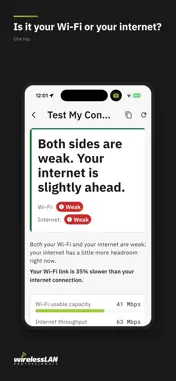
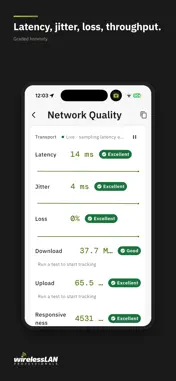
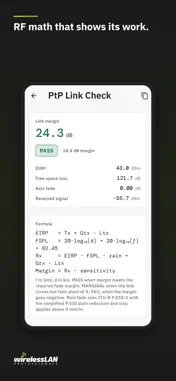
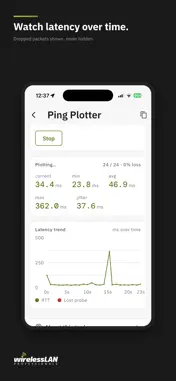
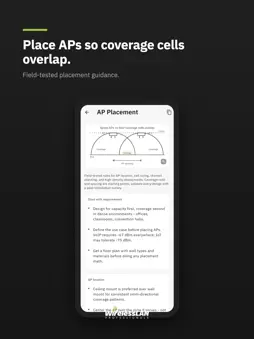
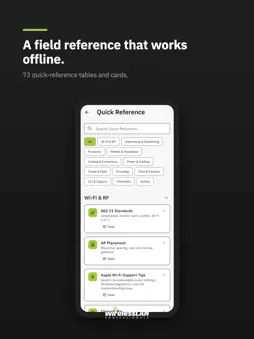
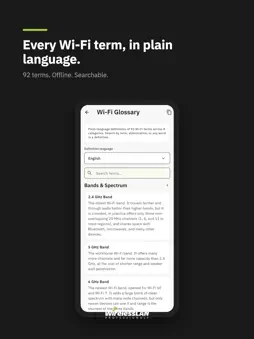
WLAN Pros Toolbox gives Wi-Fi pros, IT help desks, instructors and students 260+ network tools, plus a Wireless Classroom of lessons and simulators. Free. No account. No ads. No data collected. Built by Keith Parsons, CWNE #3, and Wireless LAN Professionals. Everything is grouped so you find the tool you need fast: live network tests, calculators, reference tables and the Wireless Classroom. The Wireless Classroom - 30 Guided Lessons in plain language, where the pictures do most of the teaching: Find My, Starlink, Wi-Fi Calling, Travel Routers, Captive Portals, Mesh and Extenders, One Talker per Channel, Is Your Router Too Old?, and more. - 50 interactive simulators: Wi-Fi Through a Wall, Multipath, Rate vs Range, Modulation, Polarization, OFDMA vs MU-MIMO, MIMO and Beamforming, Airtime Fairness, Multi-Link Operation (Wi-Fi 7), Roaming Walk, DFS and Radar, 802.1X and EAP. - Presenter mode for the projector, one step at a time. - A Teacher's Guide and a Field Manual for instructors. Is It Your Wi-Fi or Your Internet? Test My Connection helps answer the question everyone asks, in plain language. Start here when someone hands you a slow connection. Networking Tools Ping, traceroute, DNS, WHOIS, BGP/ASN, MAC vendor lookup, IP geolocation, port scan, HTTP and SSL/TLS inspectors, NTP, Wake-on-LAN. Calculators Free space path loss, Fresnel zone, link budget, EIRP, dBm and watts, rain fade, noise floor, antenna downtilt, capacity planner, SSID airtime, throughput, PoE budget, IP subnets, GPS. Quick Reference 103 tables in 13 topics: channels, 802.11 standards, MCS index, security and authentication, reason codes, cabling and connectors, ports, and a Wireless Glossary of 123 plain-language terms in English, Spanish, French, Italian and German. Reference tables and calculators work offline. Live tests need a network connection. iOS limits what apps can read about Wi-Fi, so on iPhone and iPad some live Wi-Fi details come from an optional companion Apple Shortcut. Free for the community. Also on Android, Windows, Mac, the web and WLAN Pi: toolbox.wlanpros.com
What's New
Version 1.14.0 2026-11-12
New: iPhone Duo. Open the Duo and the screen splits, with the tool list on the left and the open tool on the right. Tap another tool and the right side changes ...New: iPhone Duo. Open the Duo and the screen splits, with the tool list on the left and the open tool on the right. Tap another tool and the right side changes while the list stays put. Fold the phone shut and the tool you had open is still there. Half open, the split follows the fold. Held like a book, the divider sits on the fold. Held like a laptop, the tool sits above the fold and the list below. The same two-pane view appears on any screen 600 points wide or more: an iPad, a Mac window, and most phones held sideways. Long tool names no longer break in the middle of a word in the narrow list. Fixed: when a Shortcut finished a Test My Connection or Wi-Fi Information run, the app could jump back to the home screen instead of showing the results. Technical Analysis
Package Overview Basic metadata
Bundle ID
com.wlanpros.wlanProsToolbox Current Version 1.14.0
Minimum iOS 17.0
Package Size App Store Size
Package Metadata 0 / 0 version records
Detailed binary, privacy manifest, framework, and Info.plist results have not been indexed for this package yet. The verified App Store and archive metadata above remains available.
Developer Information
Known Version Records
0 version records with stored package metadata
Stored metadata does not guarantee a package is currently available to download.
| Details | Version / IDs | Version date | Action |
|---|