Preview








Description
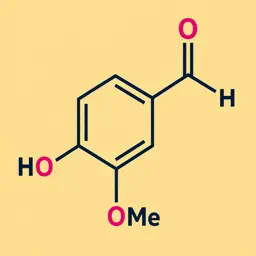
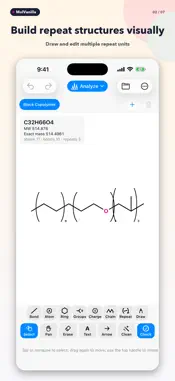
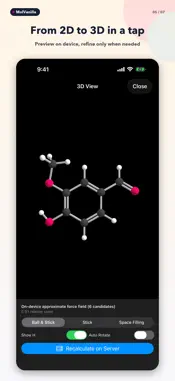
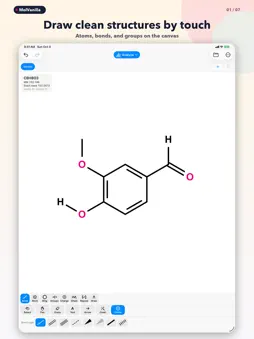
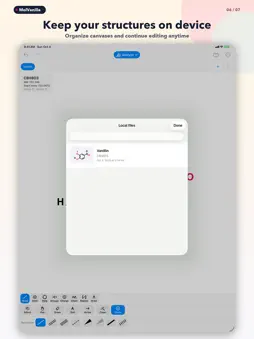
MolVanilla is a chemical structure editor for iPhone and iPad. Tap to add atoms and bonds, then build rings, functional groups, abbreviations, alkyl chains, and repeat structures. Features • Single, double, triple, wedge, and hashed-wedge bonds • Elements, rings, functional groups, abbreviations, chains, and repeat structures • Select, move, rotate, copy and paste, and automatic cleanup • Multiple canvases and local saving • Formula, molecular weight, exact mass, and isotope m/z • SMILES and Molfile import; SMILES, Molfile, CDXML, and JSON export • Transparent PNG, PDF, and SVG export • 3D viewing and property, ¹H/¹³C NMR, and MS fragment predictions • AI consultation about reactions, retrosynthesis, and degradation, with proposed structures and routes that can be drawn on a canvas Specify a maximum number of retrosynthesis steps, starting materials, or degradation conditions such as water, light, and heat. AI proposals are hypotheses for further evaluation. They do not establish reaction feasibility, selectivity, yield, or experimental conditions. Predictions do not replace experimental measurements. Close a calculation screen and edit another canvas while the calculation continues in the app. Open saved results from the completion banner or optional notification. Results and consultation history are saved on device; reopening them does not recalculate or spend credits. Completion during every kind of app termination or background suspension is not guaranteed. Drawing, saving, export, and on-device calculations are unlimited. Ordinary server analysis includes three free successful calculations per day, followed by one credit per successful calculation. Purchased credits do not expire. AI consultation uses purchased credits. A general consultation, degradation request, or one-step retrosynthesis costs three credits. Each additional step in the specified retrosynthesis limit adds two credits. The cost is shown before submission; extra candidates in an answer do not incur an additional charge. The daily free analysis allowance does not apply to AI consultation. Server analysis and AI consultation require an internet connection. Before the first AI submission, you explicitly permit sharing the structure, question, conditions, and related context with OpenAI. You can revoke permission in Settings. Completed AI answers are encrypted on the server and remain retrievable for 24 hours to recover from a lost connection. Stopping local status checks does not cancel accepted server work; a valid completed answer still uses the quoted credits.
What's New
Version 1.4 2026-10-07
• Added AI consultation for reactions, retrosynthesis, and degradation, with proposed structures and routes that can be drawn on a canvas. • Specify retrosynthe... Technical Analysis
Package Overview Basic metadata
Bundle ID
com.masudakeisuke.MoleculeSketch Current Version 1.4
Minimum iOS 17.0
Package Size App Store Size
Package Metadata 0 / 0 version records
Detailed binary, privacy manifest, framework, and Info.plist results have not been indexed for this package yet. The verified App Store and archive metadata above remains available.
Known Version Records
0 version records with stored package metadata
Stored metadata does not guarantee a package is currently available to download.
| Details | Version / IDs | Version date | Action |
|---|