Preview


Description
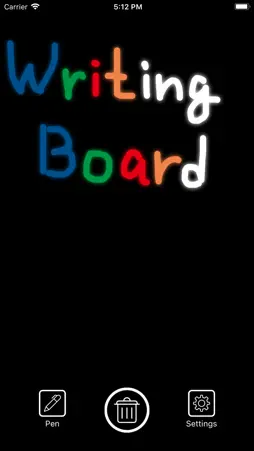
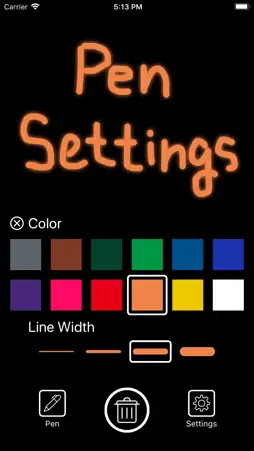
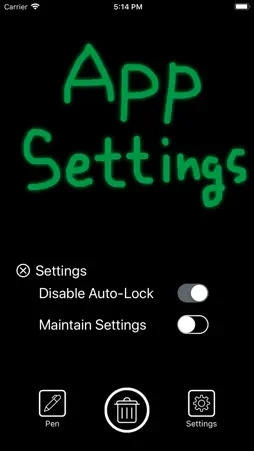
La aplicación "Writing Board" es una aplicación que puede escribir de inmediato tan pronto como lo piense. Además, puede eliminar en un momento. Como no hay un menú adicional, puede comenzar a escribir tan pronto como inicie la aplicación. Puede eliminar la pantalla inmediatamente presionando el botón de la papelera en el centro. Si elimina la pantalla, el contenido que escribió no permanecerá. Porque esta aplicación no tiene función de almacenamiento. Es mejor para la escritura de notas telefónicas, lista de tareas pendientes, comunicación por escrito, dibujo, etc. Toque el ícono del lápiz para elegir el color y el peso del lápiz. Hay 12 colores de bolígrafo. Además, hay cuatro tipos de peso de la pluma. Toque el icono de configuración para mostrar la configuración de la aplicación. Si activa "Desactivar Auto-Lock", puede continuar mostrando la pantalla. Puede deshabilitar el bloqueo automático de iPhone o iPad solo cuando inicie la aplicación. Cuando se marca "Mantener Ajustes", se guardan las configuraciones de color del bolígrafo, peso del bolígrafo, configuración de desactivación de bloqueo automático. Cuando reinicia la aplicación, puede comenzar a escribir con la configuración guardada. (English) The Writing Board application is an application that you can write immediately as soon as you think. Also, you can delete in a moment. Since there is no extra menu, you can start writing as soon as you launch the application. You can delete the screen immediately by pressing the trash can button in the center. If you delete the screen, the contents you wrote will not remain. Because this app has no storage function. It is best for phone memo writing, ToDo list, communication in writing, drawing etc. Tap the pen icon to choose pen color and pen weight. There are 12 colors of pen. Also, there are four types of pen weight. Tap the setting icon to display the settings of the application. If you turn on "Disable Auto-Lock", you can continue to display the screen. You can disable Auto-Lock of iPhone or iPad only when launching the application. When "Maintain Settings" is checked, settings of pen color, pen weight, Auto-Lock disable setting are saved. When you restart the application, you can start writing with the saved settings.
What's New
Version 1.2.0 2026-01-19
Pequeñas mejoras. Technical Analysis
Package Overview Basic metadata
Bundle ID
com.gmail.a.kikibai.lab.Writing-board Current Version 1.2.0
Minimum iOS 12.0
Package Size App Store Size
Package Metadata 0 / 3 version records
Detailed binary, privacy manifest, framework, and Info.plist results have not been indexed for this package yet. The verified App Store and archive metadata above remains available.
Known Version Records
0 version records with stored package metadata • 3 known version records
Stored metadata does not guarantee a package is currently available to download.
| Details | Version / IDs | Version date | Action |
|---|---|---|---|
| Not archived | App Store ID: 881599790 | Unknown | Paid / Arcade |
| Not archived | App Store ID: 832689659 | Unknown | Paid / Arcade |
| Not archived | App Store ID: 830399781 | Unknown | Paid / Arcade |