Preview





Description
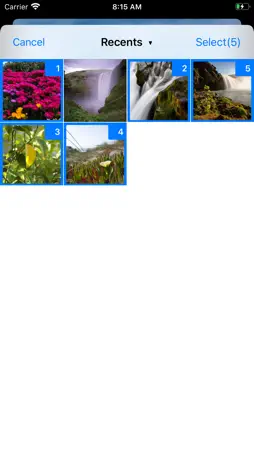
This app is an app that converts image data to PNG or JPEG and saves it. The image formats that can be read are jpg, jpeg, png, tiff, tif, gif, bmp, ico, cur, xbm, heif, heic. You can convert the photo data you have taken and convert the images saved in cloud services such as Dropbox to PNG or JPEG. It is also possible to convert heic, which is the file format of iPhone photos. You can select multiple photos in the photo folder of your iPhone or iPad. Also, there is no limit to the number of multiple selections. Note that the photo will not be previewed when multiple selections are made. The converted images can be saved not only in the photo folder of iPhone or iPad, but also in the cloud service. Note that JPEG does not support saving transparent colors. When you convert a PNG file with a transparent background to JPEG, the background is converted to white. Also, the image quality may deteriorate after conversion. Please be careful. When saving to the photo folder of iPhone or iPad, you cannot freely name the file and it will be given automatically. note that. Also, when saving multiple selected photos to the cloud, a new folder will be created and saved with the same name as the original file. The folder name is "convert_date_time". Uploading a large number of files will take time, so please convert them in several steps.
What's New
Version 3.1.0 2026-01-19
Minor improvements. Technical Analysis
Package Overview Basic metadata
Bundle ID
com.gmail.a.kikibai.lab.Image-Format-Converter Current Version 3.1.0
Minimum iOS 15.6
Package Size App Store Size
Package Metadata 1 / 6 version records
5.0 / 5.0 (1 ratings)
Detailed binary, privacy manifest, framework, and Info.plist results have not been indexed for this package yet. The verified App Store and archive metadata above remains available.
Known Version Records
1 version record with stored package metadata • 6 known version records
Stored metadata does not guarantee a package is currently available to download.
| Details | Version / IDs | Version date | Action |
|---|---|---|---|
| 6.95 MB | v3.1.0 App Store ID: 881404175Build: 3.1.0 | 2026-01-19 15:32:19 | Paid / Arcade |
| Not archived | App Store ID: 844198025 | Unknown | Paid / Arcade |
| Not archived | App Store ID: 834117481 | Unknown | Paid / Arcade |
| Not archived | App Store ID: 833917510 | Unknown | Paid / Arcade |
| Not archived | App Store ID: 833495824 | Unknown | Paid / Arcade |
| Not archived | App Store ID: 832700859 | Unknown | Paid / Arcade |