
Preview



Description
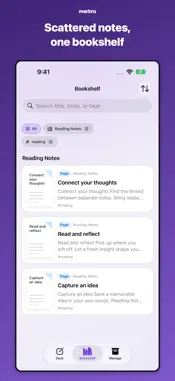
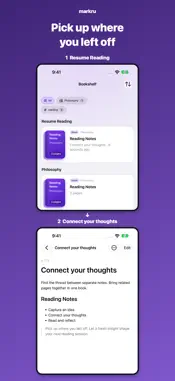
Markdown notes are easy to write — and easy to forget. markru is built for what comes after writing: shelving, binding, and rereading your own notes like books. (Markdown writing, shelving, binding, and rereading all work without AI; only the AI helpers, such as tag suggestions and summaries, need a supported device and settings where Apple Intelligence is available.) No markru account to sign up for. Import .md and .txt files, and export your notes as .md files or a ZIP. YOUR NOTES, SHELVED LIKE BOOKS Promote finished notes from drafts to your bookshelf. Browse by shelf, search, and sort by what you read last. BIND NOTES INTO ONE READABLE BOOK Combine related pages into one book. Reorder pages, add new ones, and read them as a single piece — or unbind anytime. WRITE IN CLEAN MARKDOWN A focused Markdown editor with a formatting bar for headings, lists, checklists, tables, code, and more. Save your note, then read it in a clean, formatted layout. Some writing helpers — tag suggestions, formatting, and summaries — are partly powered by Apple Intelligence, on your device by default. Note: Whether the AI helpers appear depends not only on your device, but also on whether Apple Intelligence is turned on and ready. To check your device, open Settings in markru and look under Apple Intelligence. Where it isn't available, these helpers fall back to manual entry — everything else in the app still works. If you turn on Private Cloud Compute in the app's settings, formatting, summaries, and save comments are processed by Apple's Private Cloud Compute instead; tag suggestions always stay on your device. Your notes are never sent to our servers or any third-party server. CAPTURE IDEAS IN SECONDS Quick Capture works like a paper memo: jot it down, the title can come later. Send text from any app with the share sheet. IMPORT & EXPORT Import .md and .txt files. Export notes as .md files, or bundle them into a single .zip. KEEP YOUR SHELVES IN ORDER See your note, shelf, and book counts at a glance. Select the paragraphs you need and bring them together in a new note. Clean up or bind notes as your library grows. PICK UP RIGHT WHERE YOU LEFT OFF markru remembers your reading progress in every book, so returning to your notes feels like reopening one. USAGE AND COLLECTION LIMITS You can currently use markru without making a purchase. Your collection starts with room for 100 books and can be expanded without a purchase in steps of 50, up to 300. Each standalone page or book on your bookshelf counts as one book. Pages inside a bound book do not count separately toward your collection. PRIVATE BY DESIGN Your notes live as plain Markdown files on your device or in iCloud Documents — never on our servers. iCloud sync uses the Apple Account signed in on your device, with iCloud Drive turned on — not a markru account. Without iCloud, notes are saved on this device. Write lightly. Reread deeply.
What's New
Version 1.6.6 2026-11-17
This update adds integrations with other Ru series apps and makes saving and loading more reliable. • Choose "Send to taskru" from the … menu of a note or book...This update adds integrations with other Ru series apps and makes saving and loading more reliable. • Choose "Send to taskru" from the … menu of a note or book page to pick unchecked checklist items and add them as tasks in taskru. Sent items are marked "Sent". • Diary entries finalized in liferu can now be imported automatically into Drafts on the Desk, tagged "liferu". • Saved changes are no longer rolled back, and shelf or book membership is no longer lost, during iCloud reloads or sync conflicts. • If deleting, binding, or moving items between shelves is interrupted, your data is kept and you can try again. • Improved Markdown import and export, including CRLF line endings, multi-line titles, horizontal rules, dates without a time zone, and long file names. • Editing history that can't be read or written is no longer treated as empty history. • Other stability improvements. Requires iOS/iPadOS 27 or later. Integrations require compatible versions of each app. Writing, organizing, and reading notes work without integrations or AI. Technical Analysis
Package Overview Basic metadata
Bundle ID
com.nobuno.MarkLog Current Version 1.6.6
Minimum iOS 27.0
Package Size App Store Size
Package Metadata 0 / 0 version records
Detailed binary, privacy manifest, framework, and Info.plist results have not been indexed for this package yet. The verified App Store and archive metadata above remains available.
Developer Information
Known Version Records
0 version records with stored package metadata
Stored metadata does not guarantee a package is currently available to download.
| Details | Version / IDs | Version date | Action |
|---|