
Preview






Description
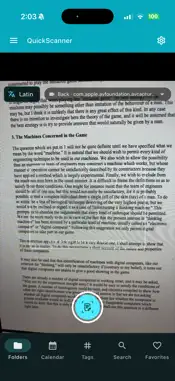
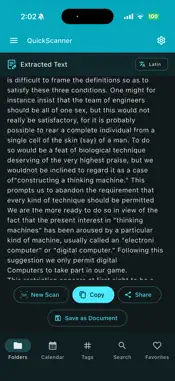
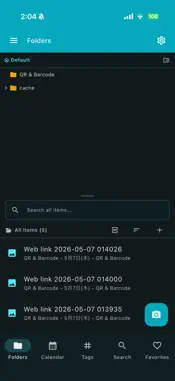
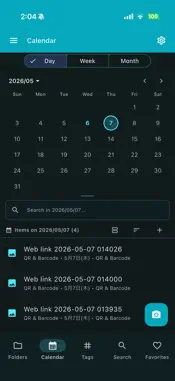
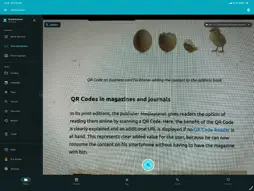
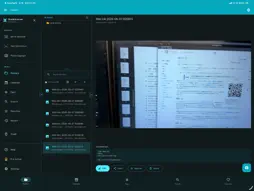
QuickScanner is a multi-mode document scanner designed for iOS and macOS. It combines smart document capture, OCR text extraction, QR/barcode scanning, and PDF generation with cloud backup. SCANNING MODES: - Document, Business Card, Receipt, ID Card, Whiteboard - Capture from camera, photo library, files, video, or screen region - Auto-shutter for hands-free capture - Auto boundary detection and perspective correction - Auto-crop with corner recognition - Flash control and continuous capture IMAGE EDITING: - 4-corner freeform crop with drag handles - Rotation (360°) and horizontal flip - Filters: Original, Magic Color, B&W, Grayscale, High Contrast - Text annotation overlay - Signature field overlay OCR TEXT EXTRACTION: - Offline OCR using Google ML Kit (no data sent to servers) - 5 language scripts: Japanese, Latin/English, Chinese, Korean, Devanagari - Extract text from scanned images and PDF pages - Extract text and QR codes from PDF and video files - Export text as TXT or Markdown files - Copy or share extracted text AI ASSIST: - AI-generated titles and tags for your scans - One-tap summary of extracted text - AI cleanup of OCR recognition errors - Structured field extraction (receipts, business cards) - Batch AI actions across multiple documents QR & BARCODE SCANNER: - Real-time detection with AR overlay - Scan QR/barcodes from camera, image/PDF files, video, or screen (macOS) - Parse WiFi, contacts (vCard), calendar events, SMS and email - One-tap actions per payload type, with warnings for sensitive data - Scan history with recent results - Auto-open URLs from QR codes - Copy and share barcode values PDF: - Searchable PDF: OCR text embedded as an invisible, searchable layer - Single and multi-page PDF generation - Password-protected PDF encryption - PDF preview with page navigation - Text extraction from PDF documents DOCUMENT LIBRARY: - Browse by type: Documents, Cards, Receipts, IDs, Whiteboards, PDFs - Folders, tags, and full-text search - Bulk selection and batch operations - Trash with soft-delete and restore CLOUD BACKUP: - Google Drive, Dropbox, OneDrive integration - Full library backup as ZIP archive with manifest - Settings export/import in backups - Remote backup upload and download CUSTOMIZATION: - 20+ theme colors with dark/light mode - Configurable auto-crop, perspective correction, and default filter - Responsive layout for mobile, tablet, and desktop QuickScanner Pro unlocks: - Ad-free experience - All premium features - Priority support Terms of Use: https://kakitiro.com/quickapps/quickscanner/terms/
What's New
Version 5.1.23 2026-08-27
• Bug fixes and performance improvements. • UI and design improvements. • Security updates. • Added AI-powered scan assistance for OCR cleanup, summaries, and t... Technical Analysis
Package Overview Basic metadata
Bundle ID
com.kakitiro.quickapps.quickscanner Current Version 5.1.23
Minimum iOS 13.0
Package Size App Store Size
Package Metadata 2 / 4 version records
0.0 / 5.0 (0 ratings)
Detailed binary, privacy manifest, framework, and Info.plist results have not been indexed for this package yet. The verified App Store and archive metadata above remains available.
Developer Information
Known Version Records
2 version records with stored package metadata • 4 known version records
Stored metadata does not guarantee a package is currently available to download.
| Details | Version / IDs | Version date | Action |
|---|---|---|---|
 Not archived | App Store ID: 890237510 | Unknown | Request Version |
| 149.78 MB | v5.1.23 App Store ID: 886713822Build: 5.1.23 | 2026-08-27 09:05:09 | Get Version |
| Not archived | App Store ID: 885076681 | Unknown | Request Version |
| 9.91 MB | v0.0.1 App Store ID: 833736680Build: 0.0.2 | 2019-11-24 06:48:14 | Get Version |