Preview


Description
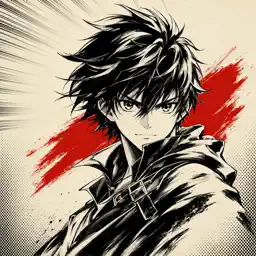
Make manga from a single sentence. Manga Art turns plain English into a finished, fully-inked manga panel. Type what you want to see — "a lone samurai under cherry blossoms," "a mecha pilot rising from a wrecked cockpit," "a shy classroom confession" — pick a style, and tap Draw. The page fills in for you. Made for everyone — fans who can't draw a stick figure, writers who need cover art for a serial, hobbyists who want a 60-second sketch to share, and longtime artists looking for fast moodboards. — TWELVE DISTINCT MANGA STYLES — • Default — clean, classic black ink • Shonen — dynamic action lines, bold posing • Shojo — soft shading, sparkles, expressive eyes • Seinen — gritty mature line work • Chibi — super-deformed, cute proportions • Mecha — intricate robots, cross-hatching • Full Color — modern smooth digital shading • Ink Brush — sumi-e calligraphy strokes • Watercolor — pastoral, soft hand-painted feel • Cyberpunk — neon-lit, dense urban detail • Horror — fine-line dread and atmosphere • Slice of Life — gentle screentones, quiet moments Each style has a sample preview right in the picker so you know what you're getting before you spend a credit. — THREE SIMPLE TABS — DISCOVER · A live feed of new panels from the community. Search by keyword to find inspiration. CREATE · Your studio. One prompt, one style, one tap. LIBRARY · Every piece you've made, in one place. Save, re-share, or re-open any time. — HOW IT WORKS — 1. Open Create. 2. Pick a style from the gallery. 3. Type your scene. 4. Tap Draw. Your panel is rendered using state-of-the-art image generation, saved to your private Library, and ready to save to Photos or share — straight from the preview.
What's New
Version 1.0.2 2026-04-29
Bug fixes. Technical Analysis
Package Overview Basic metadata
Bundle ID
com.kawaiiinc.manga Current Version 1.0.2
Minimum iOS 17.0
Package Size App Store Size
Package Metadata 1 / 3 version records
Detailed binary, privacy manifest, framework, and Info.plist results have not been indexed for this package yet. The verified App Store and archive metadata above remains available.
Developer Information
Known Version Records
1 version record with stored package metadata • 3 known version records
Stored metadata does not guarantee a package is currently available to download.
| Details | Version / IDs | Version date | Action |
|---|---|---|---|
| 45.63 MB | v1.0.2 App Store ID: 885051600Build: 1.0.2 | 2026-04-29 14:05:03 | Get Version |
| Not archived | App Store ID: 871043998 | Unknown | Request Version |
| Not archived | App Store ID: 861861363 | Unknown | Request Version |