Preview



Description
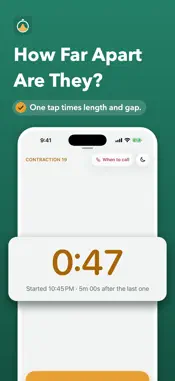
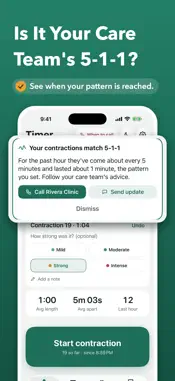
Time contractions with one tap, even from the Lock Screen, and see how long and how far apart they are at a glance. Laborly is a calm contraction timer and kick counter for expecting parents and their birth partners. TIME CONTRACTIONS • One big Start and Stop button. The time keeps running when you lock your iPhone or close the app. • Length, time apart and the number in the last hour, worked out for you. • Tap how strong each one felt: Mild, Moderate, Strong or Intense. Add a note if you like. • Forgot one? Add it afterwards. Tapped by mistake? Undo. • Night mode: a dim, dark screen for a dark room. • An optional breathing cue while a contraction runs. YOUR CARE TEAM'S PATTERN • Choose the pattern your care team gave you: 5-1-1, 4-1-1, 3-1-1, 3 in 10, or your own. • Laborly tells you calmly when your contractions match it, after a contraction ends, never during one. • "When to call now" lists the signs to call your care team about, with a button to call the number you saved. LOCK SCREEN, APPLE WATCH AND SIRI • A Live Activity on the Lock Screen and in the Dynamic Island, with Start and Stop that work without unlocking. • Home Screen and Lock Screen widgets, the Action button and, on iOS 18 and later, a Control Center control. • Siri and Shortcuts: "Start contraction in Laborly", "How far apart are my contractions in Laborly". • An Apple Watch app with a complication. It keeps timing when your iPhone isn't nearby and catches up when it's back. HISTORY AND REPORTS • Contractions are grouped into sessions, each with a chart of length and time apart. • Edit any contraction, delete with Undo, and merge or split sessions. • Log labor events: water broke, bloody show, called your care team, left for the hospital, arrived. • A PDF report to share with your care team, plus CSV export and a full backup file. • Send your partner a short update in Messages or Mail, ready for you to send. KICK COUNTER • Tap for each movement and see how long it takes to reach 10, with a history and a chart. • An optional daily reminder. GUIDES AND HOSPITAL BAG • Short guides to contraction patterns, early and active labor, practice (Braxton Hicks) contractions, breathing, comfort positions and tips for partners. Each lists the sources it was reviewed against: WHO, ACOG and NHS. • A hospital bag checklist for you, your baby, your partner and your documents. Add your own items. • Save your care team, hospital or birth center, partner and doula for one-tap calls. PRIVATE • No account and no sign-up. No analytics and no tracking. • Your data stays on your iPhone and, with iCloud Sync on, in your own private iCloud. • Optional Face ID Lock. The Lock Screen, widgets and Apple Watch keep working while it's on. UPGRADING FROM CONTRACTION TIMER: COUNTER? Laborly is the new version of this app. Your contractions move over automatically the first time you open it. Laborly times and summarizes your contractions. It isn't medical advice and doesn't diagnose labor. Always follow your care team's advice. Questions or ideas? In Laborly, open Settings and tap Send Feedback.
What's New
Version 2.0.0 2026-11-10
Contraction Timer: Counter is now Laborly, rebuilt from the ground up for iPhone and Apple Watch. Your contractions move over automatically the first time you ... Technical Analysis
Package Overview Basic metadata
Bundle ID
com.rkasula.contractioncounter Current Version 2.0.0
Minimum iOS 17.0
Package Size App Store Size
Package Metadata 0 / 1 version records
Detailed binary, privacy manifest, framework, and Info.plist results have not been indexed for this package yet. The verified App Store and archive metadata above remains available.
Developer Information
Known Version Records
0 version records with stored package metadata • 1 known version records
Stored metadata does not guarantee a package is currently available to download.
| Details | Version / IDs | Version date | Action |
|---|---|---|---|
| Not archived | App Store ID: 872655999 | Unknown | Request Version |