
Preview
Description
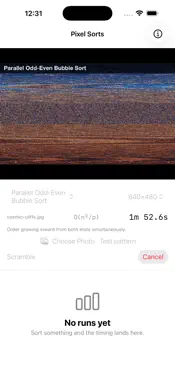
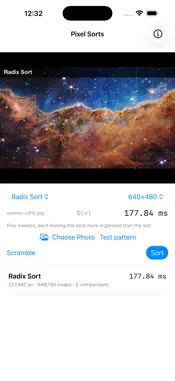
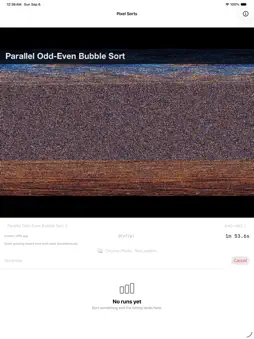
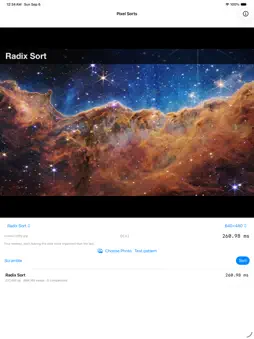
Pixel Sorts scrambles a picture and sorts it back together, one algorithm at a time, so you can watch the difference between them instead of reading about it. Every pixel carries the number of the place it came from. Scrambling shuffles those numbers, sorting puts them back in order, and the image reassembles. You are not watching colours being sorted. You are watching a permutation being undone, which is what makes progress legible: you can see how far from finished the algorithm still is. Twelve algorithms are included: bubble sort, branchless bubble sort, SIMD odd-even transposition, parallel odd-even transposition, selection sort, insertion sort, shell sort, heap sort, merge sort, quicksort, GCD quicksort and radix sort. Each one reports what it actually did: elapsed time, comparisons and swaps, and its big-O. The table keeps every run, so the comparison is measured on your own device rather than quoted from somewhere else. Sort the built-in test pattern, or pick a photo from your library. Full size sorts the photo at its own resolution, which is where the quadratic algorithms stop being a demonstration and start being a wait. There is a cancel button for exactly that reason. The app came out of a 2000 Apple sample code project called PThreadSorts, which did the same thing with pthreads on Mac OS X. The sorting core here is a plain Swift package with no UI framework in it, which is why the same code runs on iPhone, iPad and Mac without changes. No accounts, no network, no analytics, no ads. Photos you pick never leave the device. App icon: Mona Lisa by Leonardo da Vinci, public domain, via Wikimedia Commons.
Technical Analysis
Package Overview Basic metadata
Bundle ID
com.groethe.pixelsorts Current Version 1.0
Minimum iOS 17.0
Package Size App Store Size
Package Metadata 0 / 0 version records
Detailed binary, privacy manifest, framework, and Info.plist results have not been indexed for this package yet. The verified App Store and archive metadata above remains available.
Developer Information
Known Version Records
0 version records with stored package metadata
Stored metadata does not guarantee a package is currently available to download.
| Details | Version / IDs | Version date | Action |
|---|