Preview








Description
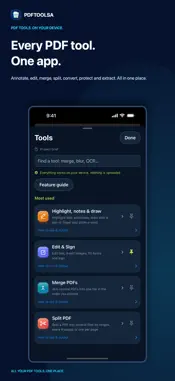
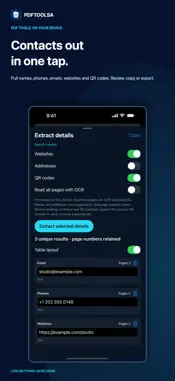
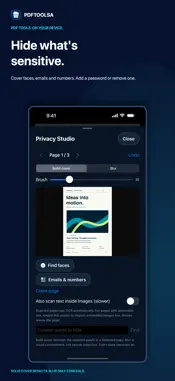
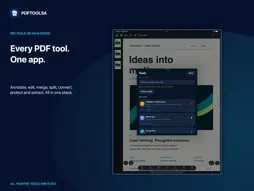
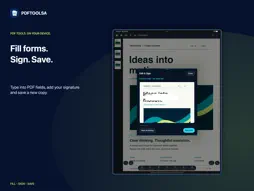
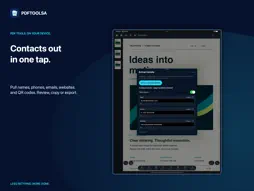
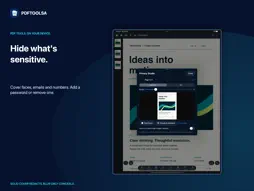
Every PDF tool you need, in one app that keeps your files private. Read, annotate, edit, sign, merge, split, convert, protect and extract, all on your iPhone, iPad or Mac. No account needed. Everything works on your device and nothing is uploaded. WHY PEOPLE CHOOSE PDFTOOLSA • All your PDF tools in one place, so you stop jumping between apps • 100% private: your files are processed on your device and never leave it • No account, no ads, no tracking, and it works offline • 10 free credits every day, or go Pro for unlimited use • Polished English and Arabic, including right-to-left layouts, with light and dark appearance ANNOTATE Highlight, underline and strike through text. Add notes, draw with a pen or finger, and circle a word or sentence. Save a new annotated copy and your original stays untouched. EDIT, FILL AND SIGN Type into PDF form fields, add text and images, and place a drawn or typed electronic signature. Save a new copy when you are done. MERGE, SPLIT AND ORGANIZE Merge several PDFs into one. Split a PDF by page ranges, every N pages or one page per file. Extract the pages you need, reorder, rotate or delete pages. CONVERT PDF to Word, Excel, PowerPoint, HTML, text and images. Images to PDF in A4, Letter or the exact size of your pictures with proportions preserved. Word to PDF too. Complex layouts reflow and may differ from the source. EXTRACT WHAT MATTERS Pull out names, phone numbers, emails, websites, addresses and QR codes. Review the results with page numbers, copy a list or table, or export CSV, TSV, JSON or text. Scanned pages use on-device text recognition (OCR); review results against the source. PROTECT AND UNLOCK Add a password and block printing or copying. Save an unprotected copy of a PDF you can open. Cover faces, emails, numbers or custom text with solid cover, or blur them. Blur is visual concealment, not secure redaction. COMPRESS, STAMP AND LAYOUT Set a size target in MB, add watermarks, headers, footers, page numbers, Bates numbers and backgrounds. Create booklets, posters and multi-page sheets, compare two PDFs, or process several files in a batch. READ COMFORTABLY Search text, jump to a page, zoom, use paper, sepia or inverted reading and switch documents. Return to where you stopped. Hide the toolbars for more room, or keep them close. SAVE WITH CONFIRMATION Save to the app library or export to Files. A confirmed save shows a receipt; cancelling or a failure keeps your work so you can try again. YOUR PRIVACY No account, ads or analytics SDKs. Documents are never uploaded for processing, and no cloud AI reads your files. Apple purchases may need internet access, and Files providers may sync saved files independently. FREE AND PRO Free: 10 free credits every day. Each action uses 1 credit: opening a PDF, a merge, a split, an extraction, a conversion or a save. Reading, searching, previews and sharing your original are always free. Pro: unlimited credits and batches of up to 200 files. Choose monthly, annual or one-time Pro Lifetime. Prices and periods appear before payment. Subscriptions renew automatically unless cancelled at least 24 hours before the period ends. Manage subscriptions in your App Store account and restore eligible purchases in Plans. Terms of Use: https://www.apple.com/legal/internet-services/itunes/dev/stdeula/
What's New
Version 1.1.0 2026-11-15
A complete redesign. Home, Tools, Open, Settings and Go Pro are always one tap away. New coloured tool icons, faster access to Annotate, Merge, Split and Unprot...A complete redesign. Home, Tools, Open, Settings and Go Pro are always one tap away. New coloured tool icons, faster access to Annotate, Merge, Split and Unprotected copy, and a simpler free plan: 10 free credits every day for every action. Everything still works on your device. No account needed. Technical Analysis
Package Overview Basic metadata
Bundle ID
com.topoflearning.pdftoolsa Current Version 1.1.0
Minimum iOS 17.0
Package Size App Store Size
Package Metadata 0 / 0 version records
Detailed binary, privacy manifest, framework, and Info.plist results have not been indexed for this package yet. The verified App Store and archive metadata above remains available.
Developer Information
Known Version Records
0 version records with stored package metadata
Stored metadata does not guarantee a package is currently available to download.
| Details | Version / IDs | Version date | Action |
|---|