
Preview





Description
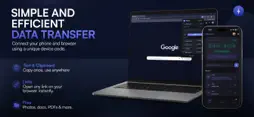
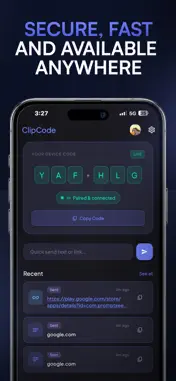
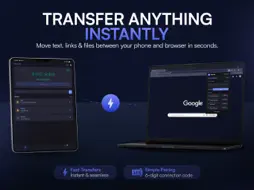
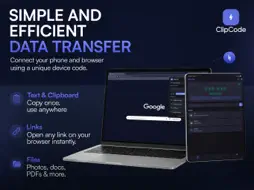
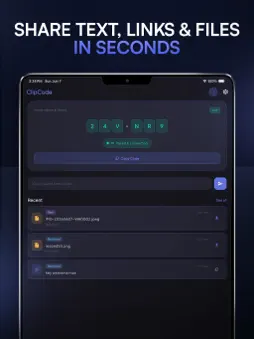
ClipCode is the fastest way to move anything between your phone and your browser. Open the app, get a 6-digit pairing code. Type it into the ClipCode browser extension on your PC or Mac. You're connected in seconds - no cables, no Bluetooth, no accounts required to get started. WHAT YOU CAN DO - Send text and links from your phone to your browser (and back) - Share files both ways - images, videos, documents, anything - See your full transfer history in real time - Tap a link to open it instantly in your browser - Download files directly to your Downloads folder HOW IT WORKS 1. Open ClipCode on your phone - you will see your 6-digit pairing code 2. Install the ClipCode extension in Chrome, Edge, or Firefox on your PC 3. Enter your code in the extension - paired instantly 4. Send anything, both ways, in real time PLANS Free - Send text and links - Share files up to 10 MB - 50 MB daily upload limit - 1-day transfer history Pro (Rs. 199/month or Rs. 1,990/year) - Files up to 100 MB - 500 MB daily upload limit - 7-day transfer history Premium (Rs. 499/month or Rs. 4,990/year) - Files up to 1 GB - 2 GB daily upload limit - 30-day transfer history PRIVACY Your data is stored securely on Google Firebase. We do not read your clipboard without your action, track your location, or share your data with advertisers. Guest mode requires no account and data is deleted after 48 hours. SIGN IN OPTIONS - Email and password - Google Sign-In - Sign in with Apple - Continue as Guest (no account needed) By downloading ClipCode, you agree to Apple's Standard License Agreement: https://www.apple.com/legal/internet-services/itunes/dev/stdeula/
What's New
Version 1.0.1 2026-06-16
Bug Fixes & Performance Improvements Technical Analysis
Package Overview Basic metadata
Bundle ID
com.oopsable.clipcode.app Current Version 1.0.1
Minimum iOS 16.0
Package Size App Store Size
Package Metadata 1 / 2 version records
Detailed binary, privacy manifest, framework, and Info.plist results have not been indexed for this package yet. The verified App Store and archive metadata above remains available.
Known Version Records
1 version record with stored package metadata • 2 known version records
Stored metadata does not guarantee a package is currently available to download.
| Details | Version / IDs | Version date | Action |
|---|---|---|---|
| 75.26 MB | v1.0.1 App Store ID: 887052238Build: 1.0.1 | 2026-06-17 00:10:22 | Get Version |
| Not archived | App Store ID: 885758285 | Unknown | Request Version |