
Preview


Description
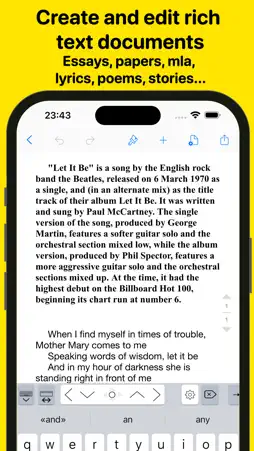
Wordpad+ is a Microsoft Word-compatible DOCX and PDF editor that helps you write, edit, read, highlight, and manage documents for school, college, work, and everyday life. Whether you're taking last-minute lecture notes, writing a story, preparing meeting minutes, working on an important essay, or organizing your thoughts, you can do it all in Wordpad+. Whether you're a student, educator, writer, medical professional, journalist, scholar, or business professional, you can use Wordpad+ every day to create and edit notes, annotations, memos, signed PDFs, papers, highlighted PDF textbooks, and more. Powerful document editor - Create and edit Microsoft Word-compatible DOCX documents. - Edit Microsoft RTF, plain-text, and Markdown files. - Format your text with tables, lists, fonts, styles, and colors. - Use templates to create professional resumes, reports, and other documents. - Save your work automatically and access it across multiple devices. PDF editing and annotation - Highlight, sketch, add text boxes and pictures, and sign PDF documents. - Write and sketch with seven ink tools: Marker, Pen, Pencil, Monoline, Fountain Pen, Watercolor, and Crayon. - Fill out PDF forms. - Sign documents directly on your device. - Verify digital signatures to confirm their authenticity. Write and format your way - Keep writing wherever you are, including when you're offline or don't have your laptop. - Customize margins, headers, and other layout options. - Track statistics such as word and sentence counts. - Proofread your work with text-to-speech. - Dictate text for hands-free writing. - Use Focus Mode to reduce distractions. - Type in more than 30 languages. Multiformat reader - Read ePub and PDF files, view PowerPoint and Excel documents, play MP3 audio, and open many other formats. - Import and export files through iCloud Drive, Google Drive, Dropbox, and other cloud services. - Choose from dark, light, and sepia reading themes, adjust the font size, and use text-to-speech with ePub and PDF files. - Work with large documents, including fillable forms, using the PDF engine. - Annotate and highlight eBooks, or add text and images to them. Organize and multitask - Keep several documents open in the multitabbed interface and switch between them quickly. - View documents side by side with multiple windows and multitasking. - Keep all your notes, ideas, and projects in one place with unlimited space. - Create folders and subfolders that suit the way you work. - Customize notebook covers. - Find your files quickly with search. - Manage DOCX, RTF, PDF, TXT, Markdown, ePub, PowerPoint, Excel, Apple iWork, MP3, MP4, PNG, JPG, GIF, TIFF, ZIP, and other file formats. Share and export - Open email attachments directly in Wordpad+. - Sync your files with iCloud, Dropbox, and other services. - Convert your work to PDF, ePub, HTML, and other formats. - Compress folders into ZIP files and send them by email. Scan and convert to PDF - Scan notes, books, tickets, recipes, and other items directly to PDF. - Convert documents, images, photos, scans, and other files to PDF on your device. - Open PowerPoint, Word, and Excel files, convert them to PDF, and annotate them. Back up and protect your work - Protect your content with a passcode. - Lock individual folders or projects for added security. - Keep your data safe with automatic backups. Use Wordpad+ to organize your thoughts, lectures, books, sketches, notes, documents, and projects in one place. Download it for free and start writing, editing, reading, and organizing your work. Privacy Policy http://www.noteswriter.com/Kairoos_Privacy_Policy.html EULA https://www.apple.com/legal/internet-services/itunes/dev/stdeula/
What's New
Version 2.1.7 2026-10-20
- Fully optimized for iOS 27 and the all-new iPhone Duo! - Huge major UI/UX app update! New app icon! - We update Wordpad+ frequently to make it even better. Ea... Technical Analysis
Package Overview Package analysis available
Bundle ID
com.kairoos.freeword Current Version 2.1.7
Minimum iOS 26.0
Package Size App Store Size
Package Metadata 1 / 11 version records
GTLR
com.google.GTLR v3.0.0iOS 13.0+665.57 KB
ObjectiveDropboxOfficial
com.dropbox.ObjectiveDropboxOfficial v3.10.0iOS 12.0+9.87 MB
OmniAppKit
com.omnigroup.OmniAppKit v6.9iOS 16.0+218.97 KB
OmniBase
com.omnigroup.framework.OmniBase v6.9iOS 16.0+195.49 KB
OmniDAV
com.omnigroup.framework.OmniDAV v6.9iOS 16.0+317.86 KB
OmniDocumentStore
com.omnigroup.framework.OmniDocumentStore v6.9iOS 16.4+389.92 KB
OmniFileExchange
com.omnigroup.framework.OmniFileExchange v6.9iOS 16.0+872.27 KB
OmniFoundation
com.omnigroup.framework.OmniFoundation v6.9iOS 16.0+1.55 MB
OmniQuartz
com.omnigroup.framework.OmniQuartz v6.9iOS 16.0+128.57 KB
OmniUI
com.omnigroup.framework.OmniUI v6.9iOS 16.4+16.0 MB
OmniUIDocument
com.omnigroup.framework.OmniUIDocument v1.0iOS 16.4+29.25 MB
OmniUnzip
com.omnigroup.framework.omniunzip v1.0iOS 16.0+212.44 KB
4.2 / 5.0 (13 ratings)
Known Version Records
1 version record with stored package metadata • 11 known version records
Stored metadata does not guarantee a package is currently available to download.
| Details | Version / IDs | Version date | Action |
|---|---|---|---|
| 534.83 MB | v2.1.3 App Store ID: 885291471Build: 2.1.3 | 2026-09-29 00:01:53 | Get Version |
| Not archived | App Store ID: 877488219 | Unknown | Request Version |
| Not archived | App Store ID: 873192675 | Unknown | Request Version |
| Not archived | App Store ID: 870464112 | Unknown | Request Version |
| Not archived | App Store ID: 868689063 | Unknown | Request Version |
| Not archived | App Store ID: 867627616 | Unknown | Request Version |
| Not archived | App Store ID: 867579536 | Unknown | Request Version |
| Not archived | App Store ID: 867488926 | Unknown | Request Version |
| Not archived | App Store ID: 867468606 | Unknown | Request Version |
| Not archived | App Store ID: 867458492 | Unknown | Request Version |
| Not archived | App Store ID: 867384081 | Unknown | Request Version |