Preview




Description
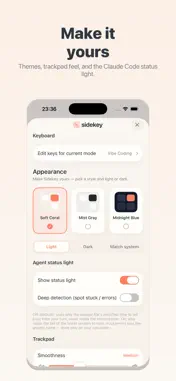
Sidekey turns your iPhone into a wireless keyboard, trackpad and shortcut pad for your own computer. Tap keys on your phone and they type on your Mac or Windows PC over your local Wi‑Fi — no extra hardware, no cables. NEW IN 1.1 • Made for iPhone Duo — unfold for a big keyboard on one side of the fold and a trackpad on the other, and swap them with one tap. Every mode gets its own big-screen layout. • Laptop keyboard mode — a full computer keyboard on the inner screen that matches the connected computer, Mac or Windows. • Landscape on any iPhone — keys, trackpad and sidebar rearrange themselves. FEATURES • Voice typing — dictate on your phone and send the text straight to your computer • Custom key designer — make your own keys, shortcuts and layouts • Shortcuts & combos — Cmd/Ctrl/Alt/Shift, function keys, media keys, and left/right-specific modifiers • Trackpad — use your phone as a touchpad with left and right buttons • Multiple computers — pair several and switch between them in one tap • Modes for every job — a shortcut deck, a trackpad, a full keyboard, and Codex Micro for Claude Code and Codex • Quick pairing — scan a QR code once; it reconnects automatically • Private by design — no account, no tracking, nothing sent to the developer HOW IT WORKS Sidekey works together with a small, free desktop helper you run on the computer you want to control. Put both devices on the same Wi‑Fi, scan a QR code once to pair, and you're connected. Pairing is secured with a token, and your keystrokes travel directly to your own computer — never through us. REQUIRES THE FREE DESKTOP HELPER Sidekey needs the free Sidekey helper running on your Mac or Windows computer. Download it from the link on our support page. Questions or ideas? We'd love to hear from you.
What's New
Version 1.1.0 2026-11-02
Sidekey 1.1: Made for iPhone Duo • iPhone Duo support: unfold to get the keyboard on top and the trackpad below (side by side when you hold it sideways), split... Technical Analysis
Package Overview Basic metadata
Bundle ID
com.kaihongchen.sidekey Current Version 1.1.0
Minimum iOS 16.0
Package Size App Store Size
Package Metadata 0 / 1 version records
Detailed binary, privacy manifest, framework, and Info.plist results have not been indexed for this package yet. The verified App Store and archive metadata above remains available.
Developer Information
Known Version Records
0 version records with stored package metadata • 1 known version records
Stored metadata does not guarantee a package is currently available to download.
| Details | Version / IDs | Version date | Action |
|---|---|---|---|
| Not archived | App Store ID: 887489793 | Unknown | Request Version |