Preview




Description
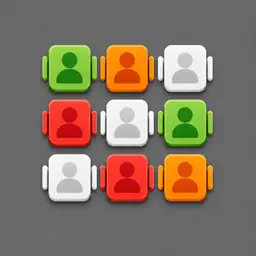
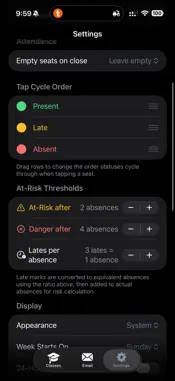
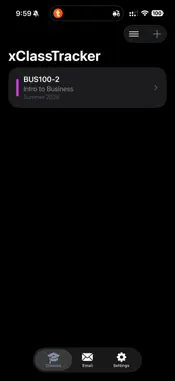
xClassTracker turns your iPhone into a visual attendance system. Instead of calling names or scrolling through a list, you see the room exactly as it is: every seat, every student, ready to tap. One session takes under 60 seconds once you know your class. Visual seating chart Design your classroom layout once: set rows and columns, mark aisles, doors, and the teacher's desk, assign seat numbers. The chart stays accurate all term. Import your roster from a CSV, assign students to seats manually or automatically, and you're ready. Tap to cycle, long-press for detail A single tap cycles a seat through your configured status order (Present, Absent, Late; customizable). Long-press any seat to open the student detail sheet: full name, student ID, arrival time, a per-session note, and a complete audit trail showing every status change with its exact timestamp. Full audit trail: resolve disputes instantly Every tap is timestamped to the second and stored permanently. If a student disputes a late mark, open their detail sheet and show them "Marked Late at 9:14:23 AM." Manual edits are logged separately. Nothing is ever quietly overwritten. At-risk tracking and dashboards The section dashboard shows each student's attendance rate, flags students approaching your configurable warning threshold, and calculates effective absences (counting N lates as one absence). Tap any student to see their full calendar history and session-by-session record. Export in three formats CSV: attendance matrix (rows = students, columns = sessions) plus totals, ready for institutional systems PDF: per-session seating chart suitable for printing or emailing to administration Full backup: export all courses, layouts, and sessions to a single file; restore on any device Automated absence emails Connect your SMTP server or Resend API key in Settings and send absence notices directly from the app using customizable templates. Placeholders like {{name}}, {{absences}}, and {{course}} fill in automatically. Privacy first All data lives on your device. No accounts. No cloud sync. No analytics. The App Store nutrition label is "Data Not Collected." A biometric lock (Face ID / Touch ID) is available to protect records when you hand your phone to a student. Built for iPhone, works on iPad The seating chart is designed for iPhone: clear status colors and letters (P, A, L, E) make every seat readable at a glance, even on a smaller screen. On iPad the layout expands to show more of the room at once. Supports dark mode, 12h/24h time, configurable week start day, and haptic feedback on tap.
Technical Analysis
Package Overview Basic metadata
Bundle ID
com.k2labs.xClassTracker Current Version 1.0.1
Minimum iOS 18.6
Package Size App Store Size
Package Metadata 0 / 1 version records
Detailed binary, privacy manifest, framework, and Info.plist results have not been indexed for this package yet. The verified App Store and archive metadata above remains available.
Known Version Records
0 version records with stored package metadata • 1 known version records
Stored metadata does not guarantee a package is currently available to download.
| Details | Version / IDs | Version date | Action |
|---|---|---|---|
| Not archived | App Store ID: 886741350 | Unknown | Paid / Arcade |