Preview








Description
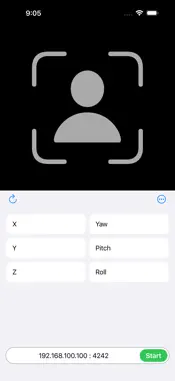
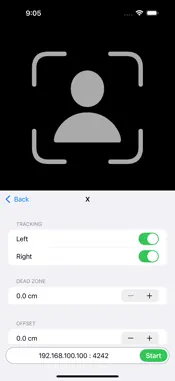
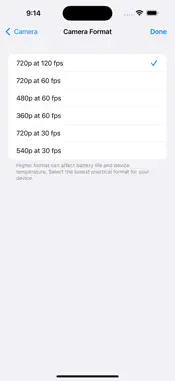
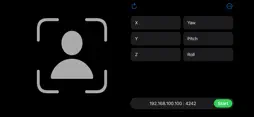
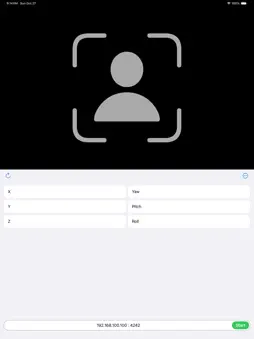
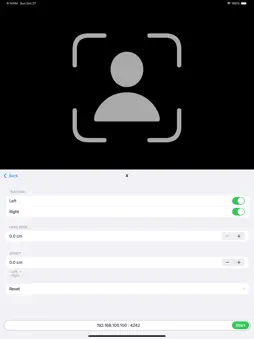
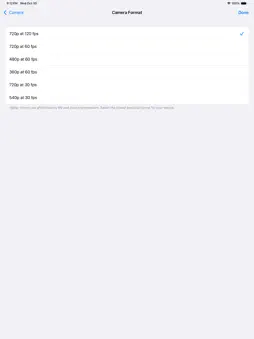
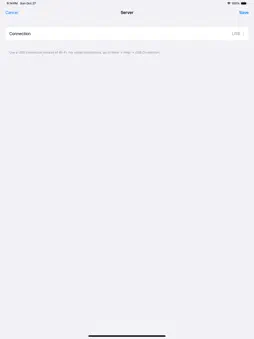
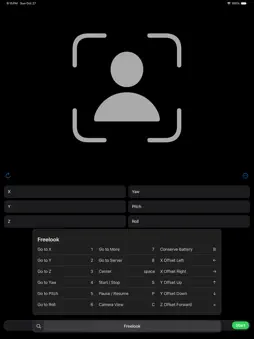
Freelook head tracker is a head tracking app for games and simulation software. It works with Opentrack desktop software to allow you to control the free look camera of your sim games hands-free. Freelook will work on all iOS devices with a front facing camera running iOS12 or later. It supports 120fps, USB connection, keyboard shortcuts, dark mode, gestures and more. You can use it for free with ads and if you like it, upgrade to pro version without ads (pro version requires iOS15 or later). Opentrack Setup 1. Download, install and run Opentrack software on your PC. Opentrack is a free software dedicated to tracking user’s head movements and relaying the information to games and flight simulation software. For the latest downloads visit https://github.com/opentrack/opentrack/releases. 2. Under Input select UDP over network. Click on the settings icon next it and remember the Port number (default is 4242). You will need to enter this value in the app. 3. Under Output select freetrack 2.0 Enhanced. 4. Under Filter select Accela. Accela works great out of the box. If you use any other filter, you may need to adjust its settings. 5. Click Mapping and adjust mapping properties to your liking. 6. If you intend to use the app’s built-in Center feature, click Options and under Shortcuts uncheck Center at startup. 7. Click Start to start receiving inputs. PC (Windows) Setup 1. On the taskbar, right click on the network icon and select Open Network & Internet Settings. 2. Under Advanced Network Settings, click Windows Firewall. 3. Click Advanced Settings to open Windows Defender Firewall with Advanced Security. 4. Click Inbound Rules option on the left pane. 5. Click New Rule… on the right pane. 6. Under Rule Type select Program and click Next. 7. Select This Program path. 8. Browse to Opentrack exe file location. It is normally located at “C:\Program Files (x86)\Opentrack\opentrack.exe”. 9. Select Allow the connection. 10. Click Next, do not change any option here and click Next again. 11. Specify a name for this rule. 12. Click Finish. 13. On the taskbar, click on the network icon. 14. Find the network you’re connected to and click Properties. 15. Under Properties, look for your IP address listed next to IPv4 address. You will need to enter this value into the app. 16. You can also find your IP address using Command Prompt. Type ipconfig then press the Enter key. App Setup 1. Run the app. 2. If iOS shows an alert requesting camera access, click OK to grant permission. 3. Click 192.168.100.100 : 4242 next to the Start button and enter IP address and Port number from Opentrack/PC (Windows) Setup. 4. With Opentrack running, click Start. 5. If iOS shows an alert requesting local network access, click OK to grant permission. If the Start button did not change to Stop, click Start again. 6. If you intend to use Opentrack’s Center feature, click More and turn off Center.
What's New
Version 1.2.2 2024-11-05
This version added in app purchase to remove ads. Technical Analysis
Package Overview Basic metadata
Bundle ID
com.jungson.Freelook Current Version 1.2.2
Minimum iOS 12.0
Package Size App Store Size
Package Metadata 0 / 15 version records
Detailed binary, privacy manifest, framework, and Info.plist results have not been indexed for this package yet. The verified App Store and archive metadata above remains available.
Developer Information
Known Version Records
0 version records with stored package metadata • 15 known version records
Stored metadata does not guarantee a package is currently available to download.
| Details | Version / IDs | Version date | Action |
|---|---|---|---|
| Not archived | App Store ID: 870162615 | Unknown | Request Version |
| Not archived | App Store ID: 870079066 | Unknown | Request Version |
| Not archived | App Store ID: 870004105 | Unknown | Request Version |
| Not archived | App Store ID: 846972517 | Unknown | Request Version |
| Not archived | App Store ID: 846316311 | Unknown | Request Version |
| Not archived | App Store ID: 846114110 | Unknown | Request Version |
| Not archived | App Store ID: 844764115 | Unknown | Request Version |
| Not archived | App Store ID: 844575314 | Unknown | Request Version |
| Not archived | App Store ID: 842945653 | Unknown | Request Version |
| Not archived | App Store ID: 842943266 | Unknown | Request Version |
| Not archived | App Store ID: 842845320 | Unknown | Request Version |
| Not archived | App Store ID: 842738805 | Unknown | Request Version |
| Not archived | App Store ID: 842552601 | Unknown | Request Version |
| Not archived | App Store ID: 842487434 | Unknown | Request Version |
| Not archived | App Store ID: 842432799 | Unknown | Request Version |