Preview





Description
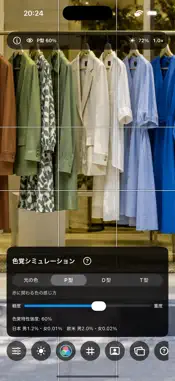
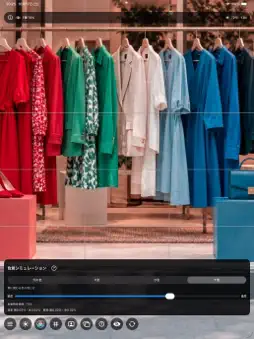
Vision Simulator lets you explore color appearance in live camera views of fashion, advertising, products, and compositions. Choose a P, D, or T color vision type and adjust the strength slider to compare milder and stronger simulations. The app also shows approximate reference percentages for men and women in Japan and Western populations. These figures remain fixed by type, region, and sex, independently of simulation strength. They are not measured prevalence for individual severity levels and do not describe any individual's vision. Tap the question-mark button in the app for the explanation and sources. Features include live front and rear camera preview, zoom, temporary in-memory reference comparison with overlay and split views, manual color adjustments, automatic image adjustment including face color balance, composition guides, a light meter, and optional automatic person framing. Automatic adjustment bypasses manual image adjustment settings while enabled. The landscape toolbar scrolls vertically, and a clock is shown when the interface is hidden in landscape. The app has no photo or video capture, image saving, or network communication features. A temporary comparison reference stays only in device memory and is removed when comparison ends or the app closes. Color vision simulation is an approximation for design review. It cannot reproduce every person's perception and is not a diagnostic test.
What's New
Version 1.2 2026-10-19
• Improved landscape controls with a vertically scrollable toolbar for easier camera switching. • Added a clock when the interface is hidden in landscape. • Ref... Technical Analysis
Package Overview Basic metadata
Bundle ID
com.gimmickdock.Simple-Handy-Mirror Current Version 1.2
Minimum iOS 17.0
Package Size App Store Size
Package Metadata 0 / 0 version records
Detailed binary, privacy manifest, framework, and Info.plist results have not been indexed for this package yet. The verified App Store and archive metadata above remains available.
Developer Information
Known Version Records
0 version records with stored package metadata
Stored metadata does not guarantee a package is currently available to download.
| Details | Version / IDs | Version date | Action |
|---|