
Preview






Description
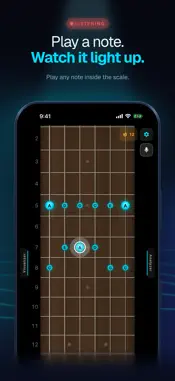
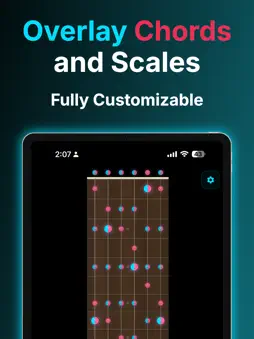
See the fretboard like never before. Guitar Visualizer is the intelligent fretboard tool that shows you every scale, chord, and mode in every position, in every key. No more googling chord diagrams. No more memorizing shapes one at a time. Just open the app and see it all. SUBSCRIPTION: Access to all features requires a paid subscription to Guitar Visualizer Pro, yearly or monthly ($19.99/year or $2.99/month in the US; prices vary by country and are shown in the app before you subscribe). New subscribers start with a 7-day free trial. Auto-renews unless cancelled at least 24 hours before the renewal date. Manage or cancel anytime in iPhone Settings → Apple ID → Subscriptions. Key Features: SCALES & MODES: Every scale across the entire neck. Pentatonic, Major, Minor, Dorian, Mixolydian, and more. Switch between clean view, note names, and interval numbers with one tap. CHORDS & VOICINGS: Every chord type with real, playable voicings sourced from professional references. Major, Minor, 7ths, 9ths, diminished, augmented, sus chords, and more — all with multiple positions across the neck. THE CAGED SYSTEM: See how chord shapes connect across the fretboard. The CAGED system, fully visualized — switch between C, A, G, E, and D positions instantly. TWO LAYERS: See a scale and a chord at the same time. Layer them together to understand which notes overlap — the fastest way to connect theory to playing. CHORD ANALYZER: Tap any notes on the fretboard and the analyzer identifies what chord you're playing. It even recognizes specific voicing shapes. TARGET NOTES: Highlight specific scale degrees to focus your practice. See which notes are the 3rd, the 5th, the 7th — across every position. DISPLAY MODES: Switch between clean fretboard, note names, or interval numbers. See the theory your way. TUNINGS: 14 tunings, from Drop D and Open G to DADGAD. Scales, shapes and chords follow the tuning. METRONOME: Set the tempo, beats per bar and subdivision; it keeps playing while you explore the neck. Built for guitarists who want to understand what they're playing — not just memorize it. Terms of Service: https://www.notion.so/Terms-of-Service-Guitar-Visualizer-341d65a2466a80aaadf2eea2a8e2cc66 Customer Support: We really care about your experience! If you have any questions or suggestions, please reach out to [email protected] and we will reach out to you as soon as possible.
What's New
Version 2.2.0 2026-11-10
Tunings: Drop D, Open G, DADGAD and more, 14 in all. Scales, shapes and chords follow the tuning, with chord shapes made to be played. The mic works in Standard...Tunings: Drop D, Open G, DADGAD and more, 14 in all. Scales, shapes and chords follow the tuning, with chord shapes made to be played. The mic works in Standard tuning for now. Metronome: under the mic button. Set the tempo, press Start, and it keeps playing while you use the app. Choose your fretboard: a new Rosewood look in Settings → Fretboard. Classic stays as it is. The language is now chosen in Settings. Scale shapes now also show an octave up or down wherever they fit, chord shapes high on the neck stay together, and other fixes. Technical Analysis
Package Overview Basic metadata
Bundle ID
com.fretboard.visualizer Current Version 2.2.0
Minimum iOS 15.1
Package Size App Store Size
Package Metadata 0 / 3 version records
Detailed binary, privacy manifest, framework, and Info.plist results have not been indexed for this package yet. The verified App Store and archive metadata above remains available.
Known Version Records
0 version records with stored package metadata • 3 known version records
Stored metadata does not guarantee a package is currently available to download.
| Details | Version / IDs | Version date | Action |
|---|---|---|---|
| Not archived | App Store ID: 888648381 | Unknown | Request Version |
| Not archived | App Store ID: 885254596 | Unknown | Request Version |
| Not archived | App Store ID: 884209668 | Unknown | Request Version |