Preview






Description
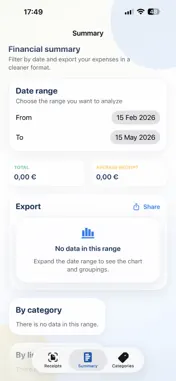
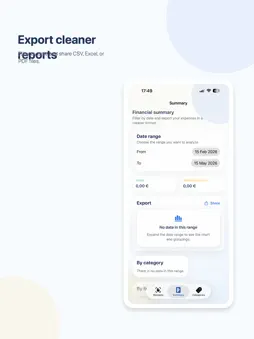
Receipt Scanner Pro Plus helps you turn paper receipts and receipt photos into organized expense records. Scan receipts with your camera or import images from your photo library. The app uses OCR to detect receipt text, merchant details, dates, totals, VAT, and line items. You can review everything, correct the details manually, assign categories, and keep a clean searchable history of your expenses. Track spending over time with summaries, category totals, line-item breakdowns, and charts. When you need to share or archive your data, export your receipts as CSV, Excel, or PDF. Optional AI-assisted extraction is available for users who want enhanced line-item detection. To use this feature, you need your own API key from the OpenAI Platform. AI is disabled by default, and the app continues to work with built-in OCR and manual editing without an API key. Features: Scan paper receipts and documents Import receipt photos from your library Save multi-page receipts Detect merchant, date, totals, VAT, and line items Review and edit extracted information Create custom expense categories Search receipts by merchant or category View spending summaries and charts Export reports in CSV, Excel, and PDF Optional AI-assisted line-item extraction with your own OpenAI Platform API key Receipt Scanner Pro Plus is designed for freelancers, small business owners, travelers, and anyone who wants a clearer way to manage receipts without keeping piles of paper.
Technical Analysis
Package Overview Basic metadata
Bundle ID
com.nachovega.ReceiptScannerProPlusEN Current Version 1.0
Minimum iOS 26.2
Package Size App Store Size
Package Metadata 0 / 0 version records
Detailed binary, privacy manifest, framework, and Info.plist results have not been indexed for this package yet. The verified App Store and archive metadata above remains available.
Developer Information
Known Version Records
0 version records with stored package metadata
Stored metadata does not guarantee a package is currently available to download.
| Details | Version / IDs | Version date | Action |
|---|