Preview


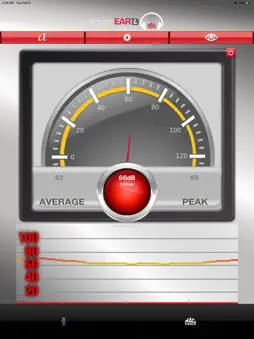


Description
Developed for the service technician in mind, the Mac Tools SmartEAR LITE Sound & Vibration Detection app will assist in locating and pinpointing defective or worn parts in automobiles, heavy machinery or industrial equipment. When used to diagnose vibration, rattles, squeaks and grinding sounds, the SmartEAR LITE will simplify the task of locating and pinpointing the troubled area or part with ease. When used with our specially designed hardware kits your iOS device will be able to transform into a state of the art Sound & Vibration Detection Tool allowing for ease of locating and pinpointing those hard to find troubled areas or parts. ****NOTE: Additional hardware is required to use this app. For information on how to purchase hardware please contact your local Mac Tools Distributor or call 1-800-MAC-TOOLS**** Features: User friendly interface and intuitive operation. Sound level reading displays average, peak and real-time values. Sound level readings are displayed in either Analog or Digital. Analog and Digital readings have 2 display panels the user can choose from. Analog Meter or Analog Wave-Form. Digital Numeric or Digital Bar Graph. Background sound off-setting, sample rates, decibel off-setting can be manually be set. Reset/Refresh buttons reset/refresh values to default settings. Sound Level Reading Sampling Rate Decibel Off-set Master Volume Control User information guide includes informative facts about sound perception and permissible noise level exposure as well as a sound level comparison reference chart. Additional Information: Required: Any iOS device running iOS 5.0+. Recommended: iPhone 4 and newer/ iPod Touch 4 and newer. Compatible: iPad 2 and newer.
What's New
Version 1.0.27 2025-09-24
Updated to support iOS 26 — ensures full compatibility, performance improvements, and stability on the latest iOS version. Technical Analysis
Package Overview Basic metadata
Bundle ID
com.jsproducts.mactoolsLite Current Version 1.0.27
Minimum iOS 15.0
Package Size App Store Size
Package Metadata 0 / 5 version records
5.0 / 5.0 (1 ratings)
Detailed binary, privacy manifest, framework, and Info.plist results have not been indexed for this package yet. The verified App Store and archive metadata above remains available.
Known Version Records
0 version records with stored package metadata • 5 known version records
Stored metadata does not guarantee a package is currently available to download.
| Details | Version / IDs | Version date | Action |
|---|---|---|---|
| Not archived | App Store ID: 878373305 | Unknown | Request Version |
| Not archived | App Store ID: 842259528 | Unknown | Request Version |
| Not archived | App Store ID: 830198078 | Unknown | Request Version |
| Not archived | App Store ID: 829990987 | Unknown | Request Version |
| Not archived | App Store ID: 15839962 | Unknown | Request Version |