Preview






Description
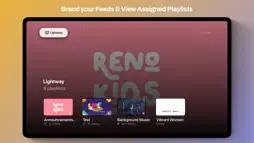
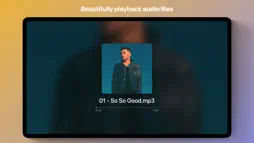
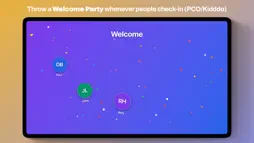
LightLoop turns any Apple TV into a reliable, always-on media player for your church, school, or organization — with zero subscription fees. HOW IT WORKS Connect LightLoop to your Google Drive and organize your media into playlists. Enter your Feed ID into the tvOS app, and LightLoop automatically downloads everything locally. Once cached, your playlists play without an internet connection — no buffering, no dropped frames, no surprises. BUILT FOR REAL-WORLD RELIABILITY - Fully offline-capable: all content is downloaded before playback begins - Automatically resumes after a power outage — no manual restart needed - Polls for feed updates in the background; new content downloads quietly while playback continues - Supports landscape and portrait screen orientations - Optional screensaver prevention keeps your display active during services or events - Background audio / soundtrack playlists - Scheduled playlist switching PERFECT FOR - Digital Curriculum in Classrooms - Church lobby and foyer displays - Sunday morning announcement slides - School hallway and cafeteria signage - Digital bulletin boards and event promotions - Any unattended display that needs to just work WHAT CAN IT PLAYBACK? - Video, Images, Audio - Worship song lyrics — synced to your audio track with timing markers and full style control - Bible scripture — 1,200+ translations across 1,000+ languages (YouVersion plus the free, open Free Use Bible library) - Sermons & presentations — build a whole message as one item, mixing scripture, teaching notes, and full-screen media into slides you advance from your phone - Imported Canva designs - 'Live' website screenshots that automatically refresh - PCO Check-Ins monitor (integration) - Customizable Calendars & Event Feeds (PCO & Google integrations) - Local or Web-based HLS livestreams - Customizable Countdown Timer Banners - Birthday celebration slides - "Welcome Party": Display a full-screen animated greeting the moment a child checks in. Supports both Planning Center Online and Kidddo — PCO polls for new arrivals, while Kidddo fires an instant webhook so the celebration appears within seconds of the check-in scan. Show the child's name, photo, and a custom welcome message with a sound effect of your choice. MULTI-OUTPUT TV WALL Drive up to four independent 1080p outputs from a single Apple TV using an inexpensive 2×2 HDMI wall controller. Assign each quadrant a role — Program output, Stage Display (confidence monitor), an independent looping Media item, or a lower-third overlay. Overlay quadrants render song, Bible, and sermon lower-thirds, plus an Alpha (downstream-key) mode that outputs a clean fill matte for keying in ATEM and other switchers — so one Apple TV can feed your audience screen, a confidence monitor, and a livestream key/fill at the same time. Design reusable lower-third templates in a visual editor, and show a stage-only speaker countdown timer that never appears on the audience output. CONTROL FROM YOUR PHONE (free iOS Remote) Pair the LightLoop Remote app to run your service hands-on — jump between items, advance sermon and lyric slides, scrub audio, trigger countdowns, and use Stage Mode as a live confidence monitor that mirrors exactly what's on screen. WHY APPLE TV Apple TV is silent, fanless, and mounts behind any screen. It runs cool 24/7, receives years of OS updates, and supports automatic app launch on boot — making it the most dependable hardware for permanent display installations. LightLoop is compatible with Apple TV HD and all Apple TV 4K models (tvOS 17.6 or later). 100% FREE LightLoop has no subscription fees. Your media lives in your own Google Drive — you stay in control of your storage. Google Workspace for Nonprofits gives qualifying churches and schools up to 100 TB of free storage, making LightLoop an unbeatable fit. Manage your feeds, playlists, and media library from any browser at lightloop.app.
What's New
Version 1.3.7 2026-11-06
Deploy LightLoop to every Apple TV from Jamf or any MDM. • Managed App Configuration: Push a Feed ID from Jamf or any MDM that supports App Configuration, and ... Technical Analysis
Package Overview Basic metadata
Bundle ID
com.josiaho.LightLoop Current Version 1.3.7
Minimum iOS 17.6
Package Size App Store Size
Package Metadata 0 / 11 version records
Detailed binary, privacy manifest, framework, and Info.plist results have not been indexed for this package yet. The verified App Store and archive metadata above remains available.
Developer Information
Known Version Records
0 version records with stored package metadata • 11 known version records
Stored metadata does not guarantee a package is currently available to download.
| Details | Version / IDs | Version date | Action |
|---|---|---|---|
| Not archived | App Store ID: 886969058 | Unknown | Request Version |
| Not archived | App Store ID: 886914138 | Unknown | Request Version |
| Not archived | App Store ID: 886597790 | Unknown | Request Version |
| Not archived | App Store ID: 886332044 | Unknown | Request Version |
| Not archived | App Store ID: 885867291 | Unknown | Request Version |
| Not archived | App Store ID: 885761517 | Unknown | Request Version |
| Not archived | App Store ID: 885695817 | Unknown | Request Version |
| Not archived | App Store ID: 885504562 | Unknown | Request Version |
| Not archived | App Store ID: 885477753 | Unknown | Request Version |
| Not archived | App Store ID: 885405176 | Unknown | Request Version |
| Not archived | App Store ID: 885296285 | Unknown | Request Version |