Preview




Description
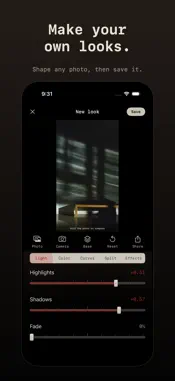
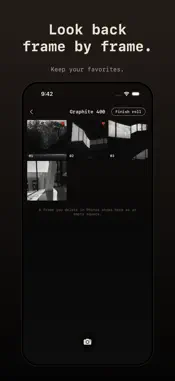
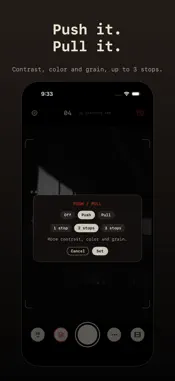
Coincidence is a camera for iPhone that shoots in rolls. Load a look, shoot, and keep every roll as a contact sheet. LOAD A LOOK. SHOOT A ROLL. • Pick a look, shoot, and review the roll later. Each roll is one look, with a frame counter on the camera and a contact sheet of every roll. • Eight built-in looks, each with its own character and grain: Honey 400 (soft and warm), Lucid 100 (clean and bright), Mist 400 (airy and cool), Amber 200 (sunny and punchy), Neon 800 (night glow with red halos), and three black and whites: Charcoal, Graphite 400 and Flint. • Hold any look to preview it live, then let go to put yours back. • Switch looks mid-roll and the app asks first. Unfinished rolls wait for you. MAKE IT YOURS • Studio: shape a look on any photo with curves, color temperature, selective hue and saturation, then save it. • Import your own .cube files, or send looks over from our companion app, Color Pal. • Manage everything in one list with search, rename, move and delete. PUSH, PULL AND DOUBLE UP • Push or pull a roll up to three stops for more contrast and grain, or softer and finer. • Double exposure: two shots, one frame, with the first shown faintly in the viewfinder. SHOOTING • Swipe up or down on the preview to brighten or darken, with a thin exposure meter. • Tap to focus, with optional focus peaking. • Switch between your iPhone's lenses. • Flash, macro and false color in the Tools tray. • Level, thirds grid and self-timer. • Crop to film formats: 35mm, 645, 6×6, 6×7, 4×5, pano and scope. • Keep the viewfinder natural and apply the look when the photo saves, or preview it live. BUILT TO KEEP • Photos save with your real exposure settings in the EXIF data. • Heart your best frames and find them all under Favorites. No account. No ads. No subscription. One purchase.
What's New
Version 3.0.1 2026-11-22
Coincidence is now built around rolls and looks. NEW • Rolls: every look you load starts a roll. A frame counter on the camera keeps your place, and the Rolls ...Coincidence is now built around rolls and looks. NEW • Rolls: every look you load starts a roll. A frame counter on the camera keeps your place, and the Rolls screen keeps every roll as a contact sheet. Pick a roll up again any time. • Eight built-in looks: Honey 400, Lucid 100, Mist 400, Amber 200, Neon 800, Charcoal, Graphite 400 and Flint, with their own grain, and Neon 800 adds a red glow around bright lights. • Push and pull: set a roll up to three stops either way for more contrast, color and grain, or softer and finer. • Double exposure: take two shots, get one frame. The first shows faintly in the viewfinder so you can line up the second. • Studio: shape a look on any photo (or take a plain one), add a few words to describe it, and save it as your own. • Manage your looks: a full list with search, rename, move and bulk delete. Looks from Color Pal get their own tab. • Quick Start: a short guided first roll, and you can replay it from Settings. • Flash is now in the Tools tray, with a one-tap button to turn off any tool that's on. • Film formats for cropping: 35mm, 645, 6×6, 6×7, 4×5, pano and more. • Collapse rolls by year and month, keep your favorites, and swipe or pinch freely through photos. BETTER • A calmer, more consistent layout, with matching buttons and one typeface throughout. • Swipe in from the left edge to go back on any screen, and a camera button in Rolls to get home fast. • Photos save with a small lamp by the counter while they're being written. • Smoother swipe-to-close in the photo viewer, and better Color Pal imports. Technical Analysis
Package Overview Basic metadata
Bundle ID
com.joshuahoover.LUT-LAB-2 Current Version 3.0.1
Minimum iOS 17.6
Package Size App Store Size
Package Metadata 0 / 0 version records
Detailed binary, privacy manifest, framework, and Info.plist results have not been indexed for this package yet. The verified App Store and archive metadata above remains available.
Known Version Records
0 version records with stored package metadata
Stored metadata does not guarantee a package is currently available to download.
| Details | Version / IDs | Version date | Action |
|---|