Preview




Description
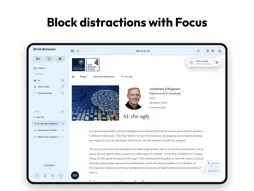
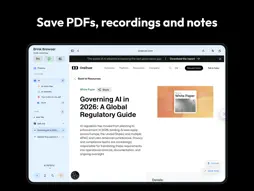
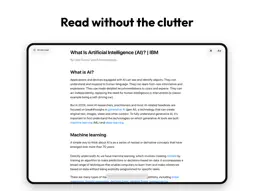
Brink is a calm, focused productivity browser built to help you get real work done. Whether you're studying, researching, writing, reading documentation or just want a cleaner, distraction-free way to browse, Brink brings your tabs, sources, notes and references together in one organised workspace, designed from the ground up for iPad. Research Projects • Create dedicated projects for different subjects, assignments or areas of work. Each project keeps its own tabs, folders and saved research organised separately, and you can quickly swipe between projects from the sidebar. Save & Cite Sources • Save webpages and sources directly to your research library. Generate Harvard, APA, MLA, Chicago and IEEE references and in-text citations, then copy them when you're ready to use them. Organise Your Research • Keep saved research in folders and nested subfolders, with everything accessible from Brink's sidebar. Save links, notes, images, PDFs and lecture recordings alongside the research they belong to. Brink Search • Press ⌘K to open Brink Search and find open tabs, saved research, favourites, folders and browser history from one place. Search the current project's tabs or search across projects when you need to find something elsewhere. Quick Notes • Capture ideas, observations and useful information without leaving your workspace. Your notes stay alongside the sources and project they belong to. PDF Viewer & Editor • Open, view and edit PDFs directly inside Brink, then save them into your workspace for later. Lecture Capture • Record lectures directly inside the browser and keep recordings alongside your notes, sources and other research. Reader Mode • Turn busy webpages into a cleaner reading experience with controls for text size, spacing, reading width, contrast, themes and images. Stay Focused • Study Mode blocks distracting websites and runs focused work sessions while you browse. Set your focus and break lengths, block distracting sites and optionally begin breaks and your next focus session automatically. Private Browsing • Open private tabs for browsing that's never saved to history or suggestions, with cookies and logins kept only in memory and cleared the moment you close them. Ad Blocker • Brink includes a built-in ad blocker, enabled by default, for a cleaner and less distracting browsing experience. Quick Access • Keep the websites and services you use most within easy reach from the sidebar and Start Page. Built for iPad • Brink is designed around iPad, with a desktop-style sidebar, keyboard shortcuts, drag and drop and a workspace built for getting things done. Independent by Design • Brink is an indie app built by a single developer with one goal: to make browsing, focus and organisation work better together. No subscriptions, just a browser designed to help you focus, organise and get more done. Whether you're a student writing assignments, a researcher gathering sources, a developer reading documentation, a writer collecting references, or simply someone who wants a calmer, more productive way to browse. Brink is the browser built to help you focus. https://www.apple.com/legal/internet-services/itunes/dev/stdeula/
What's New
Version 2.0 2026-10-10
Brink’s research workspace just got a major upgrade. • Organise your research into separate projects • Keep tabs, folders and saved research organised by proje...Brink’s research workspace just got a major upgrade. • Organise your research into separate projects • Keep tabs, folders and saved research organised by project • Swipe between research projects from the sidebar • Improved citations, including Harvard, IEEE and Chicago styles • Improved user experience in the sidebar • Better folder organisation with nested folders • Press and hold New Tab to create a private one • Improved PDFs, images, notes and lecture captures • Smarter Brink Spotlight search across your research and tabs • Improved browser back and forward navigation • UI improvements and bug fixes throughout Brink Thanks for using Brink! Got feedback or ideas? Reach us from Settings → Support. Technical Analysis
Package Overview Basic metadata
Bundle ID
com.joshbradley.brinkbrowser Current Version 2.0
Minimum iOS 18.0
Package Size App Store Size
Package Metadata 0 / 0 version records
Detailed binary, privacy manifest, framework, and Info.plist results have not been indexed for this package yet. The verified App Store and archive metadata above remains available.
Known Version Records
0 version records with stored package metadata
Stored metadata does not guarantee a package is currently available to download.
| Details | Version / IDs | Version date | Action |
|---|