Preview







Description
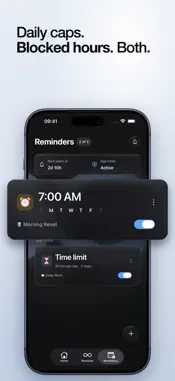
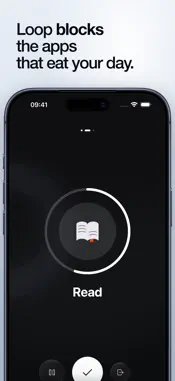
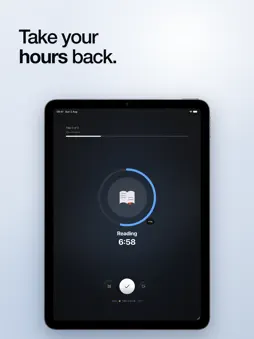
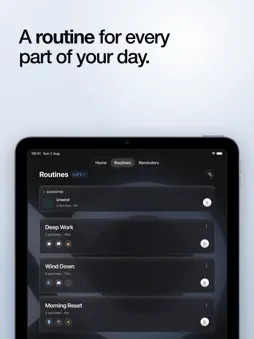
You'll spend more than four hours on your phone today. Most of it goes to a handful of apps you never meant to open. Over a year, that's two months of your life. Loop helps you take it back. Loop blocks the apps that waste your time. To get them back, you do a loop: a short routine you built, like read for ten minutes, stretch, or plan your day. Finish the loop, and your apps reopen. Other apps let you tap "ignore" and you're back in the feed in seconds. Loop asks for something small first. Do the thing that matters, then scroll. HOW LOOP WORKS 1. Choose the apps to block, and when. 2. Build a loop from a few short steps, in any order. 3. Hit your limit, and your apps sit behind your loop. 4. Run the loop. The apps reopen when you're done. WHY IT WORKS You don't break a habit by fighting it. You replace it. Loop swaps the mindless reach for your phone with a routine that moves your day forward. Over time, watch yourself rewire. FEATURES - Loops: build short routines from 28+ activities across focus, morning, wind-down, health and reset. - App limits: block the apps you choose, on a daily cap or a set window. - Reminders: gentle nudges for your morning and wind-down loops. - Rewired score: watch your progress build, week by week. FREE AND PREMIUM Loop is free: build loops, set app limits, and track your progress. Premium adds the Lock: an un-skippable block, so your apps stay shut until your loop is done, with no ignore button. Premium also unlocks unlimited loops and cloud sync. Terms of Use: https://joegrn.github.io/loop-terms-of-use/ Privacy Policy: https://joegrn.github.io/loop-privacy-policy/
What's New
Version 2.2.1 2026-10-05
- How Loop works is easier to follow. One phone stays put while each step plays out on its screen, the titles change above it, and Continue stays where your thu...- How Loop works is easier to follow. One phone stays put while each step plays out on its screen, the titles change above it, and Continue stays where your thumb is. - Moving between the welcome steps is gentler. Each page gives way to the next instead of cutting to it. - The Reminders tab no longer shows loading placeholders when you have no reminders and a sync fails. It shows the empty state and lets you add one. Technical Analysis
Package Overview Basic metadata
Bundle ID
com.loopproductivity.loop Current Version 2.2.1
Minimum iOS 26.5
Package Size App Store Size
Package Metadata 0 / 6 version records
Detailed binary, privacy manifest, framework, and Info.plist results have not been indexed for this package yet. The verified App Store and archive metadata above remains available.
Known Version Records
0 version records with stored package metadata • 6 known version records
Stored metadata does not guarantee a package is currently available to download.
| Details | Version / IDs | Version date | Action |
|---|---|---|---|
| Not archived | App Store ID: 888583037 | Unknown | Request Version |
| Not archived | App Store ID: 886901397 | Unknown | Request Version |
| Not archived | App Store ID: 886850191 | Unknown | Request Version |
| Not archived | App Store ID: 886786761 | Unknown | Request Version |
| Not archived | App Store ID: 884666312 | Unknown | Request Version |
| Not archived | App Store ID: 883014240 | Unknown | Request Version |