
Preview





Description
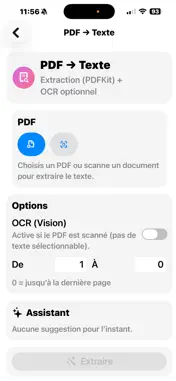
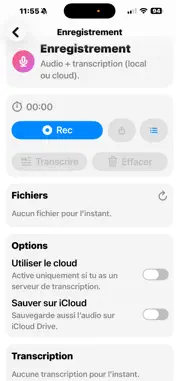
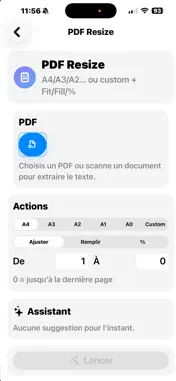
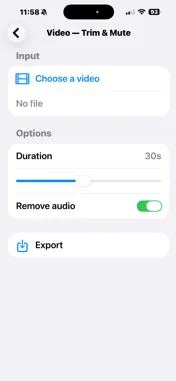
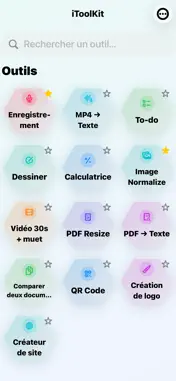
“iToolKit works on iPhone, iPad, and Mac (Apple Silicon).” “Compatible iPhone, iPad et Mac (puces Apple).” iToolKit – L’utilitaire de conversion tout-en-un pour macOS iToolKit est un utilitaire macOS simple, rapide et puissant pour convertir, normaliser et extraire des fichiers du quotidien. Toutes les opérations sont effectuées localement sur votre Mac : aucun fichier n’est envoyé sur Internet. Fonctions principales • Conversion de fichiers PDF, images, audio et vidéo • Extraction de texte (PDF, OCR, audio/vidéo) • Conversion par lot d’un dossier complet • Normalisation d’images (taille, résolution, format) • Préparation d’images compatibles App Store • Export vers PDF, Word, CSV, TXT, images ou audio Images & App Store • Redimensionnement par largeur/hauteur • Ajustement DPI • Normalisation PNG / JPG • Traitement d’un fichier ou d’un dossier complet • Résultats compatibles App Store Connect Transcription audio / vidéo • Transcription locale via Whisper • Aucun envoi de données • Modèles téléchargeables une seule fois • Export TXT, SRT ou VTT Organisation simple • Tous les fichiers générés sont stockés dans le container de l’application • Accès direct au dossier de sortie depuis l’interface Confidentialité Convert All fonctionne entièrement hors ligne. Aucun fichier, audio ou texte n’est transmis à des services externes. Compatibilité des fichiers CSV Pour des raisons de compatibilité entre logiciels, certains caractères peuvent être remplacés par des symboles. Dans ce cas, utilisez la fonction Importer avec délimiteur “;” lors de l’ouverture des fichiers CSV. Description – English iToolKit– The all-in-one conversion utility for macOS iToolKit is a simple, fast and powerful macOS utility to convert, normalize and extract common file formats. All operations run locally on your Mac — no files are sent to the Internet. Key features • Convert PDF, image, audio and video files • Text extraction (PDF, OCR, audio/video) • Batch conversion of entire folders • Image normalization (size, resolution, format) • App Store–ready image preparation • Export to PDF, Word, CSV, TXT, images or audio Images & App Store • Resize by width / height • DPI adjustment • PNG / JPG normalization • Single file or full folder processing • App Store Connect–compatible results Audio / video transcription • Local transcription powered by Whisper • No data upload • Models downloaded once • TXT, SRT or VTT export Simple output management • All generated files are stored in the application container • One-click access to the output folder Privacy Convert All runs entirely offline. No files, audio or text are transmitted to external services. CSV compatibility notice For compatibility reasons, some characters may be replaced by symbols when opening CSV files. In such cases, please use Import with “;” delimiter in your spreadsheet software.
What's New
Version 1.2 2026-01-27
Notes de version – Version 1.2 (FR / EN) FR • Création de site web statique (HTML/CSS) • Intégration des assets : logo, QR code, image de couverture • Améli... Technical Analysis
Package Overview Basic metadata
Bundle ID
com.Decodran.iToolKit.ios Current Version 1.2
Minimum iOS 16.6
Package Size App Store Size
Package Metadata 0 / 0 version records
Detailed binary, privacy manifest, framework, and Info.plist results have not been indexed for this package yet. The verified App Store and archive metadata above remains available.
Developer Information
Known Version Records
0 version records with stored package metadata
Stored metadata does not guarantee a package is currently available to download.
| Details | Version / IDs | Version date | Action |
|---|