
Preview


Description
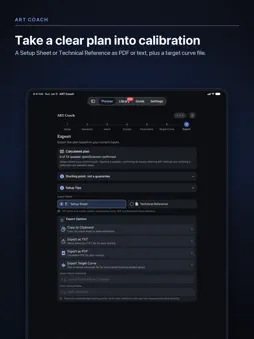
ART Coach is an independent planning app for Dirac Live® Active Room Treatment (ART). Describe your speaker system once, and the seven-step Planner turns it into a plan you take into calibration: speaker groups, support relationships, per-group starting values, and a target curve file. ART Coach plans; it does not calibrate. It doesn't play test signals, measure your room's acoustic response, or create correction filters, and it doesn't connect to or control Dirac software. You review the plan, enter the values yourself, then measure and correct in Dirac Live. FREE: THE COMPLETE PLANNING WORKFLOW • Set up any layout from stereo through 9.4.6, with up to four subwoofers and one to five seats • Enter each speaker's -3 dB low-frequency limit and placement, including exact values • Compare three Sound Strategies by their effect, tradeoff, and any constraint found in your layout • Choose a listening intent from seven Movie and Music presets, or build a Custom intent • Review speaker groups, support relationships, Fsiso, Support Level, and F-support ranges for every group • Choose one ART Coach House Curve for every target-bearing group, or Keep Speaker Voicing with a bass-only curve for systems with subwoofers, then adjust it with Curve Shape controls • Export a Setup Sheet and Technical Reference as TXT, PDF, or clipboard text, plus a .targetcurve file to import into Dirac Live • Record room dimensions, seating positions, and speaker distances in the Listening Geometry notebook, and add it to your Technical Reference • Check background noise before you measure with Room Noise Check and Background Noise Monitor. Readings are relative microphone input levels, not calibrated SPL. Audio is analyzed in real time and never recorded or stored • Learn the workflow with the built-in Guide ART COACH PRO (ONE-TIME UNLOCK, NOT A SUBSCRIPTION) • Save configurations in the ART Library, with folders and templates • Sync your library across your devices with iCloud • Review version history and compare configurations side by side • Fine-tune bass with Pro Bass Shaping and the Target Curve Editor • Add notes and custom group names; import and export .artcoach files • Use Home Screen and Lock Screen widgets, Spotlight Search, and Siri Shortcuts Fsiso, Support Level, and the other values are planning suggestions and starting points, not final acoustic results. Compare them with Dirac Live's defaults and your measurements. Final settings depend on your room, speakers, equipment capability, placement, listening level, and measurement quality. Always respect equipment limits and safe listening levels. ART Coach is an independent application and is not affiliated with, endorsed by, or sponsored by Dirac Research AB. Dirac® and Dirac Live® are registered trademarks of Dirac Research AB. Dirac Live and Active Room Treatment licenses and compatible hardware are sold separately.
What's New
Version 1.0.9 2026-11-02
Based on customers’ feedback, 1.0.9 lets rear subwoofers and front speakers take on more support where ART Coach previously held them back. Two changes can affe... Technical Analysis
Package Overview Basic metadata
Bundle ID
com.jrv.artcoach Current Version 1.0.9
Minimum iOS 18.0
Package Size App Store Size
Package Metadata 0 / 0 version records
Detailed binary, privacy manifest, framework, and Info.plist results have not been indexed for this package yet. The verified App Store and archive metadata above remains available.
Developer Information
Known Version Records
0 version records with stored package metadata
Stored metadata does not guarantee a package is currently available to download.
| Details | Version / IDs | Version date | Action |
|---|