
Preview










Description
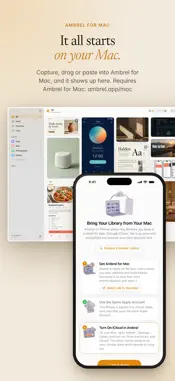
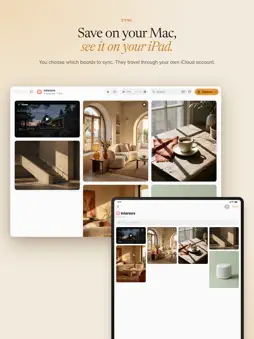
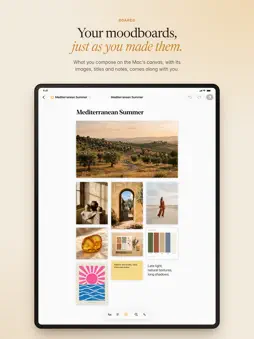
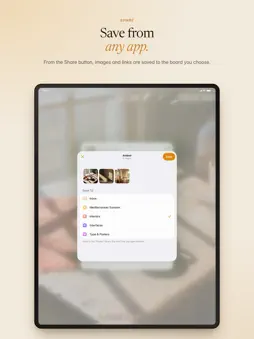
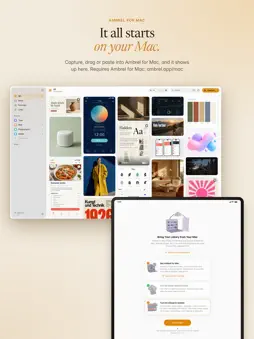
Ambrel for iPhone and iPad is the companion to Ambrel for Mac, the library for screenshots and reference images. What you save on your Mac arrives here through your own iCloud account, with its tags, its favorites and the boards you choose. YOUR LIBRARY, IN YOUR POCKET • Inbox, All, Favorites, Links and your boards on one screen. • A grid that makes the most of your iPhone and iPad screen. • A full-screen viewer: share, copy, favorite or move any capture to another board. • See each capture's details and edit its tags. BOARDS, JUST AS YOU ARRANGED THEM • Canvas boards look the same as on your Mac: images, titles, text and notes in their place. • On iPad, edit the canvas: move images, add titles and notes, and the changes reach your Mac. • Create new boards and organize your captures from your iPhone or iPad. FIND ANY REFERENCE • Find it by its color: pick up to three colors, or sample one with the eyedropper, and see first the captures where they stand out. • Search the words inside your images: Ambrel for Mac reads the text in every capture. • Describe it: search “warm” and everything with that light shows up. • Search by title, tag or site, too. • Your saved searches and the sites your links come from, one tap away. SAVE FROM ANY APP • Use the Share button in Photos, Safari or any app to save images and links to your library or to a board. • Links from YouTube, TikTok, Vimeo and other sites are saved with their cover and open in their app. • Paste a screenshot straight into your library. PRIVATE BY DESIGN • Your captures travel through your private iCloud account, never through Ambrel's servers. • No ads, no tracking, no new accounts. REQUIREMENTS Ambrel for iPhone and iPad requires Ambrel for Mac (macOS 26 or later) with iCloud sync turned on for the library, and the same Apple Account on your Mac and this device. Without a library synced from a Mac, the app shows a guide to set one up and a sample library to try it out.
What's New
Version 1.3.1 2026-11-02
Minor fix Technical Analysis
Package Overview Basic metadata
Bundle ID
com.jorgegrima.ambrel Current Version 1.3.1
Minimum iOS 26.0
Package Size App Store Size
Package Metadata 0 / 0 version records
Detailed binary, privacy manifest, framework, and Info.plist results have not been indexed for this package yet. The verified App Store and archive metadata above remains available.
Developer Information
Known Version Records
0 version records with stored package metadata
Stored metadata does not guarantee a package is currently available to download.
| Details | Version / IDs | Version date | Action |
|---|