
Preview






Description
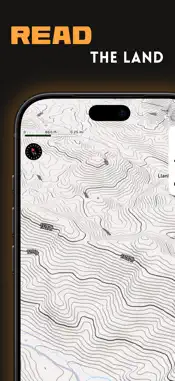
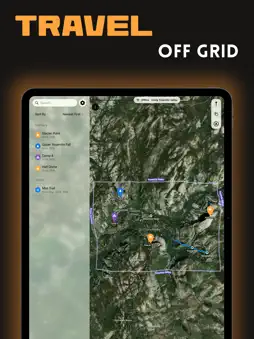
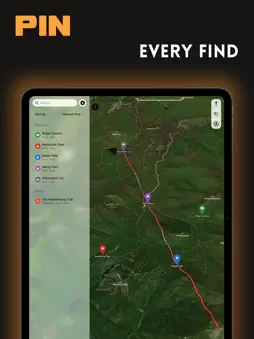
TrekPoint is a map for the backcountry. Mark what you find, plan your route, record where you've been, and take your maps where there's no signal. MARK WHAT MATTERS Drop a marker anywhere on the map, or right where you stand. Give it a category (trail camera, stand, shed find, water, parking, camp, or hazard), add notes, and attach photos and videos so you remember exactly what you found. Guide Me points an arrow back to any marker and tells you how far away it is. PLAN AND RECORD YOUR ROUTES Tap the map to sketch a route before you head out, or record your path as you walk. Recording keeps going with your phone locked, and if TrekPoint closes mid-hike, your path is waiting when you open it again. Recorded paths show distance, time, pace, and elevation gained and lost. Give every path its own color. GO OFF GRID Download satellite maps of the areas you're heading into, with roads, labels, contour lines, and optional 3D terrain, and use them without a connection. READ THE LAND Switch between Standard and Satellite maps, tilt into 3D terrain, and show contour lines in feet or meters. BRING YOUR DATA ALONG Import and export GPX files, which work with most hiking, hunting, and GPS apps. Your markers and paths sync between your iPhone and iPad through your own iCloud account. ALWAYS WITHIN REACH Drop a pin without opening the app, from Siri ("Mark my location in TrekPoint"), the Action Button, or Control Center. Follow a recording on the Lock Screen and in the Dynamic Island. PRIVATE BY DESIGN No account, no ads, no tracking. Your markers and paths live on your devices and in your iCloud account. Maps come from Mapbox, which receives anonymous usage data, including location. You can turn that off from the ⓘ button on the map.
What's New
Version 2.1.0 2026-10-13
What's New in TrekPoint 2.1 - Ready for the new iPhone Duo: TrekPoint adapts as you fold, unfold, or resize it, and keeps your place in Guide Me and Settings. ...What's New in TrekPoint 2.1 - Ready for the new iPhone Duo: TrekPoint adapts as you fold, unfold, or resize it, and keeps your place in Guide Me and Settings. - Coordinates in any format: paste decimal degrees, degrees-minutes-seconds, UTM, or MGRS into Edit Coordinates, and TrekPoint figures it out. - Better pin drops: Drop at Map Center now lands in the middle of the map you can see. - Clearer Siri messages: when a pin can't be dropped, Siri tells you why. - Plus smoother Reduce Motion support and stronger security protections. Technical Analysis
Package Overview Basic metadata
Bundle ID
com.mazjap.TrekPoint Current Version 2.1.0
Minimum iOS 17.0
Package Size App Store Size
Package Metadata 0 / 0 version records
Detailed binary, privacy manifest, framework, and Info.plist results have not been indexed for this package yet. The verified App Store and archive metadata above remains available.
Developer Information
Known Version Records
0 version records with stored package metadata
Stored metadata does not guarantee a package is currently available to download.
| Details | Version / IDs | Version date | Action |
|---|