Preview





Description
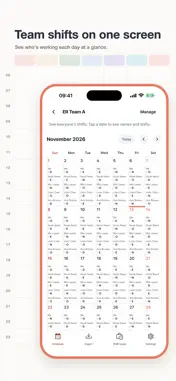
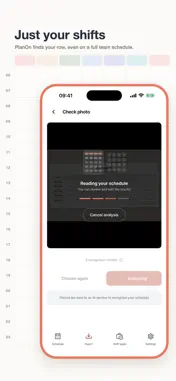
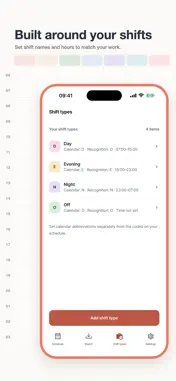
Typing out a new schedule every month gets old. Take a photo of your work schedule, or pick one from your library, and PlanOn finds your row by name and turns it into this month's shifts. It also works when the schedule lists your whole team, like a nursing unit schedule. Nothing is saved until you check it. Review the dates and shift types, fix anything that was misread, then add it to your calendar. You can also tap any date to add, change, or delete a shift by hand. Each shift type shows a short label next to its color, so they're easy to tell apart. Add the home screen widget to see this month's shifts without opening the app. Join a group to see your coworkers' schedules. About photos Schedule photos are sent to an AI service for recognition and are never shown to your group. They may include coworkers' names and shifts, so please upload with care. Recognition credits • At the start of each month, your balance is topped up to 2 if it's below 2. • Watch a short ad to get 1 more. • Only successful scans use a credit. • The Remove Ads purchase hides banner ads. You can still choose to watch ads for extra credits. Available in English, Japanese, Korean, and Chinese (Simplified and Traditional).
What's New
Version 0.3.0 2026-11-17
PlanOn is now available in English, Japanese, and Chinese (Simplified and Traditional). Technical Analysis
Package Overview Basic metadata
Bundle ID
com.planon.app Current Version 0.3.0
Minimum iOS 16.4
Package Size App Store Size
Package Metadata 0 / 0 version records
Detailed binary, privacy manifest, framework, and Info.plist results have not been indexed for this package yet. The verified App Store and archive metadata above remains available.
Developer Information
Known Version Records
0 version records with stored package metadata
Stored metadata does not guarantee a package is currently available to download.
| Details | Version / IDs | Version date | Action |
|---|