Preview




Description
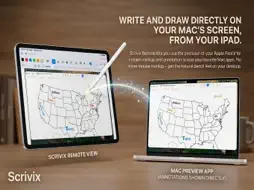
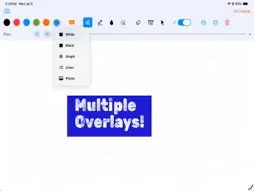
Turn your iPad into a wireless annotation, presentation, and control surface for your Mac. Scrivix combines Apple Pencil precision with live desktop annotation, remote Mac controls, and reusable iPad presentations. Whether you’re teaching a mathematics lesson, marking up a diagram, explaining a document, or presenting live, Scrivix keeps your ideas visible without tying you to your desk. Communication happens over your local network with no cloud account required. KEY FEATURES LIVE MAC ANNOTATION Write, highlight, draw shapes, and point over Keynote, PowerPoint, PDFs, websites, videos, and other Mac apps. Your annotations appear on the Mac as you write from your iPad. APPLE PENCIL TOOLS Use Brush, Highlighter, Laser Pointer, Fill, object erasing, Smart Shapes, precise lines, arrows, rectangles, and circles. Rainbow and Astro pens provide additional creative options. SELECTION AND EDITING Select annotations to move, resize, or delete them. Lines and shapes include editing controls for making precise adjustments without redrawing. SMART SHAPE RECOGNITION Draw a rough line, rectangle, circle, triangle, or arrow, then briefly hold Apple Pencil down to refine it into a cleaner shape. CONTROL MODE Control your Mac from iPad using clicks, double-clicks, right-clicks, window dragging, Apple Pencil hover, two-finger scrolling, and supported pinch gestures for application zoom. FLEXIBLE WHITEBOARDS Switch between transparent Mac annotation, white or black canvases, graph paper, lined paper, and photo backgrounds. Grid size and line thickness can be adjusted and remembered. PRESENTATION PAGES Create multi-page presentations directly on iPad. Add, duplicate, delete, and rearrange pages, or swipe with two fingers to move through your presentation. IMAGES AND LAYERING Add multiple scalable images to a page, then reposition, resize, delete, or rearrange their layer order. SAVE, REOPEN, AND EXPORT Save editable Scrivix presentations to your iPad or iCloud Drive, reopen them later, and export an entire presentation as a PDF. CLEAN AIRPLAY PRESENTATION When using an external display, Scrivix can show only your canvas and annotations while keeping the editing toolbar on your iPad. LOCAL AND PRIVATE Your screen stream, drawings, and controls remain on your local network. Scrivix does not upload presentation content or annotations to external cloud servers. SCRIVIX ULTIMATE Free Mac connections last 10 minutes and may be restarted. A one-time Scrivix Ultimate purchase unlocks unlimited connected sessions and premium presentation features. No subscription is required. IMPORTANT The free Scrivix Mac companion app is required for Mac annotation and control. Download it at scrivix.us and connect both devices to the same local network. SYSTEM REQUIREMENTS iPad: Requires iPadOS 17.6 or later. Optimized for Apple Pencil Pro, Apple Pencil (2nd generation), and Apple Pencil USB-C. Mac companion: Requires macOS 14.6 or later and is compatible with Apple silicon and Intel Macs.
What's New
Version 2.1 2026-10-29
What’s New in 2.1 Scrivix 2.1 adds more control over your annotations and presentations: • New Selection tool for moving, resizing, and deleting ink and shape... Technical Analysis
Package Overview Basic metadata
Bundle ID
JMS.ScrivixRemote Current Version 2.1
Minimum iOS 17.6
Package Size App Store Size
Package Metadata 0 / 0 version records
Detailed binary, privacy manifest, framework, and Info.plist results have not been indexed for this package yet. The verified App Store and archive metadata above remains available.
Known Version Records
0 version records with stored package metadata
Stored metadata does not guarantee a package is currently available to download.
| Details | Version / IDs | Version date | Action |
|---|