
Preview



Description
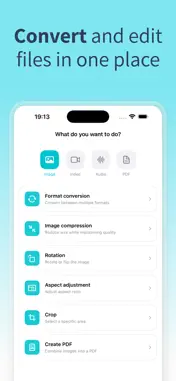
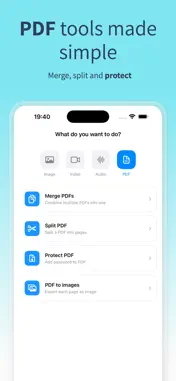
Transform your media files instantly - all processing happens on your device for complete privacy. IMAGE CONVERTER: OFFLINE is the ultimate tool for converting photos, videos, and audio files without ever uploading them to the cloud. Your files never leave your device. IMAGES - Convert between HEIC, JPG, PNG, WebP, GIF, TIFF, BMP - Compress photos to reduce file size - Resize images to exact dimensions - Crop with custom or preset aspect ratios - Rotate and flip photos VIDEOS - Convert MP4, MOV, M4V formats - Extract audio from any video - Trim and cut video clips - Compress videos for sharing AUDIO - Convert M4A, MP3, WAV, AIFF, AAC, FLAC - Trim audio files - Merge multiple audio tracks - Extract audio from videos DOCUMENTS - Convert images to PDF - Merge multiple images into one PDF - Password protect your PDFs WHY CHOOSE IMAGE CONVERTER: OFFLINE? - 100% On-Device Processing Your files are never uploaded to any server. All conversions happen locally on your iPhone or iPad. - No Internet Required Works completely offline. Convert files anywhere, anytime - on a plane, in the subway, or in areas with no signal. - Fast & Efficient Native processing power means lightning-fast conversions without waiting for uploads or downloads. - Privacy First We can't see your files because they never leave your device. Your photos and videos stay yours. - No Account Required Start converting immediately. No sign-up, no login, no personal data collected. - Batch Processing Convert multiple files at once to save time. - Easy to Use Simple, intuitive interface. Select your file, choose the format, done. SUPPORTED FORMATS: Images: HEIC, HEIF, JPG, JPEG, PNG, WebP, GIF, TIFF, BMP Videos: MP4, MOV, M4V, 3GP Audio: M4A, MP3, AAC, WAV, AIFF, FLAC, CAF Documents: PDF Download now and convert your files with complete peace of mind. Your privacy is our priority. Privacy Policy: https://sites.google.com/view/imageconverter-privacy Terms of Use: https://sites.google.com/view/imageconverter-tos
What's New
Version 1.0.1 2026-02-05
Minor bug fixes and improvements to the app flow. Technical Analysis
Package Overview Basic metadata
Bundle ID
com.jmg.ImageConverter Current Version 1.0.1
Minimum iOS 18.6
Package Size App Store Size
Package Metadata 0 / 2 version records
Detailed binary, privacy manifest, framework, and Info.plist results have not been indexed for this package yet. The verified App Store and archive metadata above remains available.
Developer Information
Known Version Records
0 version records with stored package metadata • 2 known version records
Stored metadata does not guarantee a package is currently available to download.
| Details | Version / IDs | Version date | Action |
|---|---|---|---|
| Not archived | App Store ID: 882201713 | Unknown | Request Version |
| Not archived | App Store ID: 881828706 | Unknown | Request Version |