
Preview




Description
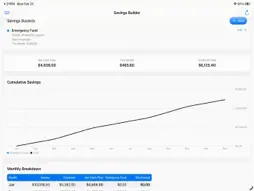
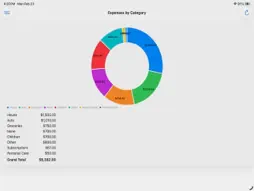
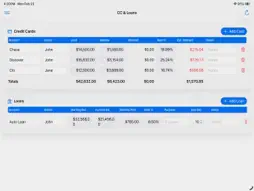
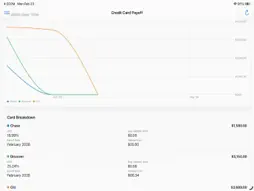
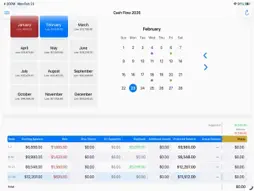
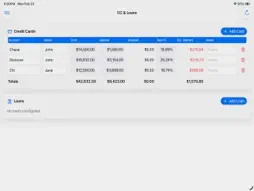
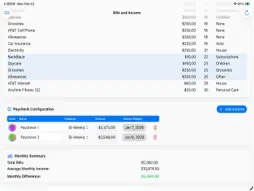
Most budget apps tell you where your money went. Cash Flow Tool tells you where it's going. Pro version (one-time, not subscription) unlocks unlimited use with no limits to anything. The free tier includes up to 15 bills, 1 income source, 2 credit cards, 1 loan, and 4 months of balance projection. Previous purchases automatically get Pro. Built around a 12-month, week-by-week projection engine, Cash Flow Tool maps your upcoming bills, income, credit card payments, and loan obligations into a running balance so you can see your financial picture before it happens, not after. Know Your Weeks, Not Just Your Months Every month is broken into weeks. See your projected balance at the end of each week, spot low-balance periods before they become overdrafts, and plan one-time expenses or extra income with precision. A color-coded warning highlights any week your balance dips below your threshold. Everything in One Place Recurring bills with due-day scheduling and category tagging Multiple income sources with flexible pay frequencies (weekly, biweekly, semi-monthly, monthly) Credit card balances, limits, and interest rate tracking Loans with monthly payment and due-day scheduling One-time expenses and additional income entries per week Savings Builder Set up to three savings buckets with your strategy of choice: a percentage of your income, a percentage of your monthly surplus, or a fixed amount. Savings contributions reduce your projected balances in real time so you always know what saving actually costs you month to month. Debt Payoff Planner See your true payoff timeline using the Avalanche method (highest interest first), Snowball method (smallest balance first), or your current payment plan. Add extra monthly contributions and watch the payoff date move. Interest costs are calculated and displayed so the math is never hidden. Charts That Actually Help The Cash Flow chart plots your 52-week projected balance as a line, with your low-balance warning shown as a reference. Zoom in or out, tap any week for details, and scroll across the full year. The Expenses chart breaks your monthly spending into categories so you can see where your budget is going at a glance. Built for iPhone, iPad, and Mac One app, all your devices. The full experience is available on iPhone, iPad, and Mac with a layout tailored to each. iCloud sync keeps everything up to date automatically across all of them. You can also share your data with a family member or partner so you're always working from the same numbers. Dark mode supported. Private and Secure Enable Face ID, Touch ID, or passcode lock so the app requires authentication every time it opens. Your data lives in iCloud and is never shared with anyone without your permission.
What's New
Version 1.7.2 2026-11-08
## What's new - iPhone Duo: the iPad layout when unfolded. Unfold the Duo and Cash Flow switches to the same layout as iPad; fold it and you're back to the iPho...## What's new - iPhone Duo: the iPad layout when unfolded. Unfold the Duo and Cash Flow switches to the same layout as iPad; fold it and you're back to the iPhone layout, still on the same page, month and year. Large iPhone Mirroring windows on the Mac behave the same way. iPhones in portrait or landscape (including Max models) are unchanged. (A layout designed specifically for the Duo is planned for a later release.) - Refreshed Pro icon. The "Pro" badge is gone. The Pro icon is now the regular icon with a soft glow on the arrow, the $ and "CFBC", in light and dark (iPhone and iPad). - Mac: Pro shows in the Dock. While Cash Flow is running, Pro users see the glowing icon in the Dock and the ⌘-Tab switcher. macOS has no permanent alternate icon, so Finder and Launchpad keep the regular icon. ## Fixes - Mac: Settings no longer cut off (macOS 27.2). The sheet opened narrower than its widest row and clipped both sides; its minimum width is now 600. - Mac: the Months page fits smaller windows. Below about 1,220pt wide, the month grid and calendar used to overflow and the calendar was cut off with no way to scroll (since 1.5.0). The calendar now moves below the month grid when there isn't room side by side. - Mac: wide tables show there's more to scroll. Credit Cards, Loans, the Months week table and Savings Builder now show their sideways scroll bar (and flash it on open and when the window resizes), and fade out the edge where columns are hidden. - Debt Payoff: the "Hide loans" control follows the available width instead of the device type. Technical Analysis
Package Overview Basic metadata
Bundle ID
com.cashflowbyclark.Cash-Flow-Tool Current Version 1.7.2
Minimum iOS 26.0
Package Size App Store Size
Package Metadata 0 / 11 version records
Detailed binary, privacy manifest, framework, and Info.plist results have not been indexed for this package yet. The verified App Store and archive metadata above remains available.
Known Version Records
0 version records with stored package metadata • 11 known version records
Stored metadata does not guarantee a package is currently available to download.
| Details | Version / IDs | Version date | Action |
|---|---|---|---|
| Not archived | App Store ID: 885334804 | Unknown | Request Version |
| Not archived | App Store ID: 884991642 | Unknown | Request Version |
| Not archived | App Store ID: 883677908 | Unknown | Request Version |
| Not archived | App Store ID: 883228223 | Unknown | Request Version |
| Not archived | App Store ID: 883073569 | Unknown | Request Version |
| Not archived | App Store ID: 883025560 | Unknown | Request Version |
| Not archived | App Store ID: 882951635 | Unknown | Request Version |
| Not archived | App Store ID: 882893454 | Unknown | Request Version |
| Not archived | App Store ID: 882843461 | Unknown | Request Version |
| Not archived | App Store ID: 882826934 | Unknown | Request Version |
| Not archived | App Store ID: 882518447 | Unknown | Request Version |