Preview



Description
Simple. Powerful. Easy to Use.
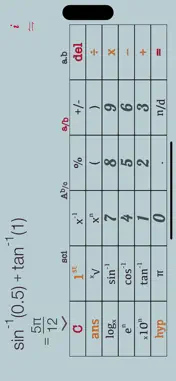
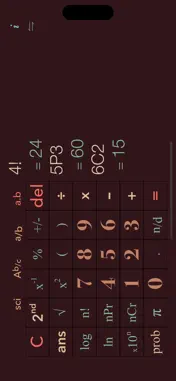
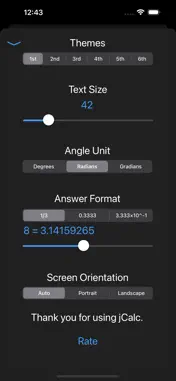
jCalc is a scientific calculator designed for students, teachers, and professionals. Whether you're solving fractions, decimals, or advanced equations, jCalc makes it easy and intuitive. Key Features:
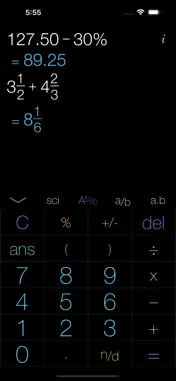
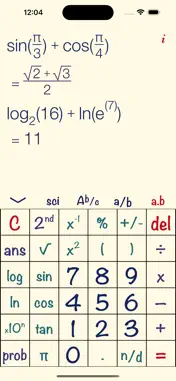
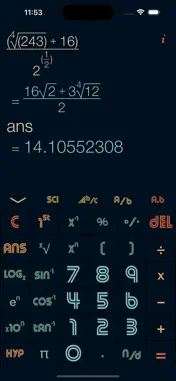
Fractions and Decimals Made Easy: • [1] [.] [2] = 1.2 • [1] [n/d] [2] = 1/2 • [1] [n/d] [2] [Nn/d] [3] = 1_2/3 Flexible Answer Formats: • Display up to 16 decimal places • Results in irrational, rational, decimal, or scientific format • Trigonometric results in radians, degrees, or gradians Smart Conversions: • [Ab/c] ⟺ [a/b] ⟺ [a.b] ⟺ [a.b×10^c] Button Functions You’ll Love: • [del]: Delete the last entry • [C]: Clear the current expression • [AC]: Hold [C] to clear all entries • [sci]: Switch to scientific mode • [2nd]: Access advanced functions Advanced Math Features: • Memory Functions: Recall previous answers with [ans] • Auto Parentheses: No manual typing needed • Percent Button: Simplify percentage calculations • Scientific Notation: Effortless input for large numbers • π Button: Quick access to π Comprehensive Math Tools: • Roots, powers, and exponents • Logarithms (including custom bases) • Trigonometric and hyperbolic functions ([hyp]) • Permutations, combinations, and factorials ([prob]) Discover a calculator that’s as simple as it is powerful. Happy calculating!
What's New
Version 2.3 2025-01-13
• Improved performance and responsiveness for a smoother user experience. Technical Analysis
Package Overview Basic metadata
Bundle ID
com.JonEricksen.Calculator-jCalc-Free Current Version 2.3
Minimum iOS 14.1
Package Size App Store Size
Package Metadata 1 / 7 version records
Detailed binary, privacy manifest, framework, and Info.plist results have not been indexed for this package yet. The verified App Store and archive metadata above remains available.
Developer Information
Known Version Records
1 version record with stored package metadata • 7 known version records
Stored metadata does not guarantee a package is currently available to download.
| Details | Version / IDs | Version date | Action |
|---|---|---|---|
 866.88 KB | v2.3 App Store ID: 871594835Build: 1 | 2025-01-13 05:57:14 | Get Version |
| Not archived | App Store ID: 862959135 | Unknown | Request Version |
| Not archived | App Store ID: 847746313 | Unknown | Request Version |
| Not archived | App Store ID: 847544051 | Unknown | Request Version |
| Not archived | App Store ID: 846953772 | Unknown | Request Version |
| Not archived | App Store ID: 846201135 | Unknown | Request Version |
| Not archived | App Store ID: 595972874 | Unknown | Request Version |