Preview



Description
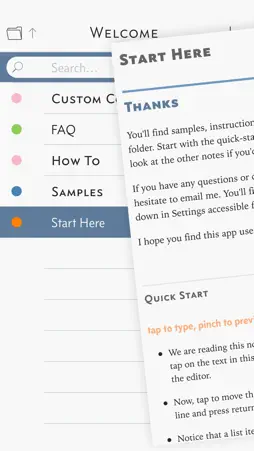
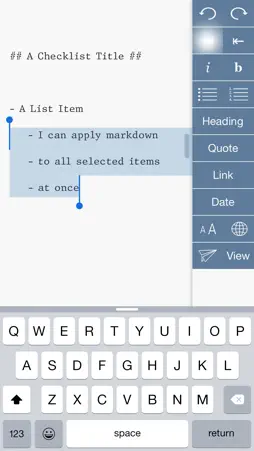
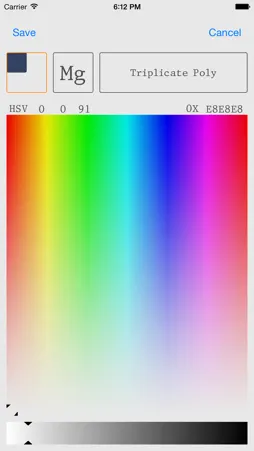
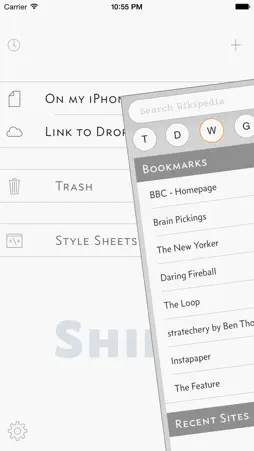
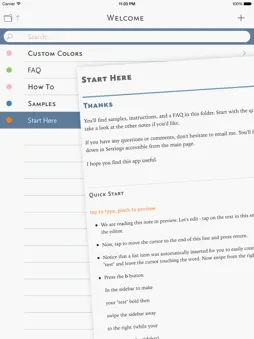
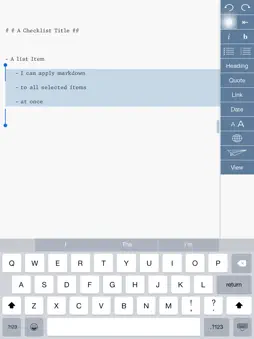
When we write, we reference the dictionary, Wikipedia, Google, and any number of websites. I made Shift to make writing and referencing both easy to do and especially, easy to read. The integrated browser displays text in your custom color-scheme using gorgeous fonts, so the web can readable at night and during the day. This means that you can quickly open Wikipedia or other text-based website and have the text size & colors match your custom choices without busy clutter. And Shift makes changing between presets easy. You have four customizable presets to choose from, accessible from the editor itself. Two touches, that's it. The MultiMarkdown editor syncs the text with an HTML preview that shows your work with the customizable style of your choice. Tap text to edit, pinch to preview. It's easy. Shift is smart about Markdown. Shift has shortcuts to create lists, emphasis and strong, indentation, headings, and more. All lines selected can be marked at once. For example, if you want to mark a few words to be italic, select at least parts of the words and press the italic button. Shift will insert the markdown where it needs to be. It's smart. Some Markdown documents or some websites are easier to read in landscape. That's no problem in Shift. You can use Shift in landscape view as well as portrait. And Shift can browse your entire Dropbox repository, not just a single folder. Every time you open a document, a copy is saved. Two previous versions are always available for you to revert any mistakes. There will be no tears when using Shift. I care about typography. Shift comes with Concourse, Equity, and Triplicate, three gorgeous fonts by Matthew Butterick (see http://practicaltypography.com). And so font selection and editor layout has been carefully put together. But you are free to change (and restore) text color, background color, highlight colors, and presentation style. You'll find that the keyboard color will follow your background color selection and other parts of the UI adapt to your choices as well. Shift is customizable, but it's simple. It gets out of your way so you can write and read the way you want. If you have any question, go to http://shiftwriter.com and press the "support" link on the bottom of the page. I'll answer as best as I'm able. Thanks for your time. A special thanks to Icons8 at http://iconpharm.com for the use of a number of their icons.
What's New
Version 1.5 2015-06-30
Changed to Free - Cheers Don't hesitate to contact me: [email protected] - Shift Browser removes clutter from websites and makes hard-to-read tex... Technical Analysis
Package Overview Basic metadata
Bundle ID
johnlincoln.Shift Current Version 1.5
Minimum iOS 7.0
Package Size Latest Recorded Package Size
Package Metadata 1 / 3 version records
Detailed binary, privacy manifest, framework, and Info.plist results have not been indexed for this package yet. The verified App Store and archive metadata above remains available.
Developer Information
Known Version Records
1 version record with stored package metadata • 3 known version records
Stored metadata does not guarantee a package is currently available to download.
| Details | Version / IDs | Version date | Action |
|---|---|---|---|
 8.65 MB | v1.5 App Store ID: 837149385Build: 5.0 | 2020-07-30 13:26:42 | Get Version |
| Not archived | App Store ID: 812020096 | Unknown | Request Version |
| Not archived | App Store ID: 650112675 | Unknown | Request Version |