
Preview






Description
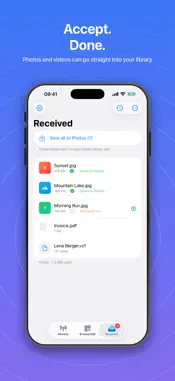
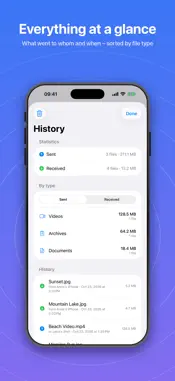
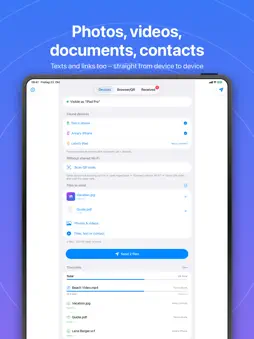
HyperDrop sends photos, videos, documents, texts, contacts and links directly from device to device – between iPhone and iPad, and to other phones running HyperDrop. Fast, private and without any detour through the cloud. No account, no sign-up, no ads. THREE WAYS TO SHARE • iPhone and iPad: Nearby devices find each other automatically over Bluetooth and direct Wi‑Fi – no shared network needed. Tap, send, done – with live progress and speed. • Other phones with HyperDrop: On the same Wi‑Fi they appear in the list automatically. Without a shared Wi‑Fi, the other phone opens its own small hotspot and shows a QR code – scan, connect, send. In both directions. • Browser/QR (only one has the app): HyperDrop shows a QR code and link. The other device opens it in any web browser to download your files or send you some back. Just a shared Wi‑Fi is needed. WHAT YOU CAN SEND • Photos & videos straight from your library (even whole albums) • Documents and any files, folders too (as a ZIP) • Texts and links • Your own contact card or a contact from your address book HANDY EVERY DAY • Multiple recipients at once • Accept or decline – you decide what arrives • Thumbnails for received files • Received photos and videos are saved to your library automatically • Transfer history with an overview by file type • "Send to HyperDrop" right from Photos, Safari & Files • Available in 12 languages YOUR FILES STAY WITH YOU All transfers go directly between devices on the local network or via Bluetooth – no servers, no account. Between devices with HyperDrop they are encrypted. Your files are not stored anywhere along the way. NOTE Browser mode transfers unencrypted within the local Wi‑Fi – use it on trusted networks. Use at your own responsibility.
What's New
Version 1.4.1 2026-11-10
Optimized for iPhone Duo: when unfolded, the app uses the entire large display, in portrait and landscape. Privacy policy and legal notice are available right i...Optimized for iPhone Duo: when unfolded, the app uses the entire large display, in portrait and landscape. Privacy policy and legal notice are available right in the app under Settings → Legal & Info. Technical Analysis
Package Overview Basic metadata
Bundle ID
com.johannbrockstedt.beam Current Version 1.4.1
Minimum iOS 17.0
Package Size App Store Size
Package Metadata 0 / 0 version records
Detailed binary, privacy manifest, framework, and Info.plist results have not been indexed for this package yet. The verified App Store and archive metadata above remains available.
Developer Information
Known Version Records
0 version records with stored package metadata
Stored metadata does not guarantee a package is currently available to download.
| Details | Version / IDs | Version date | Action |
|---|