
Preview


Description
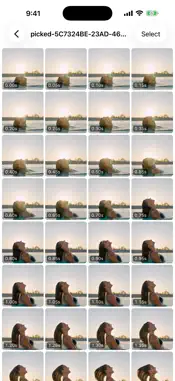
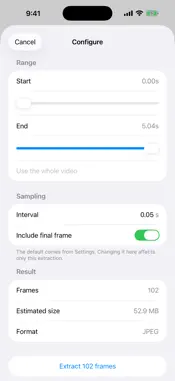
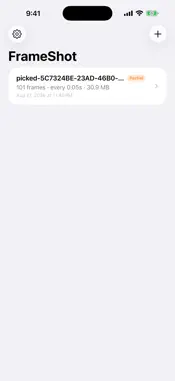
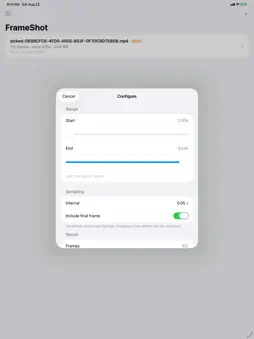
Pausing a video and screenshotting it gets you one frame, roughly where you stopped. FrameShot gets you all of them, exactly where you asked. Pick a video, set an interval, and FrameShot writes out every frame on that grid. A 5-second clip at 0.05s gives you 101 images: 0.00, 0.05, 0.10, and so on to the end. The count is shown before extraction starts, so it is never a surprise. EXACT TIMES, NOT THE NEAREST KEYFRAME Frames are decoded at the times you ask for, not snapped to the nearest keyframe the way most tools do. That is the difference between 101 genuinely different images and a handful of repeats — and it is what lets you catch the moment that is impossible to scrub to by hand: the peak of a jump, a hair flip mid-air, the exact frame a ball leaves the bat. BUILT FOR A WHOLE BATCH AT ONCE The point is not one frame. It is every frame of a moment, laid out together, so you can pick the best one — or keep them all. WHAT YOU CAN DO - Set any interval, from a hundredth of a second upwards - Trim to a range instead of extracting the whole video - See the frame count and estimated size before you start - Swipe through frames full screen, and like the ones you want to keep - Turn a video into a step-by-step guide: FrameShot finds each screen change, you add titles and captions, and export it as a PDF or images - Save frames to Photos, all of them or only the ones you pick - Choose JPEG, PNG or HEIC, with quality and resolution to match YOUR VIDEO STAYS ON YOUR DEVICE Everything is decoded on your iPhone or iPad. Nothing is uploaded, nothing is shared, and there is no account. FREE, WITH AN OPTIONAL UNLOCK Three extractions a day, and one short ad before each save to Photos. Past the third extraction you can watch a short ad for one more. A one-off purchase removes the daily limit, the ad before saving, and every other ad, permanently. Exporting a guide plays one short ad, which the unlock also removes. Nothing here is a subscription.
What's New
Version 1.2.1 2026-10-19
New in 1.2.1 • Stability fixes for the first launch. • Better VoiceOver support. Technical Analysis
Package Overview Basic metadata
Bundle ID
net.jocoding.frameshot Current Version 1.2.1
Minimum iOS 17.0
Package Size App Store Size
Package Metadata 0 / 0 version records
Detailed binary, privacy manifest, framework, and Info.plist results have not been indexed for this package yet. The verified App Store and archive metadata above remains available.
Developer Information
Known Version Records
0 version records with stored package metadata
Stored metadata does not guarantee a package is currently available to download.
| Details | Version / IDs | Version date | Action |
|---|